iPhone 11 Pro Charging Port Repair in Al Khobar
iPhone 11 Pro Charging Port Repair in Al Khobar for a loose cable or no charging. We check the port free and show you what we see inside it. You decide before any work starts, and your data stays as it is.
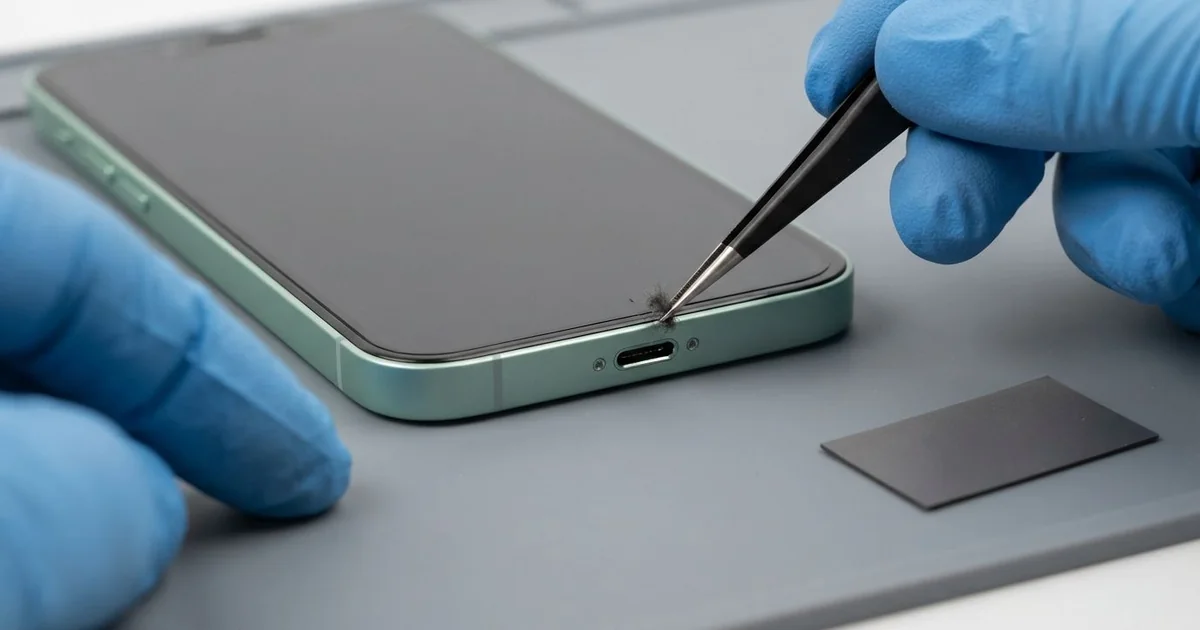
iPhone 11 Pro Charging Port Repair in Al Khobar fixes a phone that charges loosely, slowly or not at all. We check the Lightning port free, then clean it or fit a new port part. We test charging, the cable fit and the bottom mic, and most jobs are done the same day.
An iPhone 11 Pro not charging usually gives a warning first. The cable feels soft when it goes in, with no firm click. You start holding it at an angle, or leaving the phone face down so the plug stays put.
Some days it charges, and some days it doesn't. The charging sound may repeat as the plug loses contact again and again. Slow charging on a fast charger is another common sign.
It's better not to wait. A plug that keeps losing contact heats the pins, and heat can burn them black. The battery also runs flat over and over, which wears it out early.
Not every fault needs a new part, since most blocked ports are just full of lint, dust or sand. Bent, burnt or rusted pins are different. The iPhone 11 Pro charging port sits on a thin cable with a microphone, and we replace that whole cable.
How Kabayan Center Repairs an iPhone 11 Pro Charging Port
These are the charging faults we fix on the 11 Pro.
- A cable that wobbles, or works at only one angle
- No charging at all, with any cable
- Charging that starts and stops by itself
- Slow charging on a good fast charger
- A liquid warning that won't clear
- A muffled voice on calls, since the bottom mic shares the part
Here is how an iPhone 11 Pro charging port repair works, step by step.
- We look into the port with a bright magnifier and test it with our own cables.
- We tell you if it needs a clean or a new part, and you decide first.
- We lift lint, dust and sand out with plastic picks and a soft brush.
- If the pins are damaged, we open the screen from the front and disconnect the battery.
- We remove the loudspeaker and the brackets that sit over the port cable.
- We fit the new port cable and test charging, the cable fit and the bottom mic.
- We reseal the screen and let you try the phone with your own cable.
Have another phone with the same trouble? Our charging port repair service covers other models too. Customers reach our shop on King Fahd Road from Dammam and Dhahran as well.
Why an iPhone 11 Pro Stops Charging: 3 Real Cases
Fine sawdust from a carpentry workshop
A carpenter came to us with a phone that would only charge face down on the bench. "If I pick it up, it stops," the carpenter said. The phone spent every working day in an apron pocket beside the saws.
The carpenter had searched for iPhone Charging Port Repair in Al Khobar, sure the port was broken. Sawdust is finer than it looks. It drifts into the port, and each plug-in presses it into a hard little cake.
Under the magnifier, the bottom of the port was packed with pale wood dust. The cable could only reach the first part of the pins. We loosened the cake with a plastic pick and brushed it out bit by bit.
Once the port was clear, the cable clicked in firmly. The phone charged at full speed, standing up or lying down. The pins were clean, so the iPhone 11 Pro charging port repair needed no part.
We suggested a zip pocket or a small pouch on workshop days. A quick look with a torch every few weeks also catches the dust early.
The carpenter laughed that the fix took less time than a coffee. The phone has charged normally since.
Pool water, then a quick charge
This one starts at a pool party. The phone slipped off a sun lounger into the shallow end and was out within seconds. It looked fine, so it went straight onto a charger to top up.
The next morning, the phone showed a liquid warning and refused to charge. "It's been drying for a whole day," the owner told us. They had looked up mobile repair in Al Khobar after the warning would not go away.
Pool water carries chlorine and salts. Charging while the port is wet sends power through that water, and it burns the pins. Green crust can start forming within hours.
We found a green film on several pins and light marks on the board near the port. So we did a water damage repair to clean the board first. Then we fitted a new port cable in place of the burnt one.
The warning cleared, and the phone charged at full speed again. Never charge a phone that has just been in water, even if it looks dry. Waiting and bringing it in first saves the port more often than not.
A power bank hanging from the port
We often see this with commuters. A bank clerk charged on the go, with a heavy power bank on a short cable. The bank swung from the phone in a pocket for the whole ride home.
Over months, that weight levered the port up and down. The plug grew looser until it fell out with any small move. "Even a new cable just drops out," the clerk said.
Inside, the port cable had cracked near its joint, and the frame around the opening was slightly bent. We did the iPhone 11 Pro charging port repair, and charging was firm again with a normal plug.
But the bent frame stayed a touch narrow. Some thick plugs on chunky cables now catch on the case edge, so the clerk uses a slim cable. Straightening the steel frame further would have risked the screen.
The battery had also been drained to zero many times. It tested well below normal, so we did a phone battery replacement on the same visit. The clerk now keeps the power bank in a bag and tops up at the office desk.
How to Keep Your iPhone 11 Pro Charging Port Working
- Check the port with a torch every few weeks for lint, dust or sand.
- Clean it only with a soft plastic pick, never a metal pin.
- Don't let a power bank or heavy cable hang from the port.
- Pull the cable out by the plug, never by the wire.
- Never charge a wet phone. Let it rest and get it checked first.
- Keep the phone in a zip pocket at work sites and workshops.
- Get phone repair in Al Khobar once the cable needs a special angle.
Related services
- Motherboard repair for a phone that still won't charge with a new port
- Phone screen replacement for a cracked or dark screen
Questions about this repair
Ask us anything else on WhatsApp
we answer during shop hours.