iPhone 15 Plus Charging Port Repair in Al Khobar
iPhone 15 Plus Charging Port Repair in Al Khobar for a phone that charges slowly, loosely or not at all. We check the port free and tell you what it needs. You decide before any work starts, and your phone is never reset or wiped.
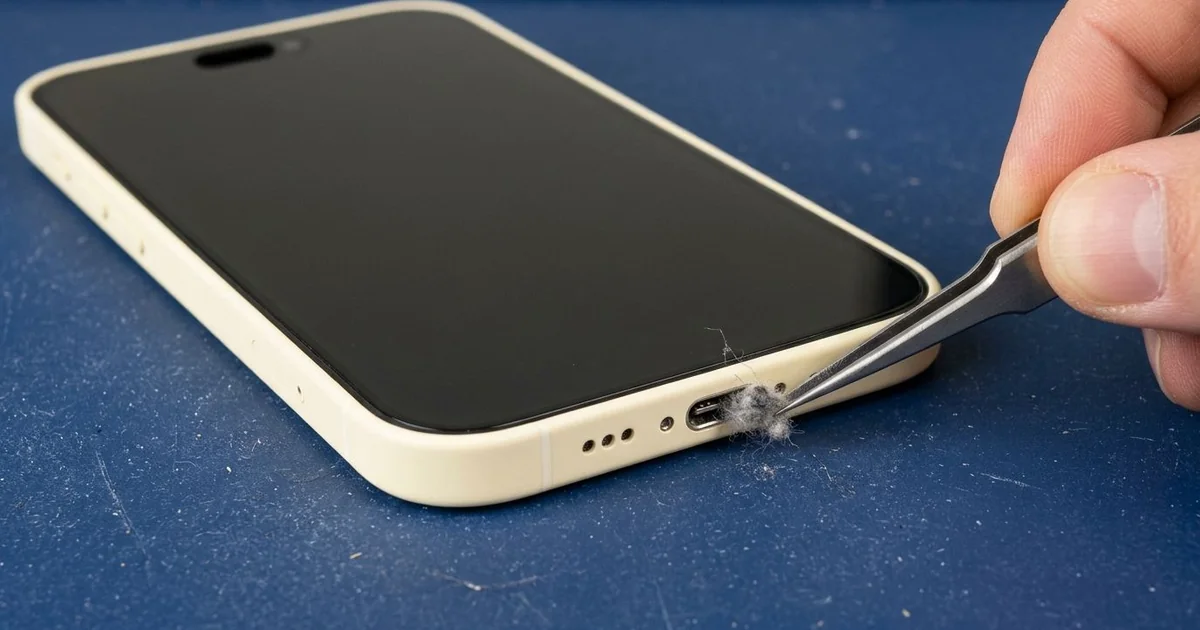
iPhone 15 Plus Charging Port Repair in Al Khobar fixes a phone that charges loosely or not at all. We check the USB-C port free, then clean it or fit a new port part. We test charging, the cable fit and the bottom mic, and most jobs are done the same day.
An iPhone 15 Plus not charging can be confusing. The phone has a big battery, so it may run for a day before you notice charging stopped. Then the cable feels loose, or the charging sign flickers on and off.
Some owners blame a laptop charger or a borrowed cable first. When every cable fails, the fault is inside the port. The iPhone 15 Plus charging port sits on a thin cable at the bottom, together with the bottom mic.
It's better not to wait. A loose plug heats the contacts and slowly burns them. The battery also keeps running flat, and that wears it down sooner.
Not every fault needs a new part. Lint, sand and dust cause most charging trouble, and a careful clean with plastic tools fixes them. Burnt contacts or a bent centre tab need a new port part, and that brings clear calls back too.
How Kabayan Center Repairs an iPhone 15 Plus Charging Port
These are the charging faults we fix on this phone.
- A USB-C cable that feels loose or falls out
- No charging with any cable or charger
- Charging that flickers on and off
- Very slow charging from a good charger
- A liquid warning that won't clear after drying
- A muffled mic on calls, since it shares the port part
Here is how an iPhone 15 Plus charging port repair works with us:
- We check the port under a bright light and magnifier, then test our own cable.
- We explain what it needs, and you decide before any work starts.
- We clean out lint, sand and dust with fine plastic tools.
- If the port is damaged, we open the phone and disconnect the battery first.
- We remove the loudspeaker and the small brackets over the port cable.
- We fit the new port cable and test charging, the cable fit and the mic.
- We seal the phone again and let you test it yourself.
Own a different model? Our charging port repair service covers other phones too. Customers come to our shop on King Fahd Road from Dammam and Dhahran as well.
Why an iPhone 15 Plus Stops Charging: 3 Real Cases
Worn office cables with loose metal ends
This one starts in a shared office. An admin assistant charged the phone with whatever USB-C cable was free on the desk. Some of those cables had loose, bent metal ends.
"Some cables work, some don't, and now none of them do," the assistant told us. They had searched for iPhone Charging Port Repair in Al Khobar at lunch.
A bent plug scrapes the contacts each time it goes in. Over many weeks, it wore down the contacts on one side of the centre tab. Without those contacts, the phone could not take power.
Under our magnifier, the worn contacts were easy to see. We opened the phone and did the iPhone 15 Plus charging port repair. The cable clicked in firmly, and charging came back at full speed.
During testing, the battery health was lower than it should be. Charging in short, patchy bursts had worn it down. The assistant asked us to add a phone battery replacement the same visit.
The phone now charges with any good cable. The assistant now keeps a personal cable in a drawer and checks the plug before each use.
Concrete dust from a building site
A common case: a phone that lives in a work vest on a building site. A site engineer noticed the cable would only go in halfway. "It's like something is stuck at the bottom," the engineer said.
The engineer had looked up mobile repair in Al Khobar between site visits. Fine concrete dust floats everywhere on a building site. It gets into pockets and slowly settles deep in the port.
Under our light, the port held a pale grey layer pressed hard at the back. Mixed with sweat, the dust had set almost like paste. We loosened it slowly with fine plastic tools, without touching the centre tab.
After cleaning, the cable went in all the way with a clear click. The phone charged normally on the first try. The iPhone 15 Plus charging port repair needed no new part, and the visit was short.
We showed the engineer how to check the port with a torch. A zipped inner pocket now keeps the phone away from the worst dust. A quick look each week stops the layer building up again, so the port keeps working.
Caught in a winter downpour
We often see this on the few rainy days of winter. A delivery rider got caught in a sudden heavy shower with the phone on the handlebar mount. Rain ran straight into the bottom of the phone.
At home, the rider put it on charge right away. The next day it showed a liquid warning and refused to charge. Rain mixed with road dust had left a gritty crust in the port.
We found green spots on the contacts and dampness just inside the phone. So we did a water damage repair first, then fitted a new port part. Never charge a phone straight after rain, even if it looks dry.
Charging came back, and the warning cleared. But a small cloudy patch stayed at the bottom edge of the screen, where water had dried inside it.
The rider chose to live with the patch for now, because it sits below the keyboard. We noted it on the job card in case it spreads.
The rider now uses a mount with a rain cover. On wet days, the phone goes into a pocket between deliveries.
How to Keep Your iPhone 15 Plus Charging Port Working
- Check the port with a torch every few weeks for lint, sand or dust.
- Use cables with straight, firm metal ends, and throw away bent ones.
- Keep the phone in a zipped pocket in dusty workplaces.
- Never clean the port with a pin, a needle or a toothpick.
- Never charge the phone straight after rain or a splash.
- Get phone repair in Al Khobar as soon as the cable feels loose.
Related services
- Motherboard repair for a phone that still won't charge with a new port
- Phone screen replacement for a cracked, cloudy or dark screen
Questions about this repair
Ask us anything else on WhatsApp
we answer during shop hours.