iPhone 16 Pro Charging Port Repair in Al Khobar
iPhone 16 Pro Charging Port Repair in Al Khobar for a cable that slips, sparks or does nothing. We check the port free and tell you what it needs. You decide before any work starts, and your photos and chats stay on the phone.
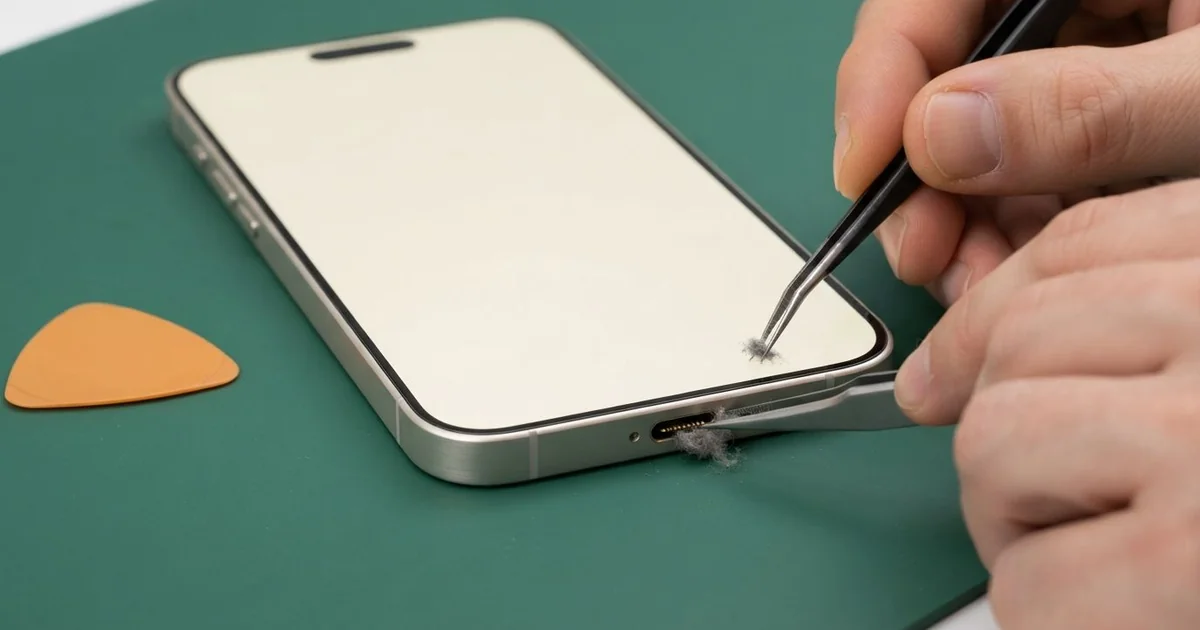
iPhone 16 Pro Charging Port Repair in Al Khobar fixes loose, slow or dead charging. We check the USB-C port free, then clean it or fit a new port part. We test charging and data with several cables, and most jobs are done the same day.
An iPhone 16 Pro not charging usually gives warnings first. The cable needs wiggling, or it charges only one way up. Then the phone stops charging overnight, and you wake up to a low battery.
Data can fail too. This phone can move big video files fast over a good cable. A worn port slows that down or stops it, and some owners notice that before charging fails.
It's better not to wait, because a loose plug makes tiny sparks that burn the pins. Each failed charge also drains the battery to empty, and that wears it out sooner. A phone that won't charge can also leave you without maps or calls when you need them.
Not every fault needs a new part. Lint, sand or dust around the thin centre tab cause most problems, and careful cleaning fixes them. Bent, burnt or rusted pins are different, and then the iPhone 16 Pro charging port part needs replacing.
How Kabayan Center Repairs an iPhone 16 Pro Charging Port
We fix these charging faults on this phone.
- A cable that slips out, or charges only one way up
- No charging by cable, while a wireless pad still works
- Slow charging, even with a good charger
- Slow or failed file transfers to a computer
- A liquid warning that won't clear
- Heat or a burnt smell near the bottom of the phone
Here is how an iPhone 16 Pro charging port repair works with us, step by step.
- We look into the port under magnification and test charging and data.
- We tell you what it needs, and you decide before any work starts.
- We clean out lint, sand and dust with fine plastic tools.
- If the port is damaged, we power the phone off, open it and disconnect the battery.
- We remove the parts that cover the port and take the old port part out.
- We fit the new port part, then test charging, data and calls.
- We seal the phone with fresh adhesive and let you try your own cable.
Have another phone that won't charge? Our charging port repair service covers other models too. Customers come to our King Fahd Road shop from Dammam and Dhahran as well.
Why an iPhone 16 Pro Stops Charging: 3 Real Cases
Cleaned with a safety pin
A customer came to us after trying to fix the port at home. The cable felt loose, so they dug inside with a safety pin. There was a small spark, a faint burnt smell, and the phone went dead.
"I only wanted to get the dust out," they told us. They had searched for iPhone Charging Port Repair in Al Khobar soon after. A metal pin can touch two contacts at once and short them.
Under our magnifier, the pins were scratched, and two were bent together. We finished the iPhone 16 Pro charging port repair, but the phone still would not start. The short had sent a burst of power further in.
The power meter showed a fault on the board, near the charging parts. So we did a motherboard repair, replacing one tiny burnt part under the microscope.
After that, the phone powered on and charged normally with our cable. Every photo and chat was still in place, which mattered most to the owner.
A metal pin, needle or paper clip never belongs in a port. A soft brush or a quick visit to us is much safer.
Music in a steamy bathroom
This one starts in the shower. A flight attendant played music on the phone every morning, with it sitting on the edge of the sink. The bathroom filled with thick steam each time, and the mirror ran with water.
Over months, warm steam settled inside the port and slowly turned to rust. "It says liquid detected, but I never dropped it," the attendant said. The warning came back every single morning.
We found green rust on the pins and a light trace further inside. So we did a water damage repair, cleaning the inside before the rust reached the board.
The pins themselves were too worn to keep, and the port needed replacing. But the attendant had a flight to catch that evening and no time to wait for the part.
So the phone now charges only on a wireless pad, while the cable port stays unused. The new port part is planned for the next visit.
A phone outside the bathroom, with music from a small speaker, avoids this. Steam does slow damage that most people never expect, because nothing ever looks wet.
A worn cable with a loose plug
We often see this with cables that have been used for years. A video editor plugged in an old cable many times a day, at a desk and in the car. The plug had worn loose and wobbled in the port, and the wire was taped near the end.
"Files stop copying halfway, and charging cuts out," the editor said. The editor had looked up mobile repair in Al Khobar after losing a big transfer before a deadline.
A worn plug rocks inside the port. Over time, it bends the clips that hold the cable in place. We found those clips loose and the pins slightly worn, so we fitted a new port part.
After the iPhone 16 Pro charging port repair, transfers and charging were steady with a new cable. But our test showed the battery was worn too, from months of broken charging. So the editor chose a phone battery replacement in the same visit.
The phone now lasts a full workday and copies files without stopping. The old cable went straight in the bin. Replacing a tired cable early is the simplest way to protect the port.
How to Keep Your iPhone 16 Pro Charging Port Working
- Never clean the port with a safety pin, a needle or a paper clip.
- Look into the port with a torch every few weeks, and bring it in if you see lint.
- Keep the phone out of steamy bathrooms.
- Replace a loose cable early, so you avoid an iPhone 16 Pro charging port repair.
- Unplug at once if the phone shows a liquid warning.
- Pull the cable out by its plug, never by the wire.
- Get phone repair in Al Khobar as soon as charging needs a special angle.
Related services
- Phone screen replacement for a cracked or dark screen
Questions about this repair
Ask us anything else on WhatsApp
we answer during shop hours.