iPhone 16 Pro Max Charging Port Repair in Al Khobar
iPhone 16 Pro Max Charging Port Repair in Al Khobar for a USB-C cable that is loose or dead. It also helps with slow or broken charging. We check the port free and tell you what it needs, and you decide before any work starts.
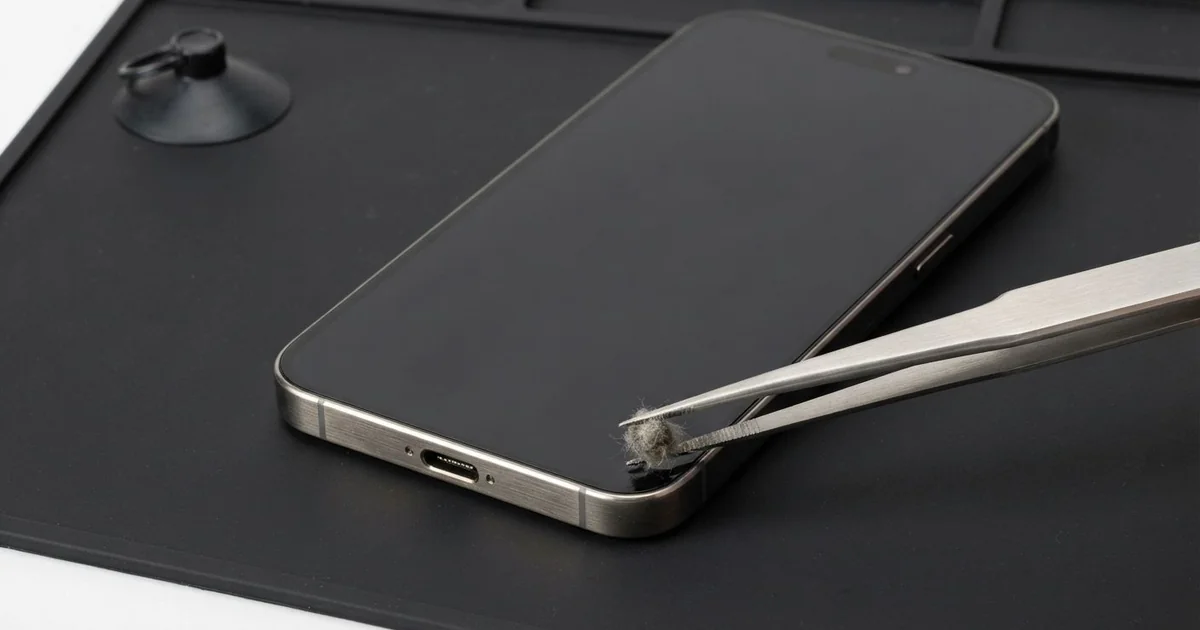
iPhone 16 Pro Max Charging Port Repair in Al Khobar fixes loose, slow or failed charging. We check the USB-C port free, then clean it or fit a new port part. We test charging and data with several cables, and most jobs are done the same day.
An iPhone 16 Pro Max not charging usually starts with small signs. The cable needs a push or a twist, or it works only one way up. Then the phone charges slowly, or the charging sign comes and goes during the night.
A wireless pad is a quick test at home. If the phone charges on a pad but not by cable, the battery is probably fine. That points straight at the port, which is often a smaller repair.
It's better not to wait, though. A loose plug makes tiny sparks that slowly burn the pins. The big battery also gets drained to empty again and again, and that wears it out sooner.
Not every fault needs a new part. Lint, dust or grit around the thin centre tab cause most problems, and careful cleaning fixes them. Bent, burnt or rusted pins mean the iPhone 16 Pro Max charging port part needs replacing.
How Kabayan Center Repairs an iPhone 16 Pro Max Charging Port
We fix these charging faults on this phone.
- A cable that is loose, or charges only one way up
- No charging by cable, while a wireless pad still works
- Slow charging, even with a good charger
- Charging that stops and starts during the night
- A liquid warning that won't go away
- Grit, grains or something else stuck inside the port
Here is how an iPhone 16 Pro Max charging port repair works with us, step by step.
- We look into the port under magnification and test it with our own cable.
- We tell you what it needs, and you decide before any work starts.
- We clean out lint, grit and grains with fine plastic tools.
- If the port is damaged, we power the phone off, open it and disconnect the battery.
- We remove the parts that cover the port and take out the old port part.
- We fit the new port part, then test charging, data and calls.
- We seal the phone with fresh adhesive and let you check it with your own cable.
Have another phone with charging trouble? Our charging port repair service covers other models too. Customers come to our King Fahd Road shop from Dammam and Dhahran as well.
Why an iPhone 16 Pro Max Stops Charging: 3 Real Cases
Salt spray on a dive boat
This one starts out at sea. A diving instructor kept the phone in an open pocket on the boat deck, day after day. Fine salt spray settled on it each trip.
"It never went in the water, but now it won't charge," the instructor said. They had searched for iPhone Charging Port Repair in Al Khobar after a liquid warning kept appearing. Salt spray dries into crystals that pull in moisture from the air.
Under our magnifier, the pins had a green and white crust. We could see a light trace going further inside, toward the board. So we did a water damage repair, cleaning the inside before the salt could spread.
The port pins were too far gone, so we fitted a new port part too. The warning stopped, and the phone charged at full speed again.
We suggested a dry bag on the boat. A damp cloth with fresh water can wipe the salt off after each trip. Never rinse the port under a tap, though.
Good seals keep water out, but salt spray finds the port, because it is always open. A quick check after each season at sea is worth it.
Rice grains from the rice trick
A customer came to us after a splash in the kitchen sink. They had dried the phone in a bowl of rice overnight, as many people do. The phone worked, but the cable would no longer go in.
"I think there's something inside," they said. A whole rice grain had wedged deep in the port. Fine rice dust had also packed around the centre tab like paste.
We lifted the grain out slowly with fine plastic tools, then picked out the dust. The cable clicked in again. But charging was still slower than it should be.
Under the light, a few pins showed early rust from the splash, so it charges, just not at full speed. The customer had looked up mobile repair in Al Khobar, hoping for a quick clean. They chose to plan the new port part later.
So the phone works, while the port waits for its new part. Rice does not dry the inside of a phone, and its dust and grains often make things worse.
After a splash, switch the phone off and bring it in instead. That is faster and safer than any bowl of rice.
A power bank pulling on the cable inside a bag
We often see this with commuters. A bank officer charged the phone from a power bank on the walk to work. The phone sat in one pocket of the bag, the power bank in another, with the cable stretched between them.
Every step tugged the plug sideways, and the bag swung with each stride. Over a few months, the port loosened from inside. "Now the cable falls out if I breathe on it," the officer said.
We found the small clips inside the port bent and worn. Cleaning could not fix that, so we did the iPhone 16 Pro Max charging port repair. Every cable we tried then clicked in firmly, with no wobble at all.
Our battery test showed the health had dropped too, from months of stop-start charging. So the officer chose a phone battery replacement in the same visit.
After the iPhone 16 Pro Max charging port repair, the phone charges firmly and lasts the full workday. We suggested keeping the phone and the power bank in the same pocket, with a short cable.
That way, nothing pulls on the plug as you walk. A right-angle plug also puts less strain on the port in a tight pocket.
How to Keep Your iPhone 16 Pro Max Charging Port Working
- Look into the port with a torch every few weeks, and bring it in if you see lint or grit.
- Skip the rice after a splash, and get the phone checked instead.
- Use a dry bag at sea, and wipe salt off with a damp cloth, never a tap.
- Keep the phone and power bank together, with a short cable that doesn't pull.
- Never push metal pins into the port, to avoid an iPhone 16 Pro Max charging port repair.
- Pull the cable out by its plug, never by the wire.
- Get phone repair in Al Khobar as soon as charging needs a special angle.
Related services
- Motherboard repair for a phone that still won't charge with a new port
- Phone screen replacement for a cracked or dark screen
Questions about this repair
Ask us anything else on WhatsApp
we answer during shop hours.