iPhone 17 Pro Max Charging Port Repair in Al Khobar
iPhone 17 Pro Max Charging Port Repair in Al Khobar for a plug that slips out or won't charge. We check the port free and tell you what it needs. You decide before any work starts, and your files stay private.
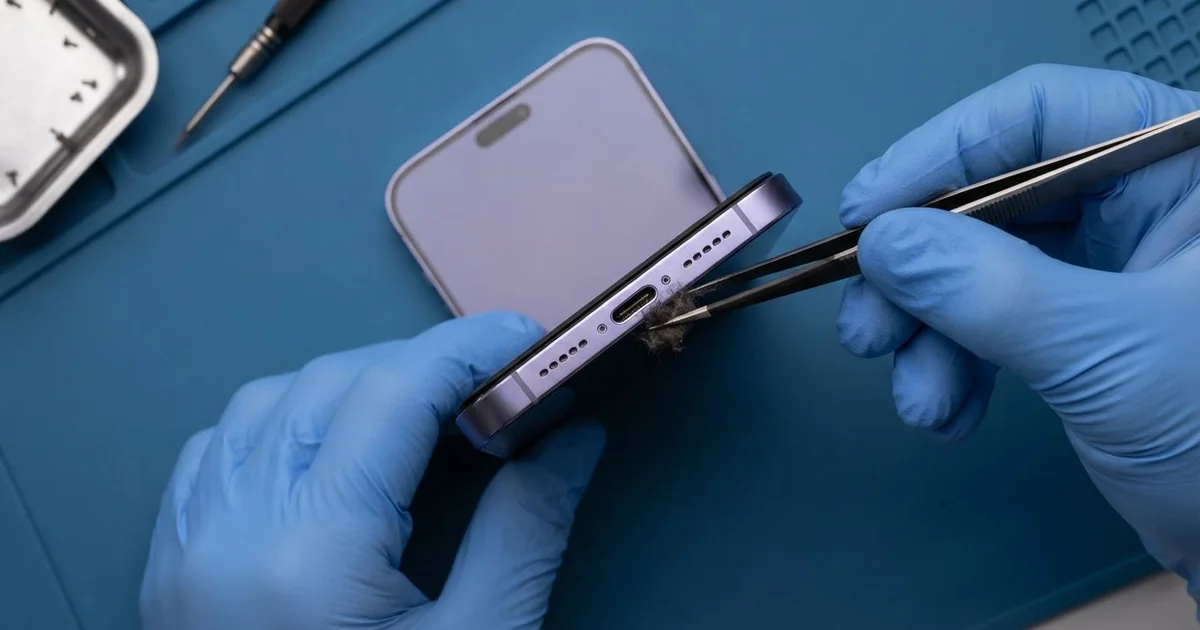
iPhone 17 Pro Max Charging Port Repair in Al Khobar fixes a phone that charges slowly or not at all. We check the USB-C port free, then clean it or replace the port part. We test charging speed and the plug fit, and most jobs are done the same day.
An iPhone 17 Pro Max not charging is a big worry with a phone this size. The battery is large, so slow charging can leave you short all day. First the plug feels loose, then the charging sign blinks on and off.
Some owners blame the charger and buy a new one, but the new one acts the same. The problem is almost always inside the port, so it's better not to wait. A loose plug heats and burns the pins, and running a big battery flat wears it out sooner.
Not every fault needs a new part. The iPhone 17 Pro Max charging port is a USB-C port with a thin tongue in the middle. Lint, hair and dust pack in around it, and a careful clean often fixes it.
Burnt pins, a bent tongue or rust are different. Then we replace the port part, and the plug sits firmly again.
How Kabayan Center Repairs an iPhone 17 Pro Max Charging Port
We handle these faults as part of every iPhone 17 Pro Max Charging Port Repair.
- A plug that wobbles or slips out
- No charging with any cable or charger
- Charging that is much slower than before
- A liquid warning that stays on a dry phone
- Burnt, dark or green pins inside the port
- Charging that stops when the phone moves
Here is how an iPhone 17 Pro Max charging port repair works with us, step by step.
- We look inside the port with a magnifier and a bright light.
- We test charging with our own cable and a meter that shows the speed.
- We tell you what the iPhone 17 Pro Max Charging Port Repair needs, and you decide before any work starts.
- We clean out lint and dust with fine plastic tools.
- If the port is damaged, we open the phone, disconnect the battery and fit a new port part.
- We test charging, the plug fit and file copying, then you try your own cable.
Have a different phone? Our charging port repair service covers other models with the same steps. Customers reach our shop on King Fahd Road from Dammam and Dhahran too.
Why an iPhone 17 Pro Max Stops Charging: 3 Real Cases
Charging under a dripping AC unit
This one starts on a bedroom windowsill. A shop owner charged the phone every night next to an old window AC unit. On humid nights, the unit dripped water onto the sill.
"In the morning it says liquid detected," the shop owner told us. They had searched for iPhone Charging Port Repair in Al Khobar after the phone stopped charging completely.
Night after night, small drops ran into the port while the cable was in. Power and water together turned the pins green.
We found green crust on the pins and light marks on the board near the port. So we did a water damage repair, cleaning the board in a special bath.
The port pins could not be saved, so we fitted a new port part. The warning stopped, and charging came back at full speed.
Never leave a phone charging where water can drip or splash on it. The power makes even a few drops do much more damage.
The phone now charges on a bedside table, well away from the window. The shop owner also had the AC unit's drain pipe fixed.
An unbranded cable that got hot
A customer came to us after a cable grew hot in the plug. It was a thin, unbranded cable bought at a petrol station. One evening, the phone simply stopped charging.
"I tried other cables, and nothing works now," the customer said. They had looked up mobile repair in Al Khobar the same night.
A poor cable can let too much heat build up at the plug. Here, it had burnt pins inside the port, leaving dark marks around the tongue.
We fitted a new port part, but the phone still would not charge. The meter showed no current reaching the board. So we went on to a motherboard repair and found a small burnt part near the port.
We replaced that part, and the phone began to charge again. It charges steadily, but not quite at its old top speed. The customer chose to accept that rather than do more board work.
Now the customer uses only a known cable and charger, and throws away any that get hot. A cable that feels warm in the plug is a warning sign.
Pet hair from the sofa
We often see this in homes with cats. A retired engineer often lost the phone down the side of the sofa cushions.
Each time, it came back with a little more fur and dust in the port. The cats loved that sofa more than anyone.
Over months, the plug went in less and less. The phone charged only when it lay perfectly still on the table. "I thought the port was simply worn out," the engineer said.
Under the magnifier, we found a firm mat of fur and fluff around the tongue. The pins were clean underneath. We lifted it out slowly with plastic tools, and the plug clicked in firmly.
Months of poor charging had taken a toll, though. The battery had run flat again and again, and its health reading was low. So we did a phone battery replacement in the same visit.
The phone now charges fast and lasts through the whole day again.
The engineer now checks the port with a torch each week. A quick look takes seconds and saves months of trouble. The sofa now has a small basket for the phone.
How to Keep Your iPhone 17 Pro Max Charging Port Working
- Look into the port with a torch every few weeks for lint, hair or dust.
- Never clean the port with a pin, a needle or a toothpick.
- Use a known cable and charger, and throw away any that get hot.
- Charge the phone away from windows, sinks and AC units.
- Never charge the phone while it shows a liquid warning.
- Get phone repair in Al Khobar as soon as the plug feels loose.
Related services
- Phone screen replacement for a cracked or dark screen
Questions about this repair
Ask us anything else on WhatsApp
we answer during shop hours.