iPhone 3GS Motherboard Repair in Al Khobar
iPhone 3GS Motherboard Repair in Al Khobar for a phone that stays black, freezes on the logo or lost Wi-Fi. We check the board free and explain what we find. You decide before any work starts, and we never delete your files without asking.
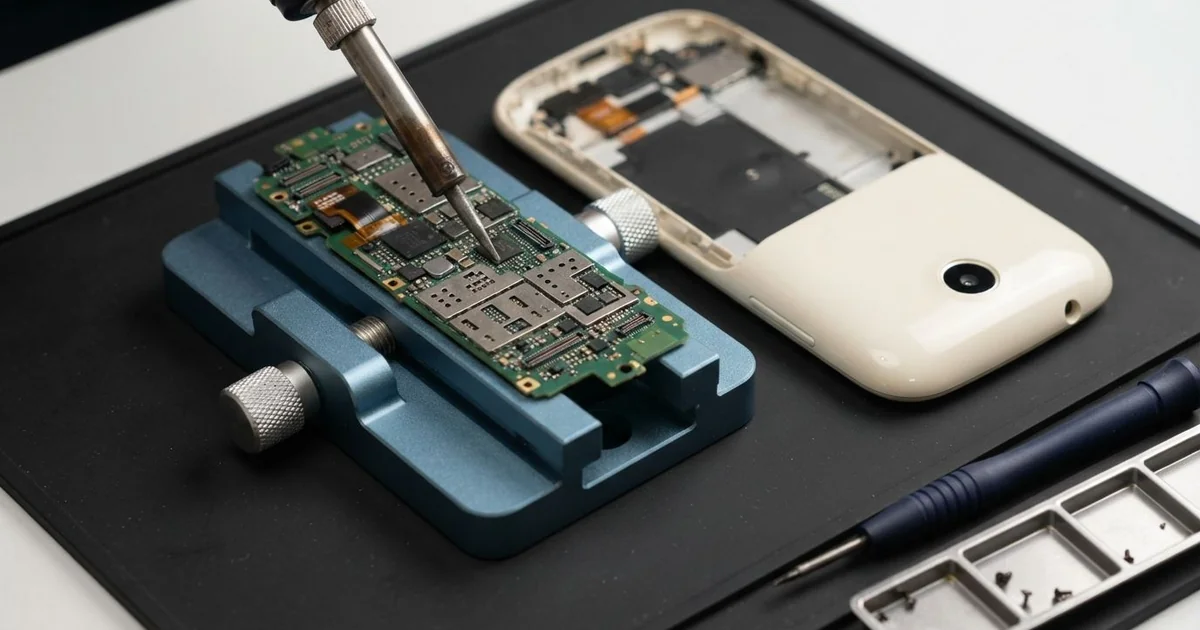
iPhone 3GS Motherboard Repair in Al Khobar fixes a phone that won't power on, freezes or lost Wi-Fi. We check the board free and trace the failed part with a power meter. Then we replace that part under a microscope, and we save your files first.
An iPhone 3GS not turning on is the sign most people bring in. Many owners leave it on the charger all night, but the screen stays black. Other phones freeze on the logo, lose Wi-Fi or get warm while they're switched off.
It's better not to wait. A short on the board keeps heating the parts around it. Spills and damp keep eating the board, even while the phone sits in a drawer.
Not every dead phone has a board fault. A flat battery, a dirty dock port or a loose screen cable can look exactly the same. We test those parts first, so you never pay for board work you don't need.
When the fault is on the board, we look closer. The iPhone 3GS motherboard carries the storage, the radios and the power parts on one board. Often a single small part has failed, though parts for this older phone can take time to arrive.
How Kabayan Center Repairs an iPhone 3GS Motherboard
We handle these faults as part of every iPhone 3GS Motherboard Repair.
- No power at all, even on the charger
- Frozen on the logo, or restarting again and again
- Wi-Fi greyed out or unable to find any network
- No signal, or calls that drop all the time
- A phone that gets warm while switched off
- Faults that start after a spill or a power cut
Here is how an iPhone 3GS motherboard repair works with us, step by step.
- We check the phone free and test the battery, screen and dock port to rule them out.
- We connect a power meter that shows how much power the board draws.
- We tell you what we found in the iPhone 3GS Motherboard Repair, and you decide before any work starts.
- We lift the front with a suction cup, unplug the cables and take out the board.
- We trace the failed part under a microscope, using the power meter and gentle heat.
- We replace that part with a fine hot-air tool and a soldering tip.
- We rebuild the phone, test power, Wi-Fi, signal and charging, then let you check it.
Have a newer phone or a laptop? Our motherboard repair service covers other devices too. Customers come to our shop on King Fahd Road from Dammam and Dhahran as well.
Why an iPhone 3GS Board Fails: 3 Real Cases
Charged under a blanket every night
A customer came to us with a phone that had simply stopped. It had charged on the bed every night, under a thick blanket. "It was hot when I woke up, and then it never came on," they said.
The customer had searched for iPhone Motherboard Repair in Al Khobar, sure the battery had died. We tested the battery first, and it was fine.
A phone needs air while it charges. Under a blanket, the heat has nowhere to go. Night after night, it wore down the small part that controls power on the board.
The power meter showed the board pulling no power at all. Under the microscope, that power part had a tiny crack and a brown mark on top. We replaced it with a fine hot-air tool.
The phone started up at once, with every photo and contact in place. We left it charging on the bench for a long test, and it stayed cool.
We suggested charging on a hard table or a shelf, never on a bed. The customer now uses a small stand beside the bed, so the phone stays in the open air all night.
Karak tea across the desk
This one starts at an office desk. A clerk knocked over a cup of sweet karak tea, and it ran straight over the phone.
The clerk had looked up mobile repair in Al Khobar when the phone began acting strange the next day. Wi-Fi was greyed out, and the phone restarted now and then.
Sweet milky tea is worse than water. The sugar and milk leave a sticky layer that holds damp against the board. This model has no water protection at all.
We opened it and found a brown sticky film around the Wi-Fi chip and the power parts. We did a water damage repair, cleaning the board in a special bath. Then we replaced one rusted power part.
The restarts stopped, and the phone ran a long test without a problem. The Wi-Fi chip, though, had been eaten under its edges.
A Wi-Fi chip for this phone would take time to find, so the clerk chose to wait. For now the phone works well on mobile data, but Wi-Fi stays off. Switch the phone off at once after a spill, and bring it in the same day.
A power surge after a power cut
We often see this after a cut in the building's power. A shop owner left the phone charging overnight while the power went off and came back.
"All my customers' numbers are on it," the owner said. The phone was dead and wouldn't charge. A different cable and a different socket had changed nothing.
When power comes back, it can jump for a moment. An unbranded charger lets that jump through to the phone. The charging part on the board takes the hit first.
Under the microscope, we found the charging part burnt and a small filter beside it cracked. Before any other work, we copied the contacts and photos off through our data recovery service. Then we replaced both parts with a hot-air tool.
The phone charged and started again. During testing, the battery dropped fast and turned warm, so the surge had hurt it too. We fitted a new one with a phone battery replacement.
The owner now uses a good charger on a surge-protected socket. The customer numbers are also backed up on a computer now, so one dead phone can't take them away.
How to Keep Your iPhone 3GS Board Safe
- Charge the phone on a hard table, never under a pillow or a blanket.
- Use a good charger and a socket with surge protection.
- Keep cups away from the phone on your desk.
- Switch the phone off at once after a spill, and skip the rice.
- Copy your contacts and photos to a computer every few weeks.
- Get phone repair in Al Khobar as soon as the phone restarts by itself or runs warm while off.
Related services
- Charging port repair for a dock plug that is loose or won't charge
Questions about this repair
Ask us anything else on WhatsApp
we answer during shop hours.