iPhone 5S Charging Port Repair in Al Khobar
iPhone 5S Charging Port Repair in Al Khobar for a loose plug, slow charging or no charging at all. We check the port free and tell you what we find. You decide before any work starts, and your phone is never wiped.
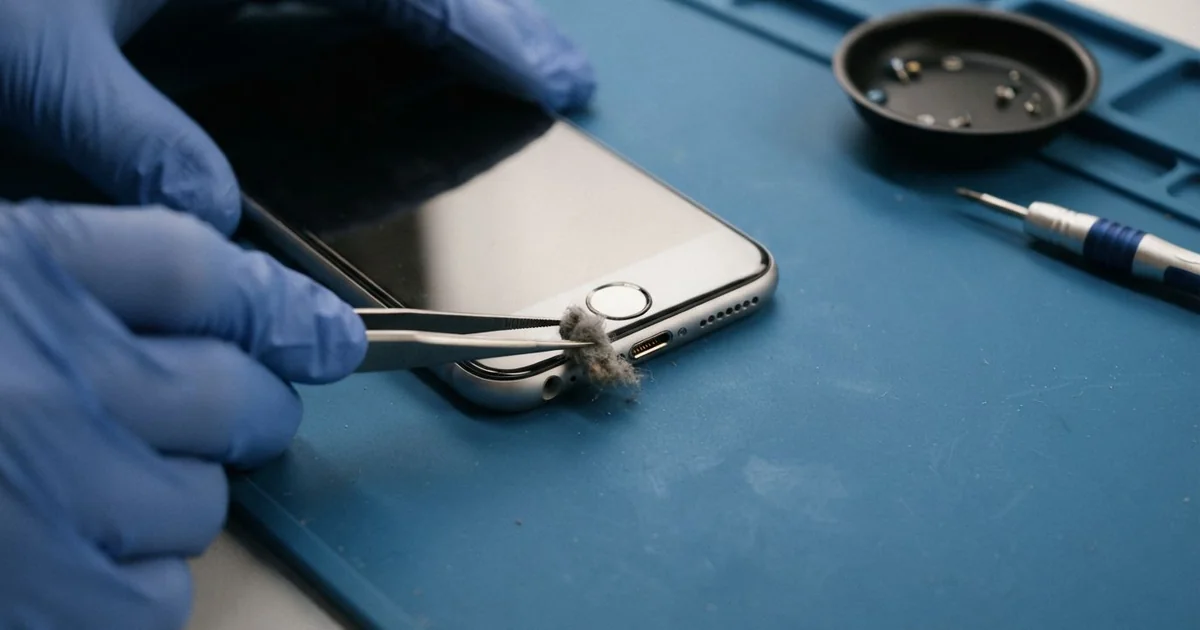
iPhone 5S Charging Port Repair in Al Khobar fixes a phone that charges loosely, slowly or not at all. We check the Lightning port free, then clean it or replace the port cable. We test charging, the headphones and the mic, and most jobs are done the same day.
An iPhone 5S not charging often starts with a plug that feels soft. It no longer clicks in, or it charges only when you hold it still. Soon the charging sign blinks on and off, and the battery keeps running flat.
It's better not to wait. A loose plug heats the pins every time, and slowly burns them. A battery that runs flat again and again also wears out sooner, which means a second repair.
Not every fault needs a new part. Many ports are just blocked with lint, sand or dried sweat, and a careful clean with plastic tools fixes them. Bent, burnt or rusted pins need a new part instead.
The iPhone 5S charging port shares one cable with the headphone socket and the bottom mic. Replacing that cable often fixes crackly headphones and weak calls too. We lift the screen slowly and unplug the thin Touch ID cable first, so it stays safe.
How Kabayan Center Repairs an iPhone 5S Charging Port
We fix these charging faults on this phone.
- A plug that is loose or slips out
- Charging only at one angle, or not at all
- Slow charging with a good charger
- A charging sign that blinks on and off
- Headphones that crackle or cut out on one side
- Callers who hear you faintly
These are the steps of the iPhone 5S charging port repair.
- We look into the port under a magnifier and test with our own cable.
- We tell you what it needs, and you decide before any work starts.
- We clean the port with plastic picks and a soft brush, never metal.
- If the pins are damaged, we lift the screen slowly and unplug the Touch ID cable first.
- We disconnect the battery, remove the loudspeaker and free the old port cable.
- We fit the new cable, then test charging, headphones and the mic.
- We reconnect everything, close the phone and let you try it yourself.
Have another phone that won't charge? Our charging port repair service covers other models too. Customers come to our King Fahd Road shop from Dammam and Dhahran.
Why an iPhone 5S Stops Charging: 3 Real Cases
Sweat from evening runs on the Corniche
This one starts with a runner. A bank clerk jogged on the Corniche every evening with the phone in an armband. Right after each run, the phone went straight on charge.
"It used to charge fine, and now nothing," the clerk said. They had searched for iPhone Charging Port Repair in Al Khobar after a week of trying.
Sweat is salty water. It runs down the arm and into the port, then dries into a salt crust. Charging over that crust makes the pins rust fast.
Under the magnifier, the pins were green, and a white film lined the port. The salt had crept further in too. So we did a water damage repair to clean the board around the port.
Then we did the iPhone 5S charging port repair, since the rusted pins could not be saved. Charging was firm again, and the mic was clear in a test call.
We suggested wiping the phone and waiting a little before charging after a run. The clerk now keeps it in a pocket of the armband that zips shut.
A dry cloth in the gym bag also helps. A quick wipe after each run keeps salt off the port.
A SIM tool pushed into the port
A common case in homes with small children: a child pushed the SIM tool into the charging port. There was a tiny spark, and the phone went dark at once.
The parent, a pharmacist, had looked up mobile repair in Al Khobar that evening. "It won't charge, and it won't turn on," the parent said.
The metal pin had touched two contacts at once and shorted them. Two pins were bent, and one had a black burn mark.
We fitted a new port cable, but the phone still would not charge. Our power meter showed the short had also burnt a tiny protection part on the board.
So we did a motherboard repair to replace that part under the microscope. After that, the phone charged and turned on with all its photos.
The parent now keeps the SIM tool in a drawer, far from small hands. Never push metal into a charging port, even to clean it.
We also showed the parent how to spot a burnt pin with a torch. A dark mark is a sign to stop using the cable.
A rugged case that bent the plug
We often see this with thick protective cases. A construction worker used a heavy case with a narrow hole at the bottom. The plug could only go in at a slight angle.
Over many months, that angle wore the port loose. Charging worked only if the cable rested on a book. The worker had blamed the cables and bought new ones twice.
We found the pins worn on one side and the port cable cracked near the plug. Cleaning could not fix this, so we did the iPhone 5S charging port repair. With the case off, the plug went in straight and firm.
Our tester also showed a very worn battery. The worker decided to wait on a phone battery replacement for now.
So charging is fixed, but the phone still runs down by late afternoon. We noted the battery for the next visit.
The worker now uses a case with a wider opening. A case should never force the plug to bend.
We checked the new case before the worker left. The plug now goes straight in with room to spare.
How to Keep Your iPhone 5S Charging Port Working
- Wipe the phone and let it dry before charging after a run.
- Keep SIM tools, pins and needles away from the port.
- Choose a case with a wide hole, so the plug goes in straight.
- Look into the port with a torch every few weeks.
- Pull the cable by the plug, never by the wire.
- Get phone repair in Al Khobar as soon as charging needs a special angle.
Related services
- Phone screen replacement for a cracked or dark screen
Questions about this repair
Ask us anything else on WhatsApp
we answer during shop hours.