iPhone SE (1st generation) Motherboard Repair in Al Khobar
iPhone SE (1st generation) Motherboard Repair in Al Khobar for a phone with no power or no SIM. We check the board free and explain what we find. You decide before any work starts, and we never delete your data without asking.
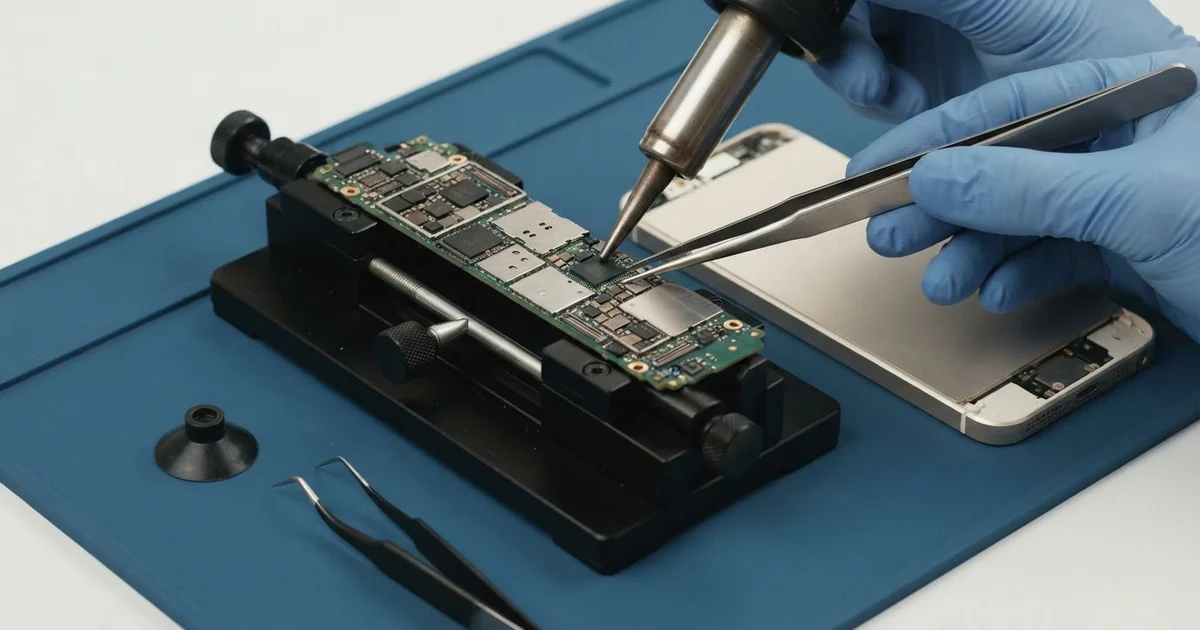
iPhone SE (1st generation) Motherboard Repair in Al Khobar brings an older, tired board back to steady work. We check it free and find the failed part under a microscope. We replace that small part, not the whole board, and we save your data wherever we can.
An iPhone SE 2016 not turning on is the sign we see most. The screen stays black, even after hours on the charger. Other phones lose the SIM card, lose Wi-Fi, or restart again and again.
Owners often try a reset, a new cable or a full night of charging first. When nothing changes, the fault is usually on the board. On a phone this age, small parts on the board simply wear out.
It's better not to wait. A short can heat the parts around it, and moisture keeps eating the board. Each day of waiting makes the repair harder and puts your photos at more risk.
Not every dead phone has a board fault. A flat battery or a loose screen cable can look exactly the same, so we test those first. When the iPhone SE 2016 motherboard is the cause, we find the one small part that failed and replace it.
How Kabayan Center Repairs an iPhone SE (1st generation) Motherboard
These are the board faults we fix on this phone.
- No power, even on the charger
- Stuck on the logo, or restarting in a loop
- "No SIM" with a good SIM card
- No Wi-Fi, or a grey Wi-Fi switch
- A phone that gets hot while switched off
- Faults that start after water or rain
Here is how the board repair works, step by step:
- We check the phone free and test the battery, screen and port first.
- We connect a power meter to see how much power the board pulls.
- We tell you what we found, and you decide before any work starts.
- We lift the screen with care, unplug the Home button cable and battery, then take out the board.
- We find the failed part under a microscope, using the meter and a cold spray.
- We replace that part with a hot-air tool and a fine soldering tip.
- We rebuild the phone and test power, SIM, Wi-Fi and charging before you check it.
Have a different phone or a laptop? Our motherboard repair service covers other devices too. Customers come to our shop on King Fahd Road from Dammam and Dhahran as well.
Why an iPhone SE (1st generation) Board Fails: 3 Real Cases
Baked in a glovebox all summer
This one starts in a glovebox. A spare phone stayed in the car all summer, kept there for emergencies. When the owner finally needed it, it would not turn on at all.
"It was there for emergencies, and it failed in one," they told us. They had searched for iPhone Motherboard Repair in Al Khobar soon after. A closed car in summer gets far hotter than the air outside.
The battery had swollen in the heat. A swollen battery is not safe, so we took it out first. We did a phone battery replacement before testing the board.
With the new battery, the board still pulled too much power. Our cold spray showed a hot spot on one tiny part. The heat had cracked it and caused a short.
The iPhone SE (1st generation) motherboard repair replaced that part, and the phone powered on with its contacts safe. Charging, the SIM and Wi-Fi all tested well. Every contact and photo was still there.
The owner now keeps the spare phone at home, charged, in a cool drawer. A parked car is no place for a phone in summer. Heat harms the battery first, then the board.
A stuck SIM tray and a paperclip
We often see this one. A phone showed "No SIM" after the owner swapped SIM cards in a hurry. The tray went in at an angle and got stuck.
The owner had looked up mobile repair in Al Khobar after pushing a paperclip in to free it. That pushed the tray further and bent the small springy pins that read the SIM. It had seemed like the quick way out.
On this phone, the SIM reader is fixed onto the board itself. So bent pins mean board work, not just a new tray. It's a small job under the microscope, but a careful one.
Under the microscope, several pins were bent flat and one had snapped off. The iPhone SE (1st generation) motherboard repair meant a new SIM reader, fitted with a hot-air tool. We also fitted a straight new tray.
The SIM showed up at once, and test calls went through clearly. Mobile data worked too. The owner could take work calls again the same day.
"I'll never use a paperclip like that again," the owner laughed. The tray should slide in flat, without any force at all.
Caught in a winter downpour on a motorbike
A common case after the winter rains: a phone soaked during a motorbike ride. A food delivery rider got caught in a heavy downpour with the phone in a jacket pocket. It went dark that same evening, halfway through a shift.
The rider left it in a bag of rice for days. Rice dries the outside, but water stays under the chips. By the time it reached us, rust had spread across the board.
We did a water damage repair, cleaning the board in a special bath. Several fine lines under one chip were already eaten through. The iPhone SE (1st generation) motherboard repair could not bring it back for daily use.
But the storage chip was still readable. We saved the photos and contacts before anything else. Our data recovery service copied everything across to a new phone.
So the phone was lost, but the rider's photos and work contacts were not. Those contacts were the rider's whole work list. A check on the first evening, instead of rice, might have saved the board.
The rider now keeps a plastic pouch in the jacket for rainy days. It folds small and weighs almost nothing.
How to Keep Your iPhone SE (1st generation) Board Safe
- Never leave the phone in a parked car in summer.
- Slide the SIM tray in flat, and never force it with a paperclip.
- Keep a plastic pouch handy for rain and the beach.
- Switch a wet phone off and bring it in, without rice.
- Back up your photos often, since this is an older phone.
- Get phone repair in Al Khobar as soon as it restarts or loses the SIM.
Related services
- Charging port repair for a cable that is loose or only charges at an angle
Questions about this repair
Ask us anything else on WhatsApp
we answer during shop hours.