iPhone SE (2nd generation) LCD Display Replacement in Al Khobar
iPhone SE (2nd generation) LCD Display Replacement in Al Khobar for cracked glass or a dark screen. We check it free and explain what it needs. You decide before any work starts, and we keep your own Home button for Touch ID.
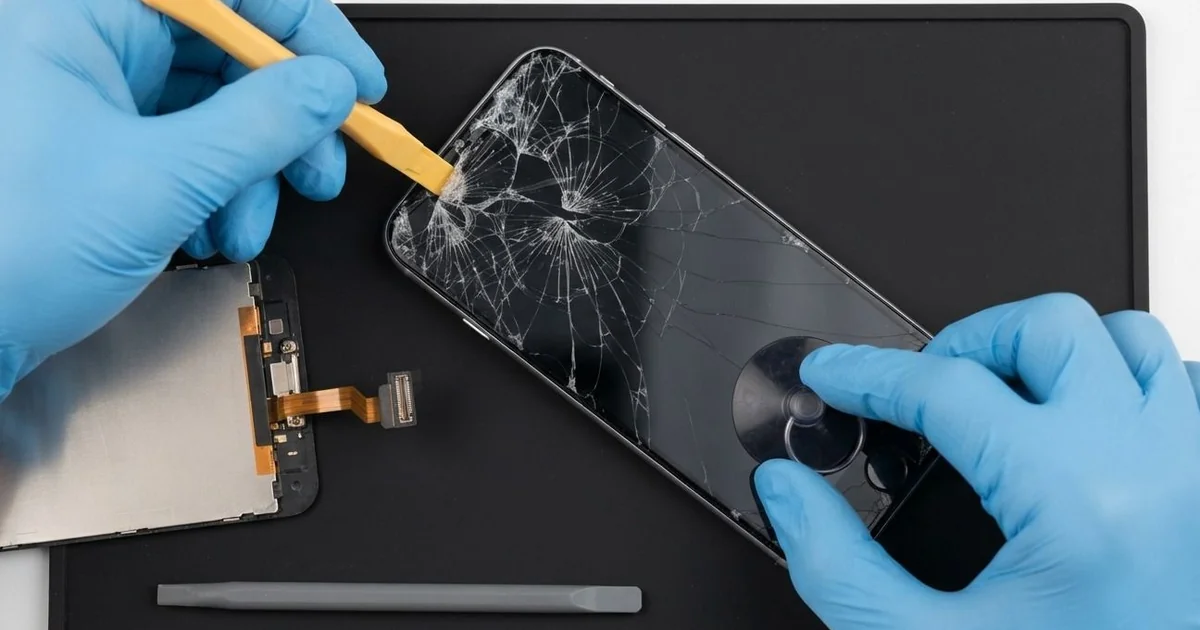
iPhone SE (2nd generation) LCD Display Replacement in Al Khobar fixes a cracked or dark screen. We check it free, then fit a complete new screen with the glass and display in one part. We move your own Home button across, so Touch ID keeps working, and most jobs are done the same day.
This small phone is also called the iPhone SE 2020. It has the classic shape, with a round Home button under the screen. An iPhone SE 2020 broken screen often starts as a crack from a corner or around that button.
Other faults hide under whole glass. Lines run down the picture, a dark patch spreads, or touch stops working along one edge. Some screens go black while the phone still rings.
It's better not to wait. Sharp glass splinters cut thumbs, and cracks let in sweat and dust. A dark screen also makes it hard to back up your photos before something else goes wrong.
Some faults need no new part, like a screen cable knocked loose in a fall. Cracks and lines are different, because the glass and LCD are joined as one part. An iPhone SE 2020 screen replacement swaps that part, and we keep your original Home button.
How Kabayan Center Replaces an iPhone SE (2nd generation) LCD Display
These are the screen faults we fix on this phone.
- Cracked glass, including cracks around the Home button
- Lines, a flickering picture or a dark patch
- A black screen while calls and sound still work
- Touch that fails in one area, or ghost taps
- A screen lifting from the frame
- A loose or rattling Home button after a drop
Here is how an iPhone SE (2nd generation) LCD display replacement goes, step by step.
- We check the phone free and test Touch ID, the cameras, sound and charging.
- We explain what it needs, and you decide before any work starts.
- We remove the two small screws beside the charging port and warm the screen edges.
- We lift the screen from the bottom, open it to the side and disconnect the battery.
- We move your Home button, the front camera and the earpiece to the new screen with great care.
- We connect the new screen and test touch, colour, Touch ID and the front camera.
- We fit a fresh seal, press the screen down evenly and let you check the phone.
Own a different model? Our phone screen replacement service covers it with much the same steps. Customers come to our shop on King Fahd Road from Dammam and Dhahran too.
How an iPhone SE (2nd generation) Screen Breaks: 3 Real Cases
Dropped on the stairs at home
A customer came to us after a slip on the stairs at home. The phone flew out of a hand and bounced down onto the hard floor. A crack now ran from the corner right around the Home button.
"Will I lose my fingerprint unlock?" they asked first. They had searched for iPhone Screen Replacement in Al Khobar and read that Touch ID can be lost.
On this phone, Touch ID lives inside the Home button. It is paired to the board, so only the original button works for fingerprint unlock. The button itself was fine under the cracked glass.
We lifted the Home button out of the old screen slowly, with gentle heat and a thin blade. Then we fitted it to the new screen and tested it before closing. Touch ID read the fingerprint on the first try.
During the final test, the battery also showed low health and a slight bulge. So we did a phone battery replacement while the phone was open.
The phone went home with a clear screen, a fresh battery and the same fingerprint unlock. A case with a raised lip now protects the corners.
Caught in a closing car door
This one starts in a busy car park. A student had the phone in a hand while shutting the car door in a hurry. The door caught the bottom of the phone hard.
"The screen is shattered, and the button doesn't work," the student told us. The student had looked up mobile repair in Al Khobar on a laptop.
A crush like that does more than crack glass. The tiny cable that joins the Home button to the phone had been torn right at the button.
We did the iPhone SE (2nd generation) LCD display replacement, and the picture and touch came back clear. But Touch ID could not be saved, because that torn cable is part of the paired button. A new button can work as a button, but not for fingerprints.
We set up the on-screen Home button in Settings, so the student could still go home and switch apps. Unlocking now uses a passcode instead of a fingerprint.
We explained all of this before starting, so the choice was clear. The student felt it was worth it for a clear, working screen again.
Pressed in a back pocket at a desk job
We often see this with phones kept in a back pocket. A call centre worker sat on the phone for hours each shift. Slowly, bright spots and a faint line appeared on the screen.
"It's like someone is shining a torch from behind," the worker said. The spots were worst near the middle, where the pressure was highest.
Steady pressure bends a phone very slightly, again and again. On an LCD screen, that bending crushes the thin light layers behind the glass. The result is bright patches that grow over weeks.
We tested the phone and found the screen damaged but the board fine. We did the iPhone SE (2nd generation) LCD display replacement and moved the Home button across.
When we checked the rest of the phone, the glass back had a hairline crack from the same pressure. So we also did an iPhone back glass replacement, before the crack could spread.
The screen is now bright and even, and the back is smooth. The worker keeps the phone on the desk during shifts now. A small stand holds it in view with no pressure on the glass.
How to Keep Your iPhone SE (2nd generation) Screen Safe
- Use a case with a raised lip around the screen.
- Fit a screen protector that leaves the Home button clear.
- Keep the phone out of back pockets, especially when you sit for long.
- Ask that your own Home button is moved to any new screen.
- Fix small cracks early, before sweat or water get inside.
- Back up your photos while the screen still works.
- Get phone repair in Al Khobar at the first line or dark patch.
Related services
- Water damage repair for a phone that got wet through a cracked screen
- Charging port repair for a loose cable or a phone that won't charge
Questions about this repair
Ask us anything else on WhatsApp
we answer during shop hours.