Samsung Galaxy S10 5G LCD Display Replacement in Al Khobar
Samsung Galaxy S10 5G LCD Display Replacement in Al Khobar for a cracked, dark or striped big screen. We check your phone free and tell you what it needs. You decide before any work starts, and we never look through your photos or chats.
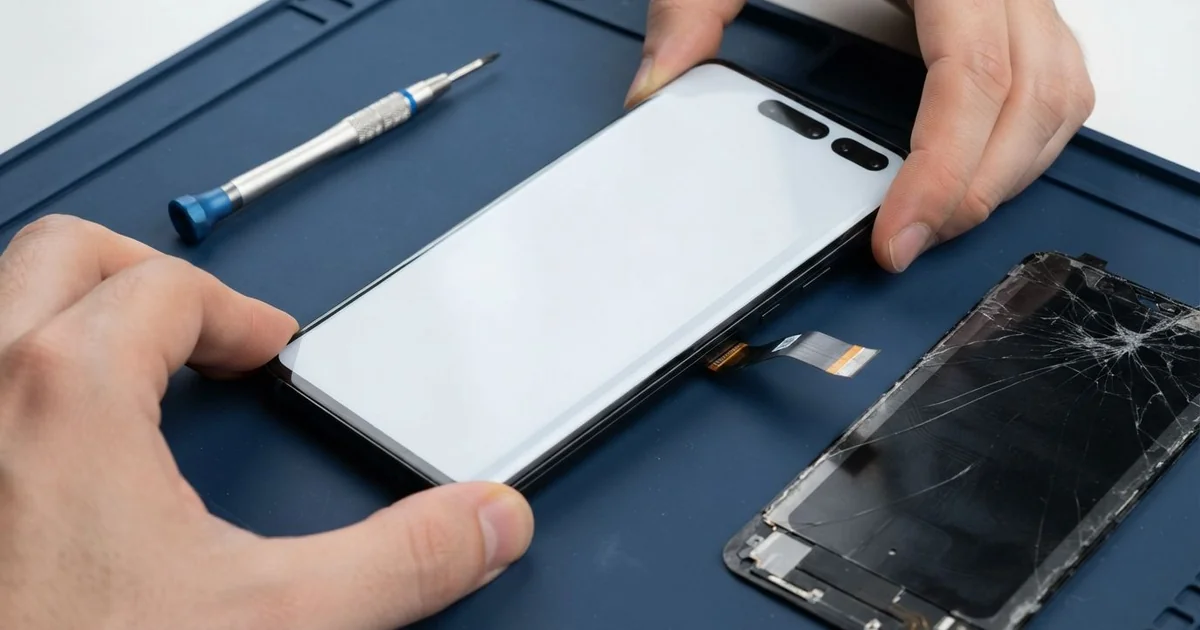
Samsung Galaxy S10 5G LCD Display Replacement in Al Khobar fixes a cracked, dark or lined large screen. We check it free, then fit a complete new curved screen. We test touch, colour and the fingerprint reader, and most jobs are done the same day.
A Samsung S10 5G broken screen shows up in different ways. Sometimes it's a clear crack from one corner across the glass. Other times the glass looks fine, but a green line, a dark patch or dead touch suddenly appears.
It's better not to wait. This big phone runs warm on a fast data signal, and heat makes cracks and dark areas spread quickly. A crack also lets in dust, sweat and steam, and the fingerprint reader under the display can stop working too.
Some faults are simple to fix. A lifted screen protector causes false touches, and a loose connector after a knock can blank the display. We fix those without a new part, usually while you wait.
Cracks, lines and dark patches need the whole screen. The glass and display are glued together as one part on this phone. A Samsung S10 5G screen replacement swaps that part and fixes all of them at once.
How Kabayan Center Replaces a Samsung Galaxy S10 5G LCD Display
These are the screen faults we fix on this phone.
- Cracked front glass, often starting at a corner or a curved edge
- Green, purple or white lines across the display
- A dark patch that grows, or a black screen while the phone still rings
- Touch that stops working in one area, or ghost taps
- A fingerprint reader that no longer unlocks the phone
- A screen lifting away from the frame at one side
Here is how the repair works, step by step:
- We check the phone free and test calls, sound, cameras and charging first.
- We tell you what it needs, and you decide before any work starts.
- We warm and lift the back glass, then disconnect the battery for safety.
- We soften the front glue and remove the broken screen without bending the frame.
- We clean away old glue and glass, then connect and test the new screen.
- We seal the screen and back with fresh glue and press them evenly.
- We help you set up your fingerprint again, and you check the phone before leaving.
Own a different model? Our phone screen replacement covers other phones in much the same way. Customers come to our shop on King Fahd Road from Dammam and Dhahran too.
How a Galaxy S10 5G Screen Breaks: 3 Real Cases
Fell off a bathroom shelf onto tiles
One morning a phone came in wrapped in a towel. It had been playing music on a bathroom shelf and slid off onto the hard floor tiles. A crack ran from the bottom corner right up the curved edge.
The owner, a shop manager, kept using it for a few days. "The touch went crazy after my shower," the manager said. They had searched for Samsung Screen Replacement in Al Khobar that evening.
Steam had got in through the crack. Under the glass we saw a misty patch, and white marks near the screen connector. The steam had reached further than the screen.
So we did a water damage repair on the board first. We cleaned the marks away before they could turn into rust. Then we fitted the new screen and tested touch across the whole surface.
The ghost taps were gone, and the fingerprint unlocked the phone again. The manager now leaves the phone outside the bathroom and plays music from a small speaker. A cracked screen is not sealed any more, so keep it away from steam and water.
Crushed in a work bag with keys and tools
This one starts at a workshop in the industrial area. A mechanic kept the phone in a work bag with keys, a spanner and a small torch. By the end of the week, the screen had a star-shaped crack in the middle.
The mechanic had looked up mobile repair in Al Khobar and brought the phone in on a lunch break. Metal tools rub and press on glass every time the bag moves. The large screen on this phone gives them plenty of room to hit.
Under the crack, the display had a black patch and a purple line. We replaced the screen and checked the edges for chips in the frame. The frame was scratched but still straight, so the new screen sat flat.
During testing, the phone charged only when the cable was pushed hard. The port was packed with metal dust and grit from the bag. We did a charging port repair, cleaning it out gently, and the charge came in steady again.
The mechanic now keeps the phone in a separate pouch with a zip. Tools go in the bag, and the phone goes in a front pocket. It's a small change that protects a big screen.
Overheated on a car dashboard
We often see this in summer, with phones on the dashboard. A driver used one for maps in full sun, with fast data on all day. One afternoon, a green line appeared, then a dark area slowly spread from the top.
The driver kept using it for weeks, because the lower half still worked. Heat softens the glue and damages the display layer. The longer it stays hot, the more the dark area grows.
When we opened the phone, the battery was also slightly swollen from the heat. We did a phone battery replacement first, since a swollen battery isn't safe. Then we did the Samsung Galaxy S10 5G LCD display replacement.
The new screen worked, with clean colour and no lines. But the heat had also weakened the earpiece, and callers sounded faint. The driver chose not to fix that part for now and uses the loudspeaker instead.
If the phone had come in at the first green line, the battery might not have swollen at all. The driver now mounts the phone on an air vent, out of the sun.
How to Keep Your Galaxy S10 5G Screen Safe
- Use a case with a raised lip, so the large curved glass doesn't land first.
- Keep the phone away from bathroom steam, sinks and wet shelves.
- Carry it in its own pocket or pouch, never loose with keys or tools.
- Keep it off the dashboard in summer, and mount it on an air vent instead.
- Turn off the fast data signal when you don't need it, to keep the phone cooler.
- Back up your photos, and take the phone for phone repair in Al Khobar at the first green line.
Related services
- Phone camera repair for a cracked camera lens or a faint earpiece
Questions about this repair
Ask us anything else on WhatsApp
we answer during shop hours.