Samsung Galaxy S10 5G Motherboard Repair in Al Khobar
Samsung Galaxy S10 5G Motherboard Repair in Al Khobar for a phone that won't turn on or has no signal. We check your phone free and tell you what it needs. You decide before any work starts, and we never look through your files.
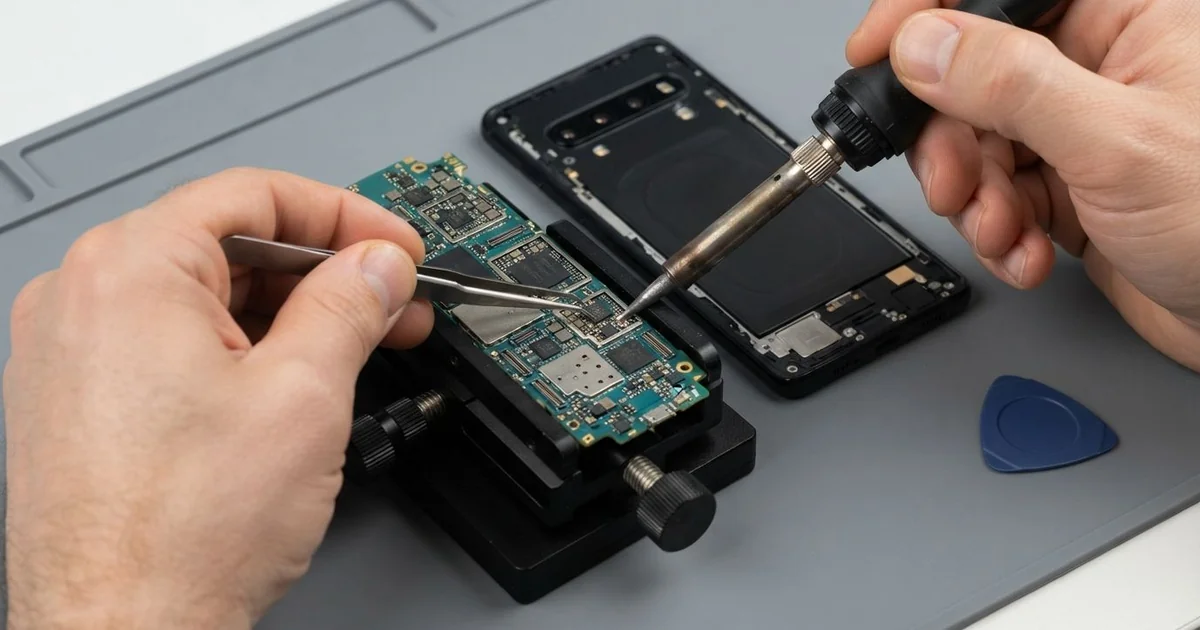
Samsung Galaxy S10 5G Motherboard Repair in Al Khobar brings back a phone that is dead, restarting or without signal. We check it free, find the faulty part on the board and fix that part. Then we test power, charging and signal, and many jobs are done the same day.
A Samsung S10 5G not turning on is the usual sign. The screen stays black, it doesn't vibrate, and the charger shows nothing. Other phones restart again and again, lose all signal, or get hot while doing nothing.
It's better not to wait. A short on the board can keep heating one part, even with the phone switched off. Rust from water also keeps spreading, and it can reach the chip that holds your photos.
Not every dead phone has a board fault. A fully drained battery or a broken charging port can look exactly the same from outside. We test those first, because they are simpler and quicker fixes to make.
When the board is the problem, we look for the one part that failed. The Samsung S10 5G motherboard is small and packed, and it carries the 5G parts too. We repair the faulty part under a microscope, instead of replacing the whole board.
How Kabayan Center Repairs a Samsung Galaxy S10 5G Motherboard
We fix these board faults on this phone.
- No power at all, even on the charger
- Restarting again and again, or stuck on the start screen
- No signal, no network or no service after a drop or water
- A phone that gets hot while it sits unused
- No charging, even with a good cable and a clean port
- Rust or burn marks on the board after water or a bad charger
Here is how a board repair on this phone works with us:
- We check the phone free, and test the battery and charging port first.
- We tell you what we found, and you decide before any work starts.
- We warm the back glass, lift it and disconnect the battery.
- We power the board on our bench and measure where the power goes wrong.
- We find the hot or damaged part under the microscope and replace or clean it.
- We close the phone and test power, charging, signal and heat over a long run.
- You check the phone yourself before you take it home.
Own a different phone or a laptop? Our motherboard repair service covers them too, with much the same care. Customers come to our shop on King Fahd Road from Dammam and Dhahran as well.
Why a Galaxy S10 5G Board Fails: 3 Real Cases
Gaming while charging in the summer heat
A common case: a student played long online games in the evening, with the phone on charge. The room was hot, and the phone sat in a thick case. One night it went black in the middle of a game and never came back.
"It was so hot I could hardly hold it," the student told us. Gaming, charging and 5G together make a lot of heat. The case trapped it, and one small power part on the board gave up.
The student had searched for Samsung Motherboard Repair in Al Khobar the next morning. On our bench, the board pulled power but did nothing. Under the microscope, the power part near the charging circuit had a tiny burnt spot.
We replaced that part and cleaned the area around it. The phone turned on again, and all the photos and games were still there. We then ran it under load to check the heat.
The long heat had also worn the battery, and it drained fast in our tests. So we did a phone battery replacement as well. Now the student takes the case off to play, and never games while charging.
A hard fall that bent the frame
This one starts on a staircase at a shopping mall. A security guard dropped the phone down the steps, and it landed hard on one corner. The screen still worked for a while, then the phone switched off and stayed off.
The fall had bent the metal frame slightly at one corner. The board sits tight inside that frame, so it bent a little too. That broke tiny joints under one of the main chips.
We found the crack under the microscope, right beside the chip. The guard mostly wanted the family photos, and asked about those before anything else.
We fixed the broken joints well enough to start the phone for a short time. In that window, we used data recovery to copy the photos and chats to a safe drive.
The repair did not hold for daily use, though. Each time the chip warmed up, the crack opened again. A board cracked under a chip often can't be saved for good.
So the phone itself was not saved. But the guard left with every photo saved, ready for the next phone. We also suggested a case with thick corners for that one.
No signal after a fall into the pool
We often see this after a weekend at a compound pool. A teacher dropped the phone into the water, then dried it and put it straight on charge. It turned on the next day, but showed no signal at all.
"Wi-Fi works, but calls won't go through," the teacher said, after looking up mobile repair in Al Khobar. Pool water carries chlorine, and charging a wet phone speeds up rust.
We opened the phone and found white and green crust near the signal parts of the board. The water had reached the area that handles the network and 5G. We did a full water damage repair first, cleaning the whole board.
Then we replaced one small signal part that the rust had eaten through. The phone found the network again, and calls and mobile data worked normally. We tested it on a long call and a large download too.
We also told the teacher that a wet phone should never go on charge. Switching it off and bringing it in is the safest step. Drying it in rice or with a hair dryer only wastes time.
How to Keep Your Galaxy S10 5G Board Safe
- Don't play games while the phone is charging, especially in hot rooms.
- Take off a thick case when the phone gets hot.
- Keep the phone away from the pool edge, or in a sealed pouch.
- Switch a wet phone off at once, and never charge it wet.
- Use a proper charger, since a bad one can harm the power parts.
- Back up your photos and chats often, so a dead board never costs you them.
- Take it for phone repair in Al Khobar at the first sign of heat or restarts.
Related services
- Charging port repair for a phone that charges loosely or not at all
Questions about this repair
Ask us anything else on WhatsApp
we answer during shop hours.