Samsung Galaxy S10 Charging Port Repair in Al Khobar
Samsung Galaxy S10 Charging Port Repair in Al Khobar for a loose cable or no charging at all. We check the port free and tell you what it needs. You decide before any work starts, and nothing on your phone is deleted.
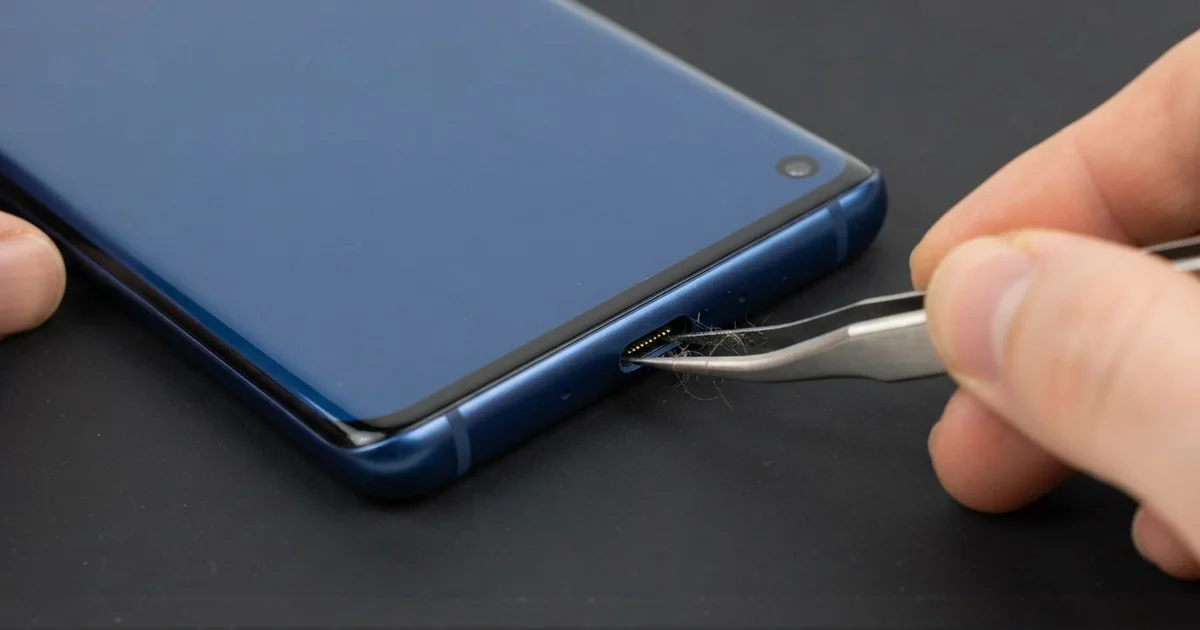
Samsung Galaxy S10 Charging Port Repair in Al Khobar fixes a phone that charges slowly or not at all. We check the port free, then clean it, repair it or fit a new one. We test fast charging and data by cable, and most jobs are done the same day.
A Samsung S10 not charging can mean several things. The cable feels loose, or it only charges at an angle. Sometimes fast charging stops, or a "moisture detected" warning won't go away, even on a dry day.
It's worth fixing early, before the damage spreads. A loose plug makes tiny sparks inside the port, and they burn the pins over time. A phone that charges badly also wears its battery faster, because it keeps dropping in and out of charge.
Many ports only need a proper clean. Pocket lint and fine sand pack into the bottom, so the plug can't reach the pins. We remove it with safe tools, never with a pin or a needle.
Bent, burnt or rusted pins need a new port. The Samsung S10 charging port sits on a small part at the bottom of the phone. We swap that part, and the cable clicks in firmly again.
How Kabayan Center Repairs a Samsung Galaxy S10 Charging Port
We fix these charging faults on this phone.
- A cable that falls out or feels loose
- Charging only when the cable is held at an angle
- Fast charging that has stopped working
- A "moisture detected" warning when the phone is dry
- Green or white crust inside the port
- A computer that no longer sees the phone by cable
This is how we repair the port on this model, step by step.
- We check the phone free and test it with our own cable and charger.
- We tell you what it needs, and you decide before any work starts.
- If it's only dirt, we clean the port with safe tools and test again.
- If the pins are damaged, we warm the back glass and open the phone.
- We disconnect the battery, then remove the old port part and fit a new one.
- We reseal the back with fresh glue and test fast charging, slow charging and data.
- You try your own cable before you take the phone home.
Other phones and laptops get the same port problems. Our charging port repair service covers them, with much the same steps. We see customers from Dammam and Dhahran at our King Fahd Road shop too.
Why a Galaxy S10 Stops Charging: 3 Real Cases
Fast charging stopped because of a worn cable
A customer came to us sure that the port was broken. An office worker, they charged at the desk all day. "It charges, but so slowly, and it never says fast charging," they said.
They had searched for Samsung Charging Port Repair in Al Khobar late at night. The phone took most of the night to fill up, and they needed it for work.
We looked inside the port under a light, and it was clean and straight. Then we tried our own cable and charger. The phone showed fast charging within seconds, and the cable sat firm in the port.
The problem was a low-quality cable, bent many times at the plug. Its thin wires could no longer carry enough power for fast charging. Wires inside a cable break long before you see it, so we cleaned the port anyway.
The battery tested healthy too, so a phone battery replacement wasn't needed. Nothing on the phone had to be repaired, and the customer went home with advice instead. They bought a proper cable on the way back, and the old one went in the bin.
Rust from sea air near the Corniche
This one starts by the sea. A security guard worked night shifts at a building on the Corniche, where the air is damp and salty. The phone spent every shift in an outdoor booth.
Over months, the phone started showing a "moisture detected" warning, even on dry days. "It won't charge unless I use the pad," the guard said.
The guard had asked around for mobile repair in Al Khobar and been told the phone was finished. Under the light, the pins had a green crust on them. Salty air had settled in the port and slowly turned to rust, a little more every night.
The rust had spread past the port to the part behind it. So we did a water damage repair to clean the board, then fitted a new port. The old pins were so rusted that they broke when we touched them.
The warning is gone, and the cable charges fast again. We suggested a small port cover and a quick dry wipe after long shifts in the damp air. The guard now checks the port whenever the warning shows.
Dropped while it was plugged in
A common case: someone trips over the cable while the phone is charging. A student was studying on the sofa and caught the cable with a foot. The phone hit the floor plug first.
"Now the cable won't go in at all," the student told us. The Samsung S10 charging port was bent inside, and one side of it had cracked. The student had tried to push the plug in harder, which made it worse.
We fitted a new port and tested it with several cables. The plug clicked in firmly, but the phone still charged only in short bursts. The charge number jumped up and down every few seconds.
The fall had also cracked a tiny part on the main board near the charging circuit. So we did a motherboard repair and replaced the damaged part under the microscope. After that, the charge number climbed smoothly.
Now the phone charges steadily by cable and on the pad. The student charges it on the desk these days, with the cable kept away from feet. A short cable helps too, because there is less of it to trip over.
How to Keep Your Galaxy S10 Charging Port Working
- Use a good cable, and replace it once the plug end looks bent or frayed.
- Clear lint with a soft brush or a gentle puff of air. Never use a pin.
- Dry the phone fully before charging if you see the moisture warning.
- Keep the cable away from walkways, so nobody trips over it.
- Don't bend the cable at the port while you use the phone on charge.
- Get phone repair in Al Khobar at the first loose feeling, before the pins burn.
Related services
- Phone screen replacement for a cracked or dark screen
Questions about this repair
Ask us anything else on WhatsApp
we answer during shop hours.