Samsung Galaxy S20 FE 5G Motherboard Repair in Al Khobar
Samsung Galaxy S20 FE 5G Motherboard Repair in Al Khobar for phones that stay black or restart without end. Bring it in for a free check. We explain the fault first, and you decide what happens next.
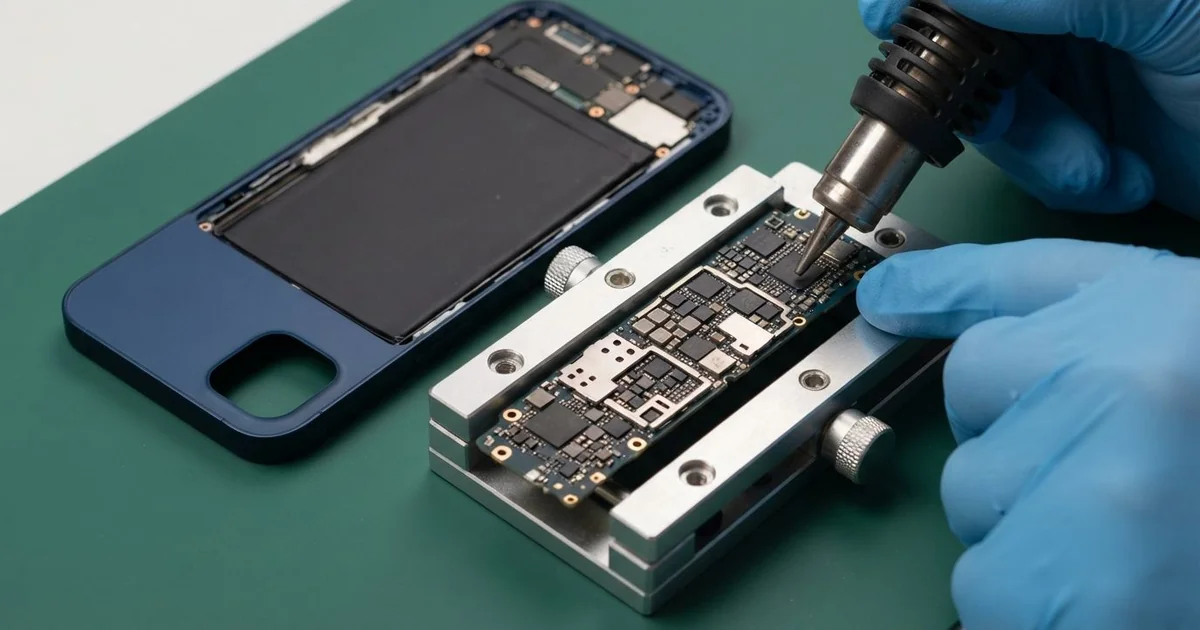
Samsung Galaxy S20 FE 5G Motherboard Repair in Al Khobar gets a dead, looping or overheating phone working again. We check the board free and track down the one part that failed. We replace it under a microscope, test the phone fully, and you approve every step first.
The usual complaint is a Samsung S20 FE 5G not turning on, even after a full night on the charger. Some phones show the logo and fall back to black. Others work but lose signal or get warm while resting.
This model looks just like the S20 FE on the outside. Inside, it has a different board, with its own chips and its own layout. So the parts and the weak points are not the same as on the other version.
Please don't wait too long with a board fault. A short keeps heating the board and can spread to nearby parts, and moisture keeps working under the shields. An early check often means a smaller repair.
Some faults need only a software fix or a clean connector. Others are on the Samsung S20 FE 5G motherboard, which is two layers pressed together. For those we use micro-soldering, fixing tiny parts by hand under a microscope.
How Kabayan Center Repairs a Samsung Galaxy S20 FE 5G Motherboard
We repair these faults on the S20 FE 5G board.
- Completely dead, with no response to the charger
- A boot loop, where the phone restarts at the logo
- Heat near the camera or the port, even with the screen off
- No charging, or very slow charging
- No mobile data, no signal or no SIM detected
- Damage after water, sweat or a drop
These are the steps we follow on this board.
- We check the phone free and watch its power draw on a USB meter.
- We connect it to a computer to see if the software still responds.
- We open the back and lift the metal shields over the board.
- We search for a short with a heat camera and inspect the board for rust.
- We explain what failed, and you decide before any repair starts.
- We fix the fault with micro-soldering or a clean software install, whichever it needs.
- We test charging, signal, cameras and sound before you collect it.
For boards in other phones or laptops, our motherboard repair page has the details. People bring us phones from Dammam and Dhahran too, and the shop is on King Fahd Road.
What Breaks an S20 FE 5G Board: 3 Real Cases
A shared charging hub in a busy flat
A customer came to us from a shared flat, where everyone used one charging hub. The phone went black on the hub one evening and never woke up. "The others are fine, only mine died," they said.
We asked what else was plugged into the hub that evening. A tablet, a speaker and other phones had all been charging together.
Low-quality hubs can send a surge when many phones charge at once. The charging chip on the board takes that surge first. Hubs with no safety checks make this more likely.
The meter showed a dead short the moment we plugged it in. Our heat camera lit up a small capacitor near the charging chip. We replaced the capacitor and the charging chip with micro-soldering.
The surge had also burnt one pin inside the port. So we did a charging port repair before closing the phone. A burnt pin would soon damage the new chip too.
The phone charged normally again, and the customer bought a proper charger of their own. They had searched for Samsung Motherboard Repair in Al Khobar that same evening. The shared hub is now for earphones only.
Knocked into the compound pool
This one starts at a compound pool on a hot afternoon. A child knocked the phone off a sun chair into the water. The parent, an engineer, dried it with a hair dryer and then put it on charge.
Charging a wet phone sends current through the water, and that burns tracks on the board. Pool water also carries chlorine, which speeds up rust. The hair dryer also softened the glue around the back.
Under the shields we saw white crust and a burnt track near the power chip. We did a full water damage repair, but the inner layer had burnt through. The board could not be saved.
We explained the problem at the counter, with the board on our microscope screen. The engineer agreed we should try for the data instead.
The engineer cared most about the pictures of the children. We moved the job to data recovery, and many pictures came back. Some older ones were lost for good.
Never charge a phone that just got wet. Switch it off and bring it straight to us. Rice and hair dryers only waste precious time.
An update with no free space
A common case: a phone full of videos tried to install a big update. A receptionist left it updating overnight, and by morning it was stuck in a loop. It showed the logo, went dark and started again.
"I think the board is gone," the receptionist said. They had been searching for mobile repair in Al Khobar on a colleague's phone. It had happened right after the phone showed a warning about low storage.
The meter showed normal power, and the heat camera found no hot spot. That pointed to software, not the board. We used the phone's recovery mode to clear the stuck update without wiping the data.
Then we moved some videos to a computer to free up space. After that, we installed the update again properly, and no soldering was needed. The whole job took a few hours.
The receptionist was surprised the fix was so simple. Many boot loops are just like this one.
The phone started normally with every photo, chat and app in place. The receptionist now keeps free space on the phone and copies videos off every month.
How to Keep Your Galaxy S20 FE 5G Board Healthy
- Charge with your own good charger, not a crowded shared hub.
- Keep some free space on the phone before any update.
- Switch the phone off at once if it falls in water, and don't charge it.
- Skip the hair dryer, because hot air pushes water deeper and softens the glue.
- Keep the phone away from the pool edge and the sink.
- Back up photos and videos often, so a dead board costs you nothing.
- Book a phone repair in Al Khobar when the phone gets warm while resting.
Related services
- Phone battery replacement for a battery that drains fast or swells
Questions about this repair
Ask us anything else on WhatsApp
we answer during shop hours.