Samsung Galaxy S21 Charging Port Repair in Al Khobar
Samsung Galaxy S21 Charging Port Repair in Al Khobar for a phone that charges slowly or drops the cable. Bring it in for a free check. We tell you what it needs, you decide, and the part and the work come together with nothing extra later.
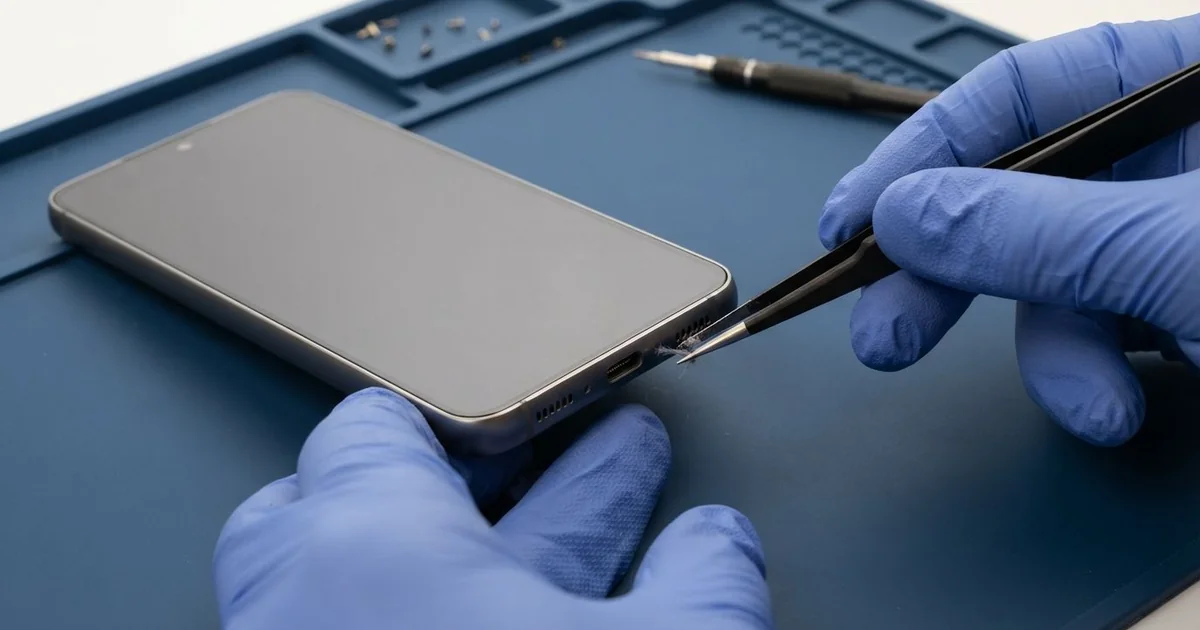
Samsung Galaxy S21 Charging Port Repair in Al Khobar starts with a free check of your cable, charger and port. Many phones only need a clean and the right charger. If the port is damaged, we fit a new charging board, and most jobs are done the same day.
A Samsung S21 not charging can mean a few different things. The phone may take hours to fill, or the fast charging sign never shows. Sometimes the plug slips out as soon as you pick the phone up.
This phone came without a charger in the box. So many owners use an old charger or a thin cable from a shop counter. That alone can make charging slow, even when the port is fine.
Don't leave a loose port for long. Poor contact heats the pins and slowly burns them. Damp inside the port also becomes rust, and that can spread to nearby parts.
A dirty port or a weak cable is a quick fix. A bent, burnt or rusted port needs a new part.
The Samsung S21 charging port is on a small board of its own at the bottom. A thin flex cable joins it to the main board. So a new port leaves the main board and your data untouched.
How Kabayan Center Repairs a Samsung Galaxy S21 Charging Port
We fix these charging faults on this model.
- Slow charging, or no fast charging sign on the screen
- A plug that falls out or needs holding in place
- Charging that cuts in and out when the phone moves
- A moisture warning that keeps coming back
- Green crust or dark marks on the pins
- A phone that won't connect to a computer by cable
Here is the repair, step by step.
- We test your cable and charger, then ours, to see which part is at fault.
- We check the port with a light for lint, rust and bent pins.
- We clean out lint with a plastic pick and dry any damp.
- If the port is damaged, we explain it and you decide.
- We soften the back cover glue with gentle heat, open it and unplug the battery.
- We replace the charging board and connect the flex cable to the main board.
- We test fast charging, wireless charging, data and calls, then reseal the back.
Our charging port repair service covers every other phone too. The shop is on King Fahd Road, and people come from Dammam and Dhahran as well.
Why a Galaxy S21 Charges Slowly or Not at All: 3 Real Cases
An old charger and a tired cable
A common case: the phone is fine, but the charger isn't. An office worker came in sure the port was broken. "It takes the whole night, and it's still not full," they said.
They had searched for Samsung Charging Port Repair in Al Khobar on the way home. Since the phone came without a charger, they had used an old one from a drawer. The cable was thin, bent at the neck and loose at both ends.
With our charger and cable, the fast charging sign came up at once. The port only had a light layer of lint, which we cleared with a plastic pick. No new part was needed.
We did find one more thing. The battery was holding far less charge than it should, from years of heat and use. We explained that a phone battery replacement would make it last the full day again.
The worker chose to wait on the battery for now. They left with a clean port and a list of what to look for in a good charger. Charging was back to normal speed.
Shared cables at the hospital
This one starts in a busy staff room. A nurse on night shifts charged the phone on whatever cable was free. Cables were pulled out fast when a call came in, often at an angle.
"It won't stay in, and it only charges if I hold the plug," the nurse told us. The nurse had looked up mobile repair in Al Khobar between shifts. The port was loose with every cable we tried.
Under the light, the thin tongue inside the port was bent upward. It had been pulled that way over many months of quick unplugging.
That tongue holds the pins in line with the plug. Once it bends, contact is poor and the pins start to burn. So we replaced the charging board with a new one and tested it with several cables.
During the test call, we noticed the nurse's voice had been muffled before the repair. The bottom microphone sits on the same small board, so it came back clear with the new part. The nurse hadn't even connected the two problems.
We suggested keeping a personal cable in a locker and unplugging straight. The phone now charges firmly, even through a long shift.
Charged while still wet
One morning a phone came in with a strong moisture warning. A shop assistant had dropped it in a bucket while cleaning, then quickly dried the outside with a towel. "The warning was annoying, so I kept plugging it in," they said.
Charging a wet port is the worst thing for it. Power and water together speed up rust very quickly. That's why the warning is there, and why it blocks fast charging.
Inside the port, the pins had a green crust. When we opened the phone, rust had spread past the charging board to the nearby speaker. We cleaned the whole area as a water damage repair and fitted a new charging board.
Charging, data and the microphone all worked again. But the loudspeaker stayed quiet and rough, since the rust had eaten into it. A new speaker would have needed a part ordered in.
The assistant chose to leave the speaker for now and use wireless earphones for calls. Never charge a phone that shows a moisture warning. Let it dry first in open air, even if it takes a few hours.
How to Keep Your Galaxy S21 Charging Port Working
- Use a good fast charger and a thick, well-made cable from a known source.
- Keep your own cable at work, instead of sharing worn ones.
- Unplug the cable straight out, never at an angle.
- Clear lint now and then with a wooden toothpick.
- Wait for a moisture warning to clear before charging.
- Replace a cable as soon as it bends at the neck or feels loose.
- Bring the phone for phone repair in Al Khobar if the plug starts slipping out.
Related services
- Motherboard repair when a phone won't charge even with a new port
- Phone screen replacement for a cracked or blank display
Questions about this repair
Ask us anything else on WhatsApp
we answer during shop hours.