Samsung Galaxy S21 Ultra LCD Display Replacement in Al Khobar
Samsung Galaxy S21 Ultra LCD Display Replacement in Al Khobar for cracked curves, dead touch or lines. We give the phone a free check and explain what we find. You choose before any work begins, and we never go through your files.
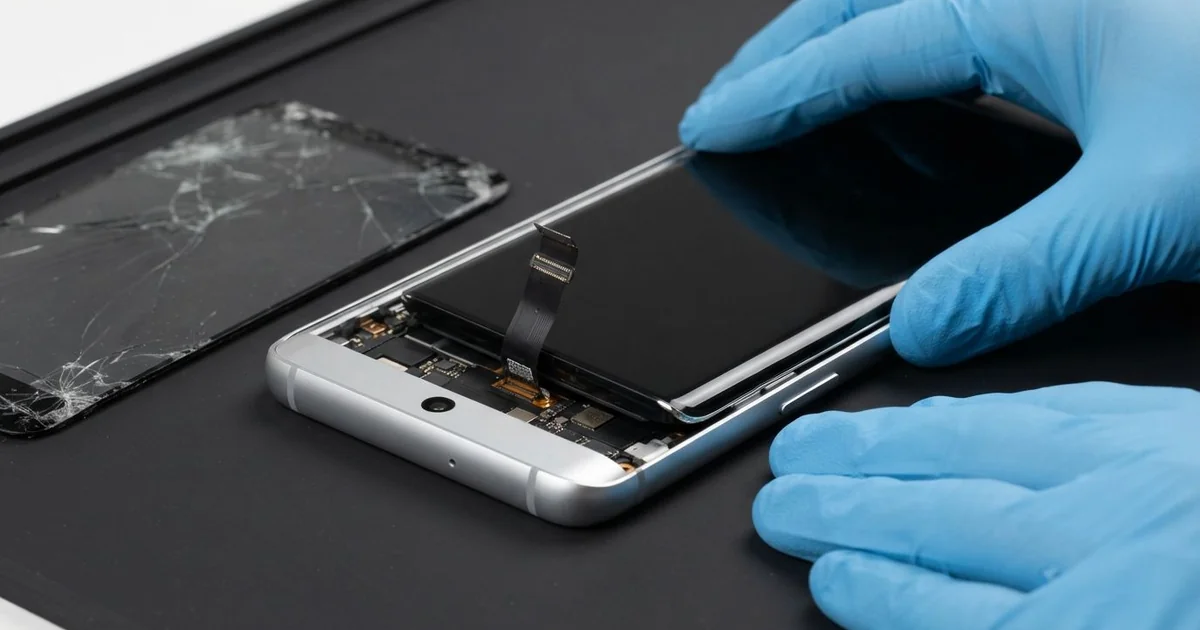
Samsung Galaxy S21 Ultra LCD Display Replacement in Al Khobar fixes a cracked, dark or unresponsive curved screen. We check the phone free, then fit a complete new screen and seal it evenly. Touch, the stylus pen and the fingerprint are all tested, and most jobs are done the same day.
A Samsung S21 Ultra broken screen can be a clear crack across the glass. It can also be quieter, like a pink line or a strip where touch has stopped. Some owners notice it first when the stylus pen stops drawing in one area.
This is a large, heavy phone with a sharp curved screen. Its weight means it lands hard, and the curved sides often hit first. The big camera block on the back also makes it rock on a table, so it slides off easily.
It's best to act soon. A crack on a curved edge spreads with heat, and moisture gets under it. Once the display goes dark, a backup of your pictures becomes much harder.
Some faults are small. A thick protector can block the pen and the touch near the curves.
When the glass or display is damaged, a Samsung S21 Ultra screen replacement is needed. The two are glued as one part.
How Kabayan Center Replaces a Samsung Galaxy S21 Ultra LCD Display
These are the faults we fix with a new screen.
- Cracked glass, including the curved sides
- Pink, green or white lines across the display
- A black screen while the phone still rings
- Touch or the stylus pen not working in one area
- A fingerprint reader that stopped reading after a drop
- Bright or dark spots that spread over time
Here is how the repair goes:
- We check the phone free and test sound, cameras, charging and buttons.
- We tell you what it needs, and you decide before any work starts.
- We heat the curved edges slowly, since this glass is thin and can crack further.
- We lift the screen, disconnect the battery and clean away old glue and glass.
- We connect the new screen and test touch, colour and the stylus pen across the whole display.
- We seal it with fresh glue and press the curved edges evenly.
- We set up your fingerprint again, and you check everything before you leave.
For other phones, our phone screen replacement uses the same careful steps. Our shop is on King Fahd Road, and customers come from Dammam and Dhahran as well.
How an S21 Ultra Screen Gets Damaged: 3 Real Cases
A stylus pen pressed on a small crack
One evening a phone came in with a dead strip under the pen. An architect used a stylus pen on it every day to sketch ideas. A small drop had left a hairline crack near one curved edge.
The architect kept sketching over the crack, pressing a little harder each time. "Now the pen skips, and my finger does too," they told us. They had searched for Samsung Screen Replacement in Al Khobar during lunch.
Pressing on a crack makes it spread through the layers underneath. The touch layer and the pen layer had both broken along that line. We could see a faint shadow in the display when we shone a light on it.
We fitted a new screen and tested the pen with slow and fast lines. We also checked the tip of the stylus.
It had worn to a rough point, so we suggested a new one. A worn tip can leave fine scratches on fresh glass.
The pen now draws smoothly across the whole display, right to the curves. The architect uses a matte protector now and doesn't sketch over damage any more.
Dropped camera-side down on paving stones
A customer came to us straight from the Corniche. A tour guide was taking pictures when the heavy phone slipped from their hand. It hit the paving stones hard on its back and one corner.
"The screen has a line, and my pictures look cloudy," the guide said. They had typed mobile repair in Al Khobar into the map app before driving over.
The corner hit had cracked the curved edge and put a pink line down the display. We replaced the screen first and tested touch, the pen and the fingerprint.
The cloudy pictures were a second problem. The glass over the big camera block had shattered, and tiny pieces sat on one lens. So we also did a phone camera repair and fitted new camera glass.
We cleaned each lens and tested every camera, including the zoom. The pictures came out sharp again, even on the long zoom across the water.
The guide now uses a case with a raised ring around the cameras. A lanyard helps too, since the guide holds the phone out a lot at work.
Cleaning spray sprayed straight on
We see this more than you'd think. A clinic receptionist cleaned the phone every hour by spraying cleaner straight onto the screen. The liquid ran down to the bottom edge each time.
It seemed like a good habit, since clinics must stay clean. Slowly, a green patch appeared near the bottom, and touch began to fail there.
Callers also said the receptionist's voice sounded far away. "People keep asking me to speak up," the receptionist told us.
We opened it and found the liquid had crept in along the lower curve. It left marks on the display and green crust near the microphone. So we did a water damage repair on the board before fitting a new screen.
The green patch was gone, and touch worked to the very bottom. The microphone, though, stayed weak because the crust had eaten into it. A new microphone needs a separate part, which takes time to arrive.
The receptionist chose to use earphones with a built-in microphone for now. The screen itself was clear and worked well. Spray cleaner on a cloth, never straight onto the phone.
How to Keep Your S21 Ultra Screen Safe
- Use a case with raised edges around the curves and the camera block.
- Stop using the stylus pen over a crack, and fix it early.
- Change a worn pen tip before it scratches the glass.
- Clean the phone with a lightly damp cloth, never a direct spray.
- Use a lanyard or grip if you hold the phone out often.
- Keep it off the dashboard in summer, where heat softens the glue.
- Bring it for phone repair in Al Khobar when a line or dead strip appears.
Related services
- Phone battery replacement for a phone that drains fast or swells
- Charging port repair for a phone that won't charge properly
Questions about this repair
Ask us anything else on WhatsApp
we answer during shop hours.