Samsung Galaxy S21 Ultra Motherboard Repair in Al Khobar
Samsung Galaxy S21 Ultra Motherboard Repair in Al Khobar for a phone that won't charge or stays black. Walk in for a free check. We explain what failed and wait for your yes before any repair.
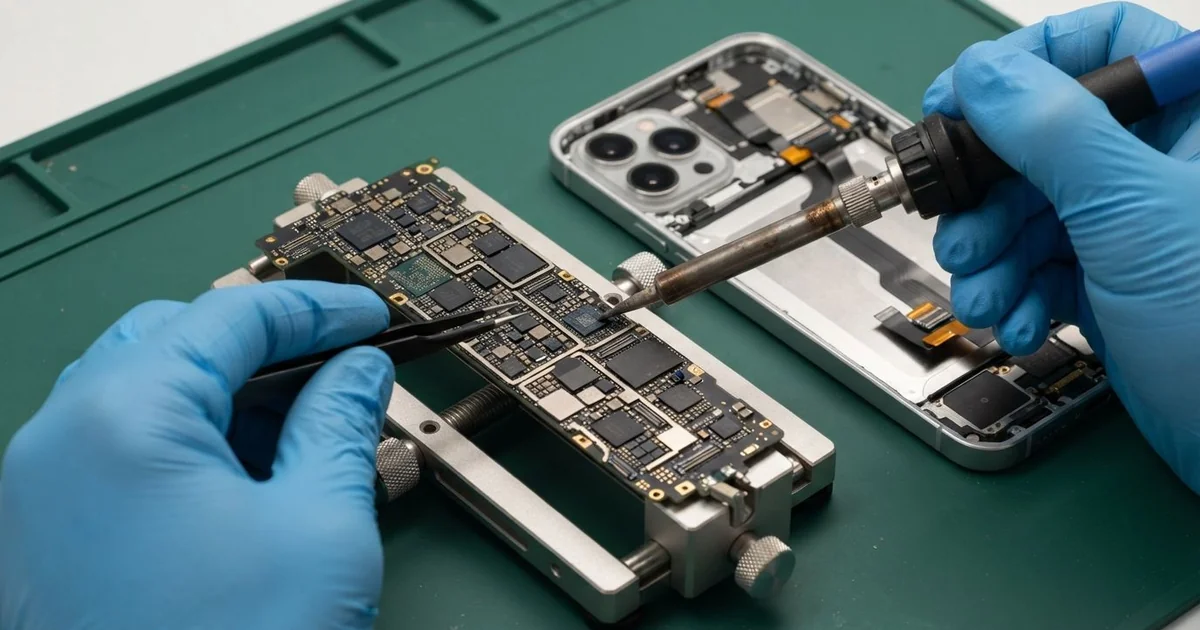
Samsung Galaxy S21 Ultra Motherboard Repair in Al Khobar fixes a phone that died, runs too hot or stopped charging. We check the board free and find the exact part at fault. Then we replace it under a microscope and test the phone fully, after you agree to the work.
It often begins as a Samsung S21 Ultra not turning on after a long gaming session. The screen stays black, and the phone feels warm in your hand. Sometimes it vibrates, but the display never lights up.
This phone is powerful, and powerful chips make heat. Long games, video calls and fast charging all stress the board at once. Small faults grow under that heat, so it's wise to get it checked early.
Not every fault is on the board, even when the phone looks dead. A very flat battery, a lint-filled port or a stuck update can look like a dead phone. We test for those first, because they need no soldering.
Board faults need patient work and the right tools. The Samsung S21 Ultra motherboard is two layers pressed together, under metal shields on both sides. We fix it with micro-soldering, which means swapping tiny parts by hand under a microscope.
How Kabayan Center Repairs a Samsung Galaxy S21 Ultra Motherboard
These are the S21 Ultra board faults we fix.
- A black screen and no response to any button
- Shutting down in games or long video calls
- Heat around the cameras while the phone is resting
- Cable or wireless charging that stopped working
- No signal, or a SIM card that isn't detected
- Board faults after a swollen battery, sweat or a drop
We work through the repair in this order:
- We check it free and measure its power draw with a USB meter.
- We remove the back glass and the metal shields around the board.
- We find the hot part with a heat camera, since a short warms up first.
- We check under the shields for rust, pressure marks and cracked joints.
- You hear what we found and decide before the repair begins.
- We replace the faulty part with micro-soldering and clean the board with alcohol.
- We test cable charging, wireless charging, signal, cameras and sound before handing it back.
Our motherboard repair page covers laptops, tablets and other phones. Many customers come from Dammam and Dhahran to our shop on King Fahd Road.
Why an S21 Ultra Board Stops Working: 3 Real Cases
Gaming for hours while plugged in
A student came to us after a long night of online games during the school break. The phone was charging the whole time, and the back felt very hot. "The game froze, and then the phone never came back," the student said.
They had tried restarting it many times that night, and even left it on the charger. Nothing lit up, not even the charging icon.
Gaming and fast charging together make the most heat a phone ever sees. The power chip handles both jobs, and it failed under that load. Long gaming sessions are the most common cause we see on this model.
Our meter showed a short the moment power went in. The heat camera found the hot spot on a small capacitor next to the power chip. We replaced the capacitor and the power chip with micro-soldering.
The battery tested healthy, so it stayed in. The student had searched for Samsung Motherboard Repair in Al Khobar late that same night. We also cleaned old dust from the charging port.
The phone started normally and stayed cool through our long game test. Now the student plays unplugged and charges between sessions. The games run just as smoothly as before.
A battery swelling under the board
We often see this with phones that sit on a desk charger all day. An accountant noticed the screen rising slightly at one edge. Soon after, the phone stopped turning on.
"I thought a tight case caused it," the accountant told us. In fact, the old battery had swollen with gas and pressed hard against the board. Charging all day at a desk keeps an old battery warm and full.
The pressure had lifted the battery connector and cracked a joint beside it. We did a phone battery replacement first, because a swollen battery can catch fire. Left longer, it could have cracked the screen too.
We showed the accountant the swollen battery next to a new one. The difference in thickness was easy to see.
Then we reflowed the cracked joint, melting the solder again so it held tight. We seated the connector and tested the board under power. Everything read normal after that.
The phone came back on, and the screen sat flat again. Stop using a phone the moment its screen or back starts to lift. The accountant now unplugs it when it's full.
A wireless pad in a hot car
This one starts with a wireless charging pad bought at a kiosk and fixed in a car. A sales engineer used it on every drive in the hot sun. One afternoon the phone stopped charging on the pad, and then on the cable too.
Low-quality pads can overheat and send uneven power. The charging chip on the board takes the damage. Summer heat inside a parked car makes them run even hotter.
The USB meter showed no current coming in through the cable. We replaced the charging chip with micro-soldering and found the port pins scorched as well. So we did a charging port repair too.
We tested the new chip with our own cable and a proper charger. The charge level climbed steadily, with no heat.
Cable charging worked well again after that. The wireless charging part of the board, though, was burnt beyond repair. We told the engineer before closing the phone.
The engineer now charges by cable only and keeps the phone out of direct sun. They had found us by looking for mobile repair in Al Khobar at a fuel stop. The kiosk pad was thrown away.
How to Keep Your Galaxy S21 Ultra Board Cool
- Unplug the charger when you play games or make long video calls.
- Take a break when the back of the phone feels hot.
- Choose a good wireless pad, and keep it out of direct sun.
- Unplug the phone once it's full, instead of leaving it charging all day.
- Check that the screen and back sit flat, since lifting means the battery is swelling.
- Back up your photos and chats every week.
- Visit us for phone repair in Al Khobar if the phone shuts down in games.
Related services
- Water damage repair for a phone that got wet or sweaty
- Data recovery for pictures and files stuck on a dead phone
Questions about this repair
Ask us anything else on WhatsApp
we answer during shop hours.