Samsung Galaxy S22 Ultra Charging Port Repair in Al Khobar
Samsung Galaxy S22 Ultra Charging Port Repair in Al Khobar for a plug that wobbles or won't charge. We check the port and the S Pen slot free. You hear what it needs and decide before any work starts, with nothing extra added later.
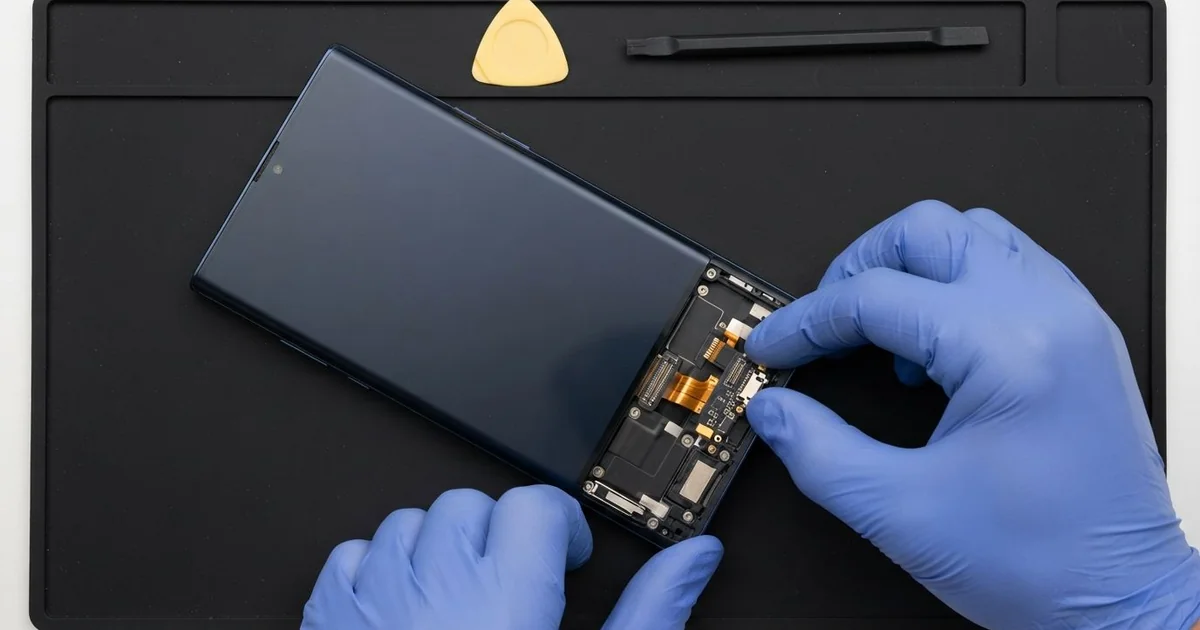
Samsung Galaxy S22 Ultra Charging Port Repair in Al Khobar gets a slow or dead port charging again. We give it a free check, then clean the port or fit a new charging board. We test charging and the S Pen before you leave, and most jobs are done the same day.
A Samsung S22 Ultra not charging often gives small signs first. The plug sits loose, fast charging turns off, or the phone says it found moisture in the port. Some owners notice the S Pen feels gritty coming out of its slot too.
It's worth fixing early. A poor contact gets hot each time you charge, and the pins slowly burn or rust. The speaker and the S Pen slot sit right beside the port, so dirt and water spread easily.
Often the fix is a careful cleaning. Lint and sand pack into the port and the pen slot, and the plug can't reach the pins. We lift the dirt out with plastic tools, and the phone charges normally again.
Other times the port itself is worn. The Samsung S22 Ultra charging port sits on a small charging board at the bottom of the phone. If the pins are bent, burnt or loose, we replace that board and leave your main board as it is.
How Kabayan Center Repairs a Samsung Galaxy S22 Ultra Charging Port
We fix these charging faults on this phone.
- A loose plug, or charging that stops when you move the phone
- Slow charging, or fast charging that no longer turns on
- A moisture warning that stays on after the phone is dry
- Lint or sand in the port and the S Pen slot
- Bent, burnt or rusty pins inside the port
- No connection to a computer, or a USB adapter that isn't detected
Here is how the repair goes with us, step by step:
- We test the phone free with our own cable and charger to rule out a bad cable.
- We look into the port and the S Pen slot under a magnifier.
- We tell you what it needs, and you decide before any work starts.
- We clean both openings with plastic picks and a dry brush, with the phone off.
- For a damaged port, we warm the glued back, lift it off and disconnect the battery.
- We fit a new charging board, reconnect its flex cable and reseal the back.
- We test charging, fast charging, the speaker and the S Pen before you take it home.
Charging problems on another model? Our charging port repair page covers other phones as well. We're on King Fahd Road, and many customers drive in from Dammam and Dhahran.
Why a Galaxy S22 Ultra Stops Charging: 3 Real Cases
Lint in the port and the pen slot
We see this one often. An office manager carried the phone in a jacket pocket every day, with the S Pen inside. "The cable goes in, but it doesn't click," they told us.
Pocket lint collects in any opening. On this phone there are two openings side by side, the port and the S Pen slot. Every time the pen slides in, it pushes more fluff to the back.
They had searched for Samsung Charging Port Repair in Al Khobar, sure the port was broken. Under the magnifier we found a tight grey plug of lint at the bottom of the port. The pen slot held even more, mixed with fine sand.
We picked both clean with plastic tools and a soft brush. It took some patience, because packed lint breaks into small pieces. The pins underneath were bright and straight, so no part was needed.
The cable clicked in firmly, and fast charging came back at once. The S Pen also slid in and out smoothly again. We showed the manager how to check both openings with a torch every few weeks.
Rain, a moisture warning, and charging anyway
This one starts with a sudden winter rain. A delivery rider kept the phone in a mount on the handlebars. By the end of the shift, the phone showed a moisture warning and refused to charge.
The rider needed the phone for the next day's orders. So they kept pulling the cable out and pushing it back in until charging started. By morning, the port felt warm to the touch, and charging had stopped completely.
The rider looked up mobile repair in Al Khobar and came straight in. Inside, we found green crust on the pins and wet marks around the speaker. Charging a wet port makes the water eat the metal much faster.
We did a water damage repair on the lower part of the phone first. Then we fitted a new charging board, because the old pins had rusted through.
The phone charged normally again, and fast charging worked. But the bottom speaker stayed quiet and crackly, because the water had reached it too. The rider chose to use earphones for now and come back for the speaker later.
An adapter levered the port loose
A customer came to us with a small USB adapter still stuck in the port. A photographer used it every day to move pictures from a camera card. The phone slipped off a table while the adapter and card reader hung from it.
The phone landed on the adapter, which acted like a lever. The port bent inside the frame, and the adapter wouldn't come out easily. "I'm scared to pull it," the photographer said.
We eased the adapter out slowly and looked under the magnifier. The metal shell of the port was twisted, and one side had come off the charging board. Cleaning could never fix damage like that.
We fitted a new charging board, but charging was still unsteady. The fall had also cracked the socket where the flex cable meets the main board. That needed a small motherboard repair to replace the socket.
After both repairs, the phone charged steadily and read the camera card again, with every file still there. We suggested a short cable adapter instead of a stiff one, so a knock bends the cable, not the port.
How to Keep Your Galaxy S22 Ultra Charging Port Clean
- Check the port and the S Pen slot with a torch every few weeks.
- Clean them with a plastic pick or a soft brush, never a metal pin or needle.
- Wait for a moisture warning to clear, and let the phone dry in open air.
- Don't leave stiff adapters or card readers hanging from the port.
- Use a case with a port cover when you ride in rain, sand or dust.
- Visit us for phone repair in Al Khobar when the plug stops clicking in.
Related services
- Phone battery replacement for a phone that charges fine but drains fast
- Phone screen replacement for a cracked, dark or unresponsive screen
Questions about this repair
Ask us anything else on WhatsApp
we answer during shop hours.