Samsung Galaxy S22 Ultra LCD Display Replacement in Al Khobar
Samsung Galaxy S22 Ultra LCD Display Replacement in Al Khobar for cracked curved glass or a dead pen. We check the phone free and explain what it needs. You decide before we start, and your files stay private.
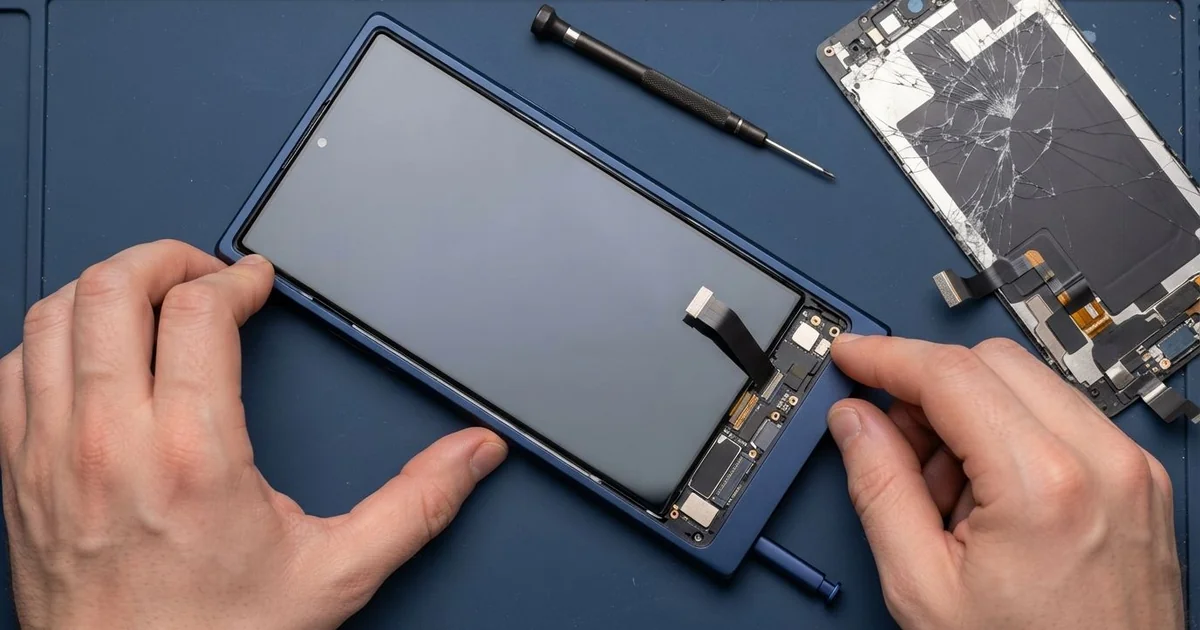
Samsung Galaxy S22 Ultra LCD Display Replacement in Al Khobar fixes a cracked or faulty curved screen. We check the phone free, then fit a new complete screen with the glass and display as one part. We test touch, both curved edges and the pen, and most jobs are done the same day.
A Samsung S22 Ultra broken screen is not always a big crack. It can be a thin crack along one curved side, or a green line after a knock. Sometimes the finger works fine, but the pen stops writing in one strip.
Try not to wait. The curved edges have very little support, so a small crack there grows fast. A crack also lets sweat and dust reach the display, and dark patches start to spread.
Some faults are easy to fix. A thick flat protector on a curved screen lifts at the sides and causes false touches. A loose connector after a fall can also give a black screen, and refitting it fixes that.
Real screen damage needs the part. On this phone the glass, the display and the pen layer sit together as one glued piece. A Samsung S22 Ultra screen replacement fits that whole new piece, so cracks, lines and pen dead spots all go.
How Kabayan Center Replaces a Samsung Galaxy S22 Ultra LCD Display
These are the screen faults we fix on this phone.
- Cracked glass on the front or along a curved edge
- Green, pink or white lines, or colour bars across the screen
- Black patches, or a dark screen while the phone still rings
- Edges that tap by themselves when you hold the phone
- A pen that stops writing or hovering in part of the screen
- A fingerprint reader that no longer reads after a crack
Here is how we replace the curved screen, step by step:
- We check the phone free and test sound, cameras, charging and the pen.
- We tell you what it needs, and you decide before any work starts.
- We warm the edges slowly, because curved glass cracks further if it is forced.
- We disconnect the battery, lift out the broken screen and clean the old glue.
- We connect the new screen and test touch, both edges, the pen and hover.
- We seal it with fresh glue and press the curved sides evenly.
- You set up your fingerprint again and check the phone before you leave.
Own a different model? Our phone screen replacement covers other phones with much the same steps. Customers visit our shop on King Fahd Road from Dammam and Dhahran too.
How a Galaxy S22 Ultra Screen Breaks: 3 Real Cases
A curved edge knocked on a desk
We often see curved screens break at the side, not the front. A teacher put the phone down quickly on a classroom desk. It slipped and hit the metal edge of the desk on one curved side.
"The side is cracked, and now it opens apps by itself," the teacher said. They had searched for Samsung Screen Replacement in Al Khobar after school.
A curved edge has glass wrapping around the side, with almost nothing behind it. A knock there cracks the glass and the touch layer together. Then the phone feels your palm as a tap.
We warmed the edges slowly and lifted the old screen out. Under the crack, the display had a thin dark line running down the side.
We fitted a new screen and tested touch right to the curve on both sides. We also tried the pen along the edges, where people often write margin notes. Everything responded normally.
The teacher now uses a case with a raised lip on both sides. It sits a little higher than the curved glass, so a side knock hits the case first.
The pen stopped writing after a drop
A customer came in holding the pen in one hand and the phone in the other. An engineering student used it for notes and drawings every day. After a short drop from a desk, the pen stopped working in one strip of the screen.
"My finger works everywhere, but the pen writes nothing here," the student said. There was only a tiny chip in the corner.
The pen is read by a thin layer under the display. A hard knock can break that layer while the glass looks almost fine. Settings and a new pen tip don't help then.
We fitted a new screen and tested the pen across the whole surface, including hover. The dead strip was gone, and the lines were smooth again.
During the check, the charging cable wobbled badly. The charging port sits next to the pen slot, and it was full of lint from pockets and bags.
So we did a charging port repair too, cleaning out the lint and checking the pins. The phone went home charging firmly and writing normally. The student now brushes the slot clean each week.
Left on the car roof
This one starts in a busy car park. A customer put the phone on the car roof while loading bags, then drove away without thinking. It slid off onto the road at the first turn, face down.
The screen was shattered, with green lines and no touch at all. The customer had looked up mobile repair in Al Khobar from a friend's phone. They did the right thing and stopped using the sharp, broken glass.
We fitted a new curved screen and tested touch, the edges, the pen and hover. The customer added a fingerprint again, and the screen was back to normal.
The cameras were a different story. The glass over the main camera was cracked, and one zoom camera inside was broken too. We did a phone camera repair on the main camera glass the same day.
The zoom camera part had to be ordered, and some parts take a day to arrive. The customer chose to leave it for now and come back later. The phone works well, but zoom photos stay blurry until that part is fitted.
How to Keep Your Galaxy S22 Ultra Screen Safe
- Use a case with a raised lip on both curved sides.
- Pick a screen protector made for curved screens, never a flat one.
- Keep the pen in its slot, and check the tip for wear now and then.
- Clean lint from the pen slot and charging port with a soft dry brush.
- Never leave the phone on a car roof, not even for a moment.
- Back up your notes and photos often, in case the screen goes dark.
- Bring it for phone repair in Al Khobar at the first crack on a curved edge.
Related services
- Phone battery replacement for a phone that drains fast or a screen that starts to lift
- Water damage repair for a phone that got wet through a cracked screen
Questions about this repair
Ask us anything else on WhatsApp
we answer during shop hours.