Samsung Galaxy S23 Ultra Charging Port Repair in Al Khobar
Samsung Galaxy S23 Ultra Charging Port Repair in Al Khobar for a loose or dead port. We check it free and tell you what it needs. You decide before any work starts, and we delete nothing on your phone.
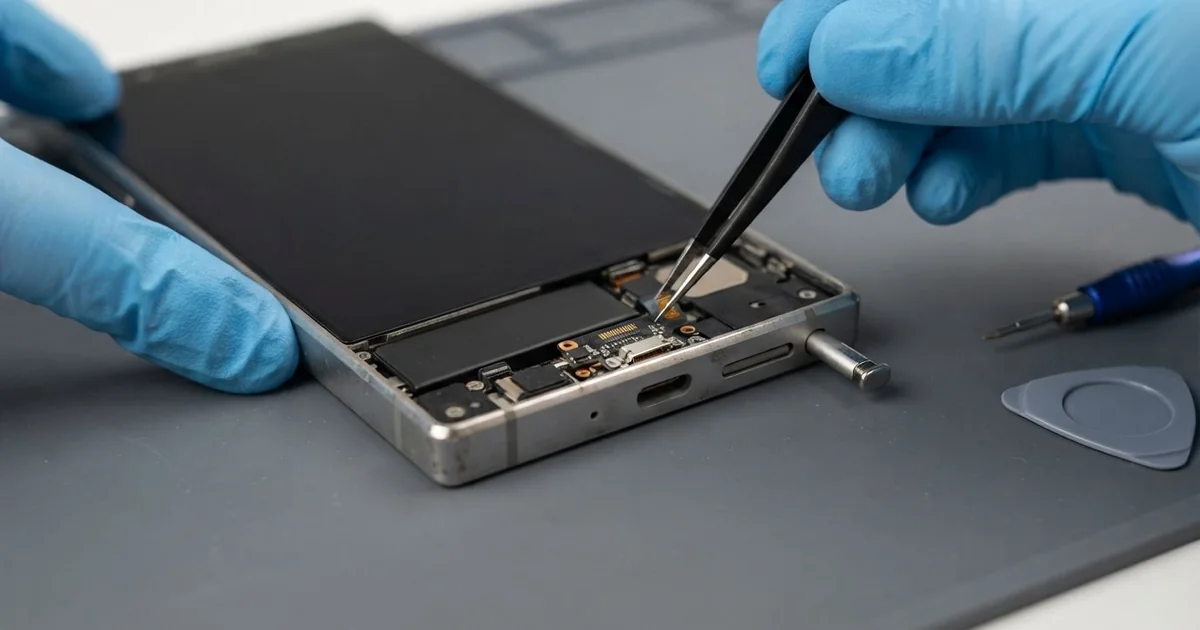
Samsung Galaxy S23 Ultra Charging Port Repair in Al Khobar fixes a port that is loose, slow or dead. We check it free, then clean the port or replace the small charging board it sits on. We test fast charging and the microphone, and most jobs are done the same day.
A Samsung S23 Ultra not charging often gives warnings first. The cable wobbles, fast charging stops, or the phone says there is moisture in the port. Some phones charge only when the cable is held at one angle.
It's better not to wait. A loose contact sparks and heats the pins, and that damage grows. If the port fails completely, the battery runs flat and your photos and notes are stuck inside.
Many port faults need only a clean. This phone has its S Pen slot next to the port, and both collect pocket lint and dust. We clear them out with fine tools, and often the phone charges like new.
Bent pins, rust and a cracked socket need a new part. The Samsung S23 Ultra charging port sits on a small board at the bottom, with the microphone on it too. We replace that board, and a flex cable joins it to the main board.
How Kabayan Center Repairs a Samsung Galaxy S23 Ultra Charging Port
We fix these charging faults on the S23 Ultra.
- A cable that is loose, falls out or charges only at an angle
- Super fast charging that stopped working
- A moisture warning that stays on after the phone is dry
- Green crust or dark marks inside the port
- A cracked or bent port after a drop on the bottom edge
- People can't hear you well in calls, since the microphone shares the port's board
This is how the repair works on the bench:
- We check the phone free with a tested cable and read the charging current on a meter.
- We look into the port and the S Pen slot under a magnifier for lint, rust or bent pins.
- We tell you if a clean is enough or the board needs replacing, and you decide.
- For a new board, we take out the S Pen, lift the back glass and remove the loudspeaker.
- We unplug the flex cable, swap the charging board and plug everything back in.
- We test fast charging, data, the microphone and the S Pen before closing.
- We lay a fresh water seal, press the back down and let you test it yourself.
Own a different phone? Our charging port repair service covers other models too. Customers come to our shop on King Fahd Road from Dammam and Dhahran as well.
Why a Galaxy S23 Ultra Stops Charging: 3 Real Cases
Lint and dust from a work overall pocket
A car mechanic came to us with a phone that charged one day and not the next. It lived in the chest pocket of a work overall, all day, every day.
"The pen won't click in properly either," the mechanic told us. The mechanic had searched for Samsung Charging Port Repair in Al Khobar during a tea break.
Under the magnifier, the port was packed with grey lint mixed with fine grease and dust. The S Pen slot had the same mix inside it. Each time the plug went in, it pressed the dirt deeper, until it couldn't reach the pins.
We cleaned both with fine tools, so the port needed no new part. The cable clicked in firmly, and the S Pen sat flush again. But the battery test showed low health, because the phone had run flat so often.
We did a phone battery replacement in the same visit. Now the phone charges every time and lasts the whole shift. We suggested a zip pocket or a case with a port cover for work.
Grease makes lint stick much harder than normal pocket dust. A quick look into the port every few weeks catches it early.
Sweat from a hot evening jog
We often see this one in the summer. A bank clerk jogged along the Corniche with the phone in a tight armband. The phone got soaked with sweat on the way.
That night the phone showed a moisture warning and refused to charge. "I dried it, but it keeps saying there's water," the clerk said. The clerk had typed mobile repair in Al Khobar into a work computer next morning.
Sweat is salty, and salt eats metal much faster than plain water. We found green crust on the pins and a thin white line of salt on the small board. So the charging board needed replacing, not just cleaning.
The salt had also crept a little way up the flex cable towards the main board. We did a water damage repair clean on that area before fitting the new board. Never charge a phone while it shows a moisture warning.
The warning is gone and the phone charges at full speed again. The clerk now runs with the phone in a sealed pouch. After a run, the phone gets wiped and left to dry before charging.
A drop that landed on the bottom edge
This one starts at a petrol station. A student dropped the phone while getting out of the car. It fell straight down and hit the concrete on its bottom edge, right on the port.
"The cable won't even go in now," the student said. The metal around the port was bent, and the socket inside had cracked.
Cleaning couldn't help, so we did a Samsung Galaxy S23 Ultra charging port repair with a new charging board. The new board also brought a new microphone, and calls sounded clear again. Fast charging worked on the first test.
The fall had done more, though. The frame had a dent at the bottom corner, and the screen had a small crack at the edge. A phone screen replacement would fix the crack.
The student chose to keep the screen for now, since the crack sat outside the main view. So the phone charges and calls well, but the dent and the crack remain. We suggested a case with a thick bottom edge.
A dent can press on the new port over time, so we checked the fit carefully. The cable goes in straight and firm, and the screen can be done later.
How to Keep Your Galaxy S23 Ultra Charging Port Clean
- Keep the phone in a clean, closed pocket, away from lint, grease and sand.
- Tap the phone gently, port down, to shake loose dust now and then.
- Wipe sweat off and let the port dry before you charge.
- Pull the cable out by the plug, never by the wire.
- Use a case that covers the bottom edge well.
- Never push a pin, a toothpick or the S Pen tip into the port.
- Come in for phone repair in Al Khobar as soon as the cable feels loose.
Related services
- Motherboard repair for a phone that still won't charge after a new port
Questions about this repair
Ask us anything else on WhatsApp
we answer during shop hours.