Samsung Galaxy S24 Ultra LCD Display Replacement in Al Khobar
Samsung Galaxy S24 Ultra LCD Display Replacement in Al Khobar for a cracked or dark screen. We check your phone free and tell you what it needs. You decide before any work starts, and your photos and chats stay where they are.
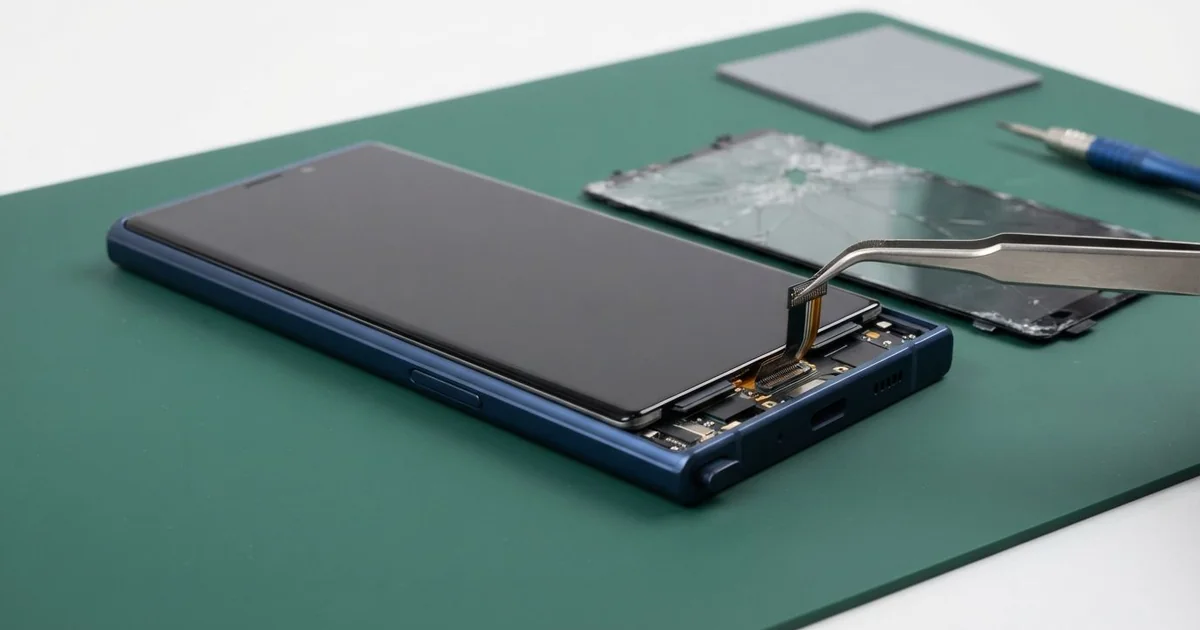
Samsung Galaxy S24 Ultra LCD Display Replacement in Al Khobar fixes cracked glass, lines and dead touch. We check the phone free, then fit a complete new flat screen. We test touch, the S Pen and the fingerprint sensor, and most jobs are done the same day.
A Samsung S24 Ultra broken screen shows up in different ways. The glass cracks from one corner, or a green line runs down the display. Some screens still look fine but ignore your finger and the S Pen in one area.
It's better not to wait. Cracks let in dust and sweat, and black spots slowly spread across the display. Back up your photos while the screen still works, because a dark screen makes that much harder.
Not every fault needs a new screen. A thick screen protector can block touch or slow the fingerprint sensor. A loose connector after a drop can also turn the screen black, and refitting it fixes that.
Cracked glass and lines are different. This phone has an AMOLED screen, a thin bright display that most people call the LCD. The glass and the display are one part, so a Samsung S24 Ultra screen replacement fits the whole screen.
How Kabayan Center Replaces a Samsung Galaxy S24 Ultra LCD Display
We fix these screen faults on this phone.
- Cracked front glass, from a small corner crack to a full web
- Green, pink or white lines down the display
- Black spots that spread, or a black screen while calls still ring
- Touch or the S Pen not working in one part of the screen
- Ghost touches that open apps or type by themselves
- A fingerprint sensor that stopped reading after the glass cracked
Here is how a Samsung Galaxy S24 Ultra LCD display replacement works with us, step by step.
- We check the phone free and note what still works: calls, cameras, charging and the S Pen.
- We tell you what it needs, and you decide before any work starts.
- We lift the back glass and disconnect the battery, so nothing has power while we work.
- We warm the old screen, lift it out of the titanium frame and clean off every bit of old glue.
- We connect the new screen and test touch, colour, brightness and the S Pen before closing.
- We seal the screen and the back glass with fresh glue and renew the water seal.
- We help you register your fingerprints again, then you check the phone yourself.
Own a different model? Our phone screen replacement service covers other phones, with much the same care. Customers come to our shop on King Fahd Road from Dammam and Dhahran too.
How a Galaxy S24 Ultra Screen Breaks: 3 Real Cases
Dropped on rocks on a desert camping trip
This one starts on a camping trip in the desert. A teacher climbed some rocks to take sunset photos, and the phone slipped out of one hand. It hit the rocks corner first.
The titanium frame took most of the blow and got a small dent at the corner. But the shock ran into the glass, and a crack spread across the whole screen. "I can still see the sunset, just through a web," the teacher joked.
Back in town, the teacher searched for Samsung Screen Replacement in Al Khobar. We checked the dent first, because a bent frame can stop a new screen from sitting flat. It was small and the frame was still straight, so the new screen could go in safely.
We fitted the new screen and tested touch right into that dented corner. The S Pen wrote cleanly across the whole display, edge to edge.
In the final test, the zoom camera looked blurry. Its small glass cover had cracked in the same fall, so we also did a phone camera repair. The teacher left with a clear screen and sharp photos again.
A heavy toolbox fell on it
A mechanic came to us straight from a car workshop. The phone had been lying on a bench when a heavy toolbox slid off the shelf above it. "The screen went white, then black," the mechanic told us.
A crush like that is different from a drop. The weight presses the whole phone at once, so the damage can go deeper than the glass. The mechanic had looked up mobile repair in Al Khobar during the lunch break.
When we opened it, the screen was shattered in the middle, with black patches under the cracks. We also saw a slight bend in the battery, right where the toolbox corner had landed.
A bent battery is not safe to keep using. It can swell or get hot later on. So we did a phone battery replacement together with the new screen.
Both parts went in the same day, and we tested the phone on charge for a while. It stayed cool, and the screen was bright and clear. The mechanic now keeps the phone in a pocket at work, not on the bench.
A thick screen protector trapped sweat
We often see this in summer: ghost touches that come and go. A gym trainer used the phone all day with a thick plastic screen protector on it. "It opens apps by itself, mostly after a workout," the trainer said.
Sweat had crept under the edges of the protector and sat on the glass. Wet glass confuses touch, so the screen reacted where no finger had pressed. The thick layer also made the fingerprint sensor slow.
We removed the protector and cleaned the glass, and most of the ghost touches stopped. Underneath, though, we found a small crack near the bottom edge. The protector had hidden it for weeks.
Sweat had got into that crack, so we checked inside, the first step of a water damage repair. The board was clean and dry. The fault sat only in the screen itself.
The trainer chose to wait on a new screen for now. The phone works well, but one strip near the bottom still misreads touch now and then. When that gets worse, a Samsung Galaxy S24 Ultra LCD display replacement will fix it.
How to Keep Your Galaxy S24 Ultra Screen Safe
- Use a case with a raised lip, so the screen never touches the ground first.
- Choose a thin screen protector that fits the edges well. Thick ones trap sweat and slow the fingerprint sensor.
- Keep the phone in a pocket at work, not on a bench under shelves or tools.
- Hold it with a strap or grip when you take photos on rocks or high places.
- Fix a small crack early, before sweat and dust get inside.
- Take it for phone repair in Al Khobar at the first line or black spot, since they spread.
Related services
- Charging port repair for a phone that charges loosely or not at all
Questions about this repair
Ask us anything else on WhatsApp
we answer during shop hours.