Samsung Galaxy S25 Charging Port Repair in Al Khobar
Samsung Galaxy S25 Charging Port Repair in Al Khobar for a wobbly plug or a moisture warning. We check the port free and tell you plainly what it needs. You decide before any work starts, and nothing on your phone is deleted.
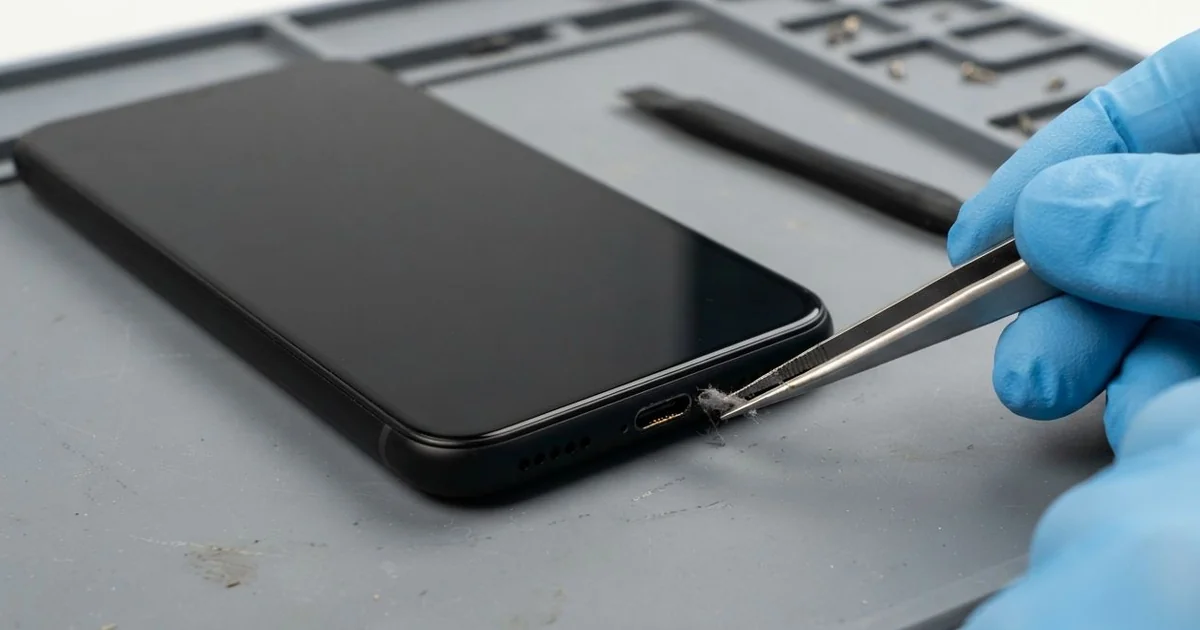
Samsung Galaxy S25 Charging Port Repair in Al Khobar gets a loose or dead port working again. We check the port free and find what is really wrong. We clean it or fit a new charging board, then test fast and wireless charging.
A Samsung S25 not charging often gives warnings first. The plug feels loose, or the charging icon comes and goes. Some phones show a moisture alert long after they are completely dry.
Waiting can turn a small job into a bigger one. A loose plug sparks inside the port and slowly burns the pins. If the phone goes flat for good, you lose calls, maps and bank codes until it's fixed.
Often a deep clean is all it takes. Lint, sand and dust build up at the back of the port, so the plug can't sit fully. We clear it with thin plastic tools and a safe cleaning liquid, never a metal pin.
Damaged pins are another matter, and then the Samsung S25 charging port needs replacing. It sits on a small board at the bottom, joined to the main board by a thin ribbon cable. We replace just that small board, and most jobs are done the same day.
How Kabayan Center Repairs a Samsung Galaxy S25 Charging Port
These are the port faults we fix on this model.
- A plug that needs holding in place to charge
- A cable that slides out when the phone moves
- A moisture alert on a phone that is already dry
- Fast charging that has stopped working
- Rusty, burnt or bent pins inside the port
- Wireless charging that works while the cable does nothing
This is how the repair is done, in order.
- We check the port under bright light and try it with a charger we know is good.
- We tell you what we see, and you decide before any work starts.
- For dirt or crust, we clean the pins with plastic tools and cleaning liquid.
- For damaged pins, we lift the back glass with gentle heat and unplug the battery.
- We swap the charging board and check the ribbon cable and its plug.
- We seal the back and test cable, fast and wireless charging one by one.
- You test it with your own charger before you go.
Charging trouble on another phone or a tablet? Our charging port repair service covers them too. Customers from Dammam and Dhahran reach our King Fahd Road shop easily.
Why a Galaxy S25 Stops Charging: 3 Real Cases
Salt spray on a fishing boat
A customer came to us after a long fishing trip out on the Gulf. The phone rode in a jacket pocket on the boat all day. Sea spray kept soaking the jacket, and the phone inside it.
"It says moisture detected, but it's been dry for days," the customer said. They had searched for Samsung Charging Port Repair in Al Khobar back on shore. Sea water dries into salt crystals, and salt keeps pulling moisture from the air.
Under the light, the pins had a white salt crust with small green spots. We cleaned them carefully, but two pins had already rusted through. So we fitted a new charging board.
The salt had also crept a little past the port toward the main board. We cleaned that area too, as we do in a water damage repair. The moisture alert went away, and fast charging came back.
The customer was glad the main board had escaped the rust. We suggested a sealed dry bag for every boat trip. A phone in a jacket pocket takes far more spray than most people expect.
A magnetic cable tip stuck in the port
This one starts with a handy gadget. A graphic designer used a magnetic cable, with a small tip that stays in the port. One day, after a dusty drive, the tip jammed and would not come out.
The designer tried to pull it out with metal tweezers. The tip came free, but the phone stopped charging properly. "Now it only works if I press the cable down," the designer told us.
We found two pins bent sideways by the tweezers, and scratches along the inside of the port. No amount of cleaning could fix bent pins like that. So we replaced the charging board and tested it with a normal cable.
Charging worked well again, but the battery test showed clear wear. The loose magnetic cable had charged the phone in short bursts many times a day. The designer chose a phone battery replacement while the phone was open.
Both jobs were done in one visit. We suggested a plain cable, because tips left in the port collect dirt and heat. Never put metal tweezers or pins inside a charging port.
Charged on a wet bathroom counter
We often see steam damage from small flats. A lab technician charged the phone on the bathroom counter during every morning shower. Steam filled the room, and water pooled around the phone.
One morning the phone got hot in the steam and stopped charging completely. The technician looked up phone repair in Al Khobar on the way to work. Under our light, the port itself looked clean and dry, with straight pins.
We tried our own cable and a wireless pad, and neither one charged it. Our meter showed the power stopping at the main board. Moisture had crept inside and burnt a small charging part.
We replaced that part as a motherboard repair, and cable charging came back. Wireless charging worked too, but it now charges more slowly than before. A second tiny part near the coil had been weakened by the heat.
The technician chose to live with the slower wireless charging for now. We explained that steam is just water in the air, and it finds every gap. The bedroom, far from the shower, is a much safer place to charge.
How to Keep Your Galaxy S25 Charging Port Working
- Keep the phone in a sealed bag on boats and at the beach.
- Use a plain cable, and never leave adapter tips in the port.
- Charge in a dry room, never in a steamy bathroom.
- Remove lint with a soft, dry brush, not a pin or tweezers.
- Unplug by holding the plug, not by pulling the cable.
- Bring it for mobile repair in Al Khobar when the plug first feels loose.
Related services
- Phone screen replacement if the same phone has a cracked or dark screen
Questions about this repair
Ask us anything else on WhatsApp
we answer during shop hours.