Samsung Galaxy S25 FE Battery Replacement in Al Khobar
Samsung Galaxy S25 FE Battery Replacement in Al Khobar for a phone that needs charging twice a day. It also helps when the phone turns off early or feels hot. We test the battery free and show you the reading, and nothing starts until you agree.
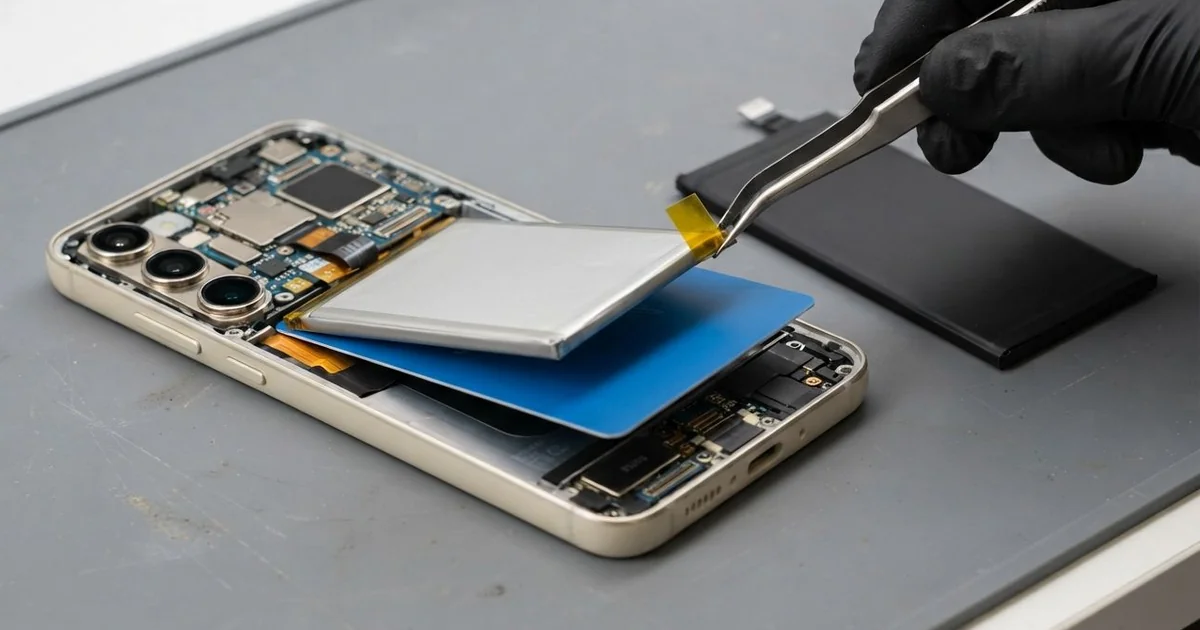
Samsung Galaxy S25 FE Battery Replacement in Al Khobar gives a worn phone its long days back. We test the battery free, lift the glued back glass with gentle heat and fit a new battery. Then we reseal the back and check cable and wireless charging, and most jobs are done the same day.
Most people first notice a Samsung S25 FE battery draining fast by the afternoon. The percentage jumps down in big steps, or the phone turns off at a low number. Some phones also feel warm on the table while doing nothing.
A tired battery is worth changing before it gets worse. It heats up more as it wears, and that heat wears it further. In the end it can swell and push the back glass open.
Not every fast drain means a bad battery. A stuck app, a weak signal or a half-finished update can drain any phone. We check those first, and sometimes a settings change fixes it.
When the battery itself is worn, a Samsung S25 FE battery replacement is the real fix. The battery is glued in under the back glass, beside the wireless charging coil. We take it out gently, fit the new one and seal the phone again.
How Kabayan Center Replaces a Samsung Galaxy S25 FE Battery
These are the battery problems we fix on this model.
- Charge that runs out well before the day is over
- A phone that turns off suddenly at a low or middle percentage
- Charging that is slow, or stops and starts on its own
- A back glass that bulges or lifts because the battery swelled
- A phone that stays warm even when resting
- A battery health reading that says the battery is weak
Here is the repair, in the order we do it:
- We read the battery health free and watch how the phone charges on our tester.
- You see the result and decide before any work starts.
- We warm the edges of the back glass and lift it with thin plastic picks.
- We unplug the battery, move the wireless charging coil aside and loosen the old glue.
- We lift out the old battery slowly, without bending it, so it stays safe.
- We fit the new battery on fresh adhesive and reconnect everything inside.
- We seal the back glass, then test cable and wireless charging with you.
Bringing a different phone? Our phone battery replacement page covers many other models. We are on King Fahd Road, and customers come from Dammam and Dhahran too.
Why a Galaxy S25 FE Battery Fails: 3 Real Cases
Fast charging during long gaming sessions
A customer came to us after the back glass popped open at one edge. The phone belonged to a gamer who played for hours while it fast charged. "It got so hot I could barely hold it," they said.
Gaming works the chip hard, and fast charging adds its own heat. Doing both at once cooks the battery from two sides. Over time the battery puffed up and pushed the back glass away from the frame.
The gamer had kept playing even after the edge lifted. "I thought the case was just loose," they told us.
We opened it carefully and found the battery swollen like a small pillow. A swollen battery must never be pressed flat or pierced. We removed it slowly and fitted a new one with fresh glue.
The back glass had cracked as it lifted, so we fitted a new one too. The swelling had also pressed on the screen from behind, leaving a pale patch. A phone screen replacement cleared it before the phone went home.
The gamer now unplugs the charger before a long session. The phone stays cooler, and the new battery has room to last.
A failed update at home that kept it restarting
One evening a phone came in stuck on the start logo. The owner had started an update at home with the battery nearly empty. The update stopped halfway, and the phone kept restarting all night.
Each restart used power, so the battery ran flat again and again. Deep drains like that are hard on a battery that is already tired. The owner had searched for Samsung Battery Replacement in Al Khobar, sure the battery was the only fault.
A phone stuck restarting sometimes needs motherboard repair, so we tested the board power first. It was fine. We then loaded the software again on our bench, and the owner's files stayed in place.
The phone started normally and stopped restarting. But the battery test still showed heavy wear. The owner chose to wait on the new battery for now.
The battery could still hold a charge, just not for long. We noted its health reading, so the owner can compare it later.
So the phone works again, but it still needs a charge by evening. Charge above half before any update, and keep it plugged in. An update that stops halfway is a common reason for a phone stuck on the logo.
Kept on a shelf above a hot restaurant grill
We see this one from restaurant kitchens. A cook kept the phone on a metal shelf above the grill, playing music through busy hours. By the end of each shift, the phone was hot and nearly flat.
Steady heat from a grill wears a battery much faster than normal use. Greasy steam also settled in the charging port and trapped dust there. The cook said it charged only when the cable was held very still.
Grease also makes a phone slippery, and it had slipped from greasy hands more than once. Luckily the screen and frame had survived without a crack.
The cook had looked for mobile repair in Al Khobar on the way home. Our battery test showed the battery was badly worn from the heat. We fitted a new one and checked charging with our own cable.
Charging still cut in and out. Inside the port we found a brown layer of grease packed around the pins. A careful charging port repair cleaned it out, and the plug held firm again.
The phone now lasts the whole shift and charges steadily. The cook keeps it in a locker, away from the grill and the steam.
How to Keep Your Galaxy S25 FE Battery Healthy
- Unplug the charger before long gaming sessions, so the phone doesn't heat from both sides.
- Charge above half and stay plugged in before you start any update.
- Keep the phone away from grills, ovens, dashboards and other hot spots.
- Take the case off if the phone gets hot while charging.
- Stop using the phone at once if the back glass starts to lift.
- Book a phone repair in Al Khobar when the charge no longer lasts the day.
Related services
- Water damage repair for a phone that got wet or steamy inside
Questions about this repair
Ask us anything else on WhatsApp
we answer during shop hours.