Samsung Galaxy S25 FE Charging Port Repair in Al Khobar
Samsung Galaxy S25 FE Charging Port Repair in Al Khobar for a plug that wobbles, slips out or does nothing. We look inside the port free and tell you what we see. You choose before we start, and the files on your phone are left as they are.
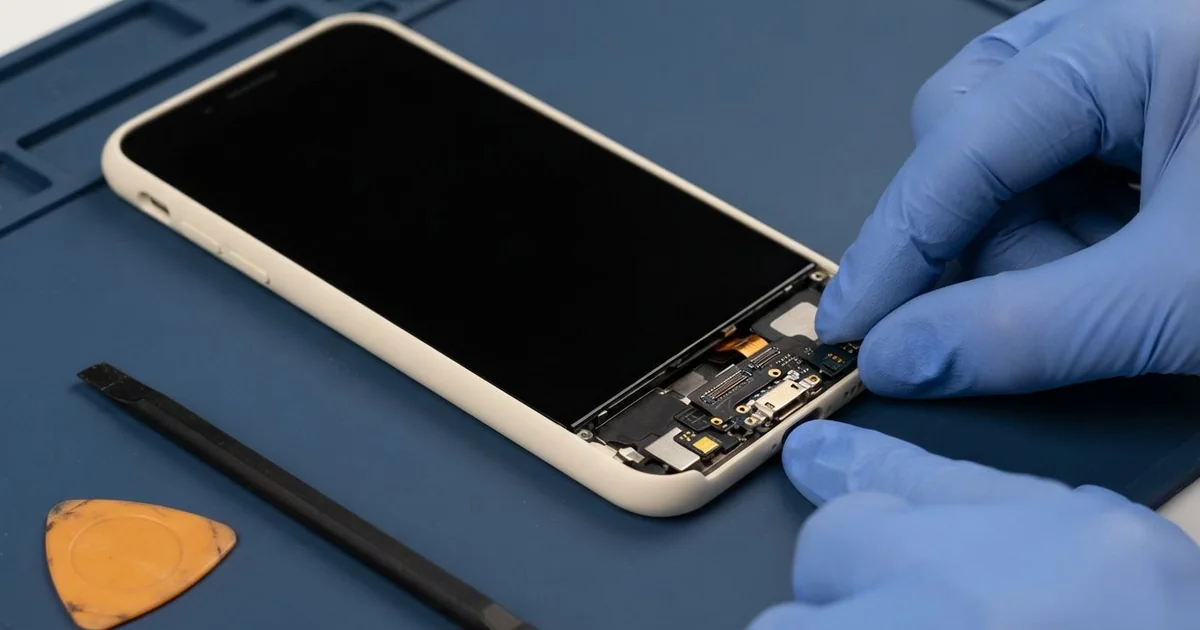
Samsung Galaxy S25 FE Charging Port Repair in Al Khobar brings back steady charging to your phone. We check the port free to find the cause, then deep clean it or fit a new port board. After a full charging test with your own cable, most jobs are done the same day.
A Samsung S25 FE not charging usually gives warnings first. The cable must be held at an angle, or charging stops when the phone moves. Some phones show a moisture alert long after they have dried out fully.
It pays to act at the first sign. A loose plug sparks lightly on the pins and slowly burns them. And a phone that can't charge will soon be too flat to back up your photos.
Often the port only needs a proper clean. Lint, sand and grit pack into the bottom, so the plug can't sit deep enough. We lift that out with non-metal tools that don't scratch the soft pins.
Bent, burnt or rusted pins are a different job. The Samsung S25 FE charging port sits on a small board at the bottom, linked by a flex cable. We change that small board and keep everything else as it was.
How Kabayan Center Repairs a Samsung Galaxy S25 FE Charging Port
We regularly fix these port faults on this phone.
- A plug that only charges when held at an angle
- A cable that falls out because the port feels loose
- A moisture alert that won't clear on a dry phone
- Fast charging that never starts, or very slow charging
- Pins that look bent, dark or green inside the port
- Wireless charging that works while the cable does nothing
The repair runs in these steps:
- We look into the port with a lamp and magnifier, then test it with our own cable.
- We explain the fault, and you decide before any work starts.
- For dirt, we pick it out with non-metal tools and clean with a safe liquid.
- For damaged pins, we lift the back glass and unplug the battery first.
- We swap the small port board and check its flex cable for tears.
- We reseal the back, then test cable, fast and wireless charging.
- You plug in your own charger to make sure it works for you.
Another phone at home with the same fault? Our charging port repair covers many devices. Our shop is on King Fahd Road, and people drive in from Dammam and Dhahran too.
How a Galaxy S25 FE Port Gets Damaged: 3 Real Cases
Wet sand after a beach day at Half Moon Bay
This one starts at Half Moon Bay. A family spent a beach day there, and the phone lay on a wet towel for hours. That night it showed a moisture alert and would not charge.
Wet sand is heavy and salty, and it packs into a port like cement. When it dries, the salt stays behind on the pins. The parent kept pushing the plug in, which pressed the sand deeper.
They also tried blowing into the port, which only added moisture. It is a common habit, but it does more harm than good.
They had searched for Samsung Charging Port Repair in Al Khobar the next morning. Under the lamp, we saw a grey crust sealing the bottom of the port. Beneath it, two pins had a faint green colour from the salt.
Cleaning alone would not save pins that were already rusting. So we fitted a new port board and dried the area around it. Salt water had also reached the bottom of the main board, so we added a water damage repair clean there.
The moisture alert cleared, and fast charging worked again. Now the phone goes into a sealed pouch whenever the family visits the beach.
Keys and coins in the same pocket
We often see this with people who carry everything in one pocket. A driver kept the phone beside house keys and loose coins all day. "The cable just won't click in anymore," the driver told us.
Tiny metal flakes rub off keys and coins as they move. Those flakes slip into the port and scrape the pins. One sharp key tip had also pushed straight into the port.
The driver used the phone for maps all day, so a flat battery meant lost work. They had put up with the wobbly plug for a long while.
We found shiny metal dust packed deep inside, and one pin bent flat. Metal dust is risky, because it can join two pins and cause a short. A short is power taking the wrong path.
We cleared the dust and replaced the port board, since the bent pin could not be saved safely. The battery also tested weak after a long time of poor charging. The driver chose a phone battery replacement in the same visit.
The phone now charges quickly and holds its charge all day. The keys moved to the other pocket, and the coins now go in a small pouch.
A baby chewed the cable while it was plugged in
A common case in homes with little ones. A parent left the phone charging on the sofa, and the baby chewed the plug end. "There was a tiny pop, then nothing," the parent said.
Saliva is water with salts in it, and it carries power where it shouldn't go. The chewed cable also had bare wires near the plug. Together, they sent a jolt of power straight into the port.
Unplug a chewed cable at the wall first, then from the phone. Touching bare wires while it is plugged in is not safe.
The parent had looked up phone repair in Al Khobar and brought both the phone and the cable. The pins looked dark, and our cable did nothing. A wireless pad did nothing either, so the fault went deeper.
We replaced the port board first, but charging still did not start. Our test found a burnt part on the main board that controls charging. That became a motherboard repair, and cable charging came back.
Wireless charging stayed off, though, because a second small part had burnt too. The parent chose to use the cable for now. The chewed cable went straight in the bin.
How to Keep Your Galaxy S25 FE Charging Port Clean
- Keep keys and coins in a different pocket from your phone.
- Seal the phone in a pouch at the beach, and keep it off wet towels.
- Unplug the charger when little children are near, and store cables up high.
- Throw away any cable with bare wires or a bent plug.
- Let the phone dry fully when a moisture alert shows, and never force the plug.
- Visit a shop for mobile repair in Al Khobar when the plug first feels loose.
Related services
- Phone screen replacement if the same phone also has cracked glass
Questions about this repair
Ask us anything else on WhatsApp
we answer during shop hours.