Samsung Galaxy S25 LCD Display Replacement in Al Khobar
Samsung Galaxy S25 LCD Display Replacement in Al Khobar for cracked glass, black patches or lines. We look at the phone free and show you the damage. You decide before any work starts, and your photos and chats stay exactly where they are.
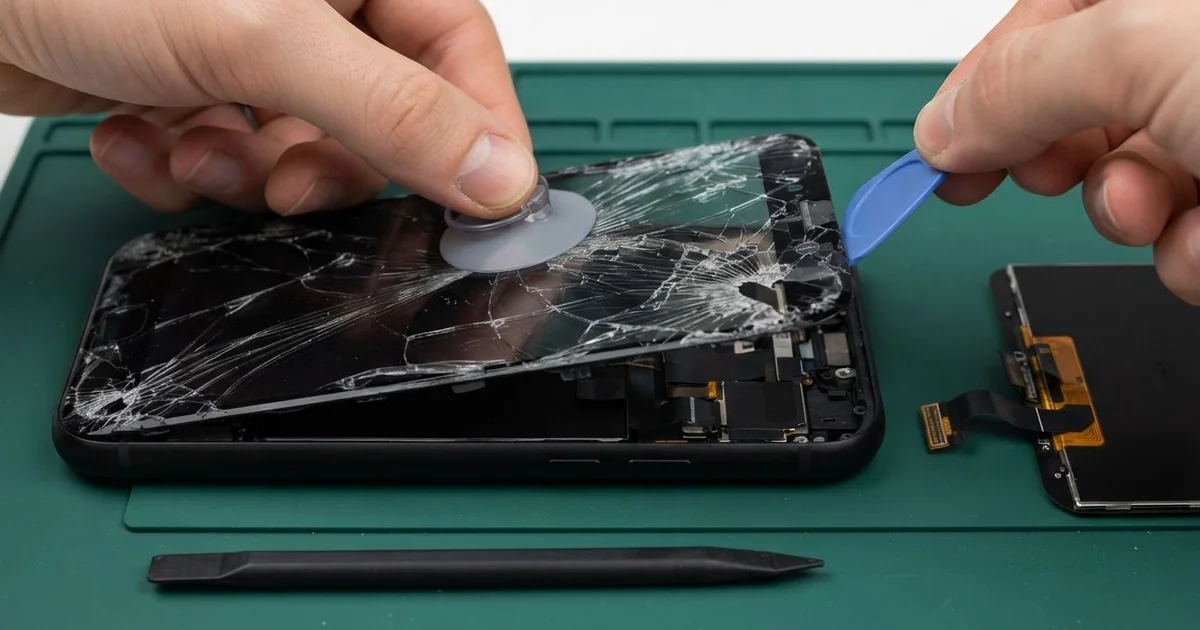
Samsung Galaxy S25 LCD Display Replacement in Al Khobar fixes a cracked, dark or striped screen. We check the phone free, then fit a complete new screen with the glass and display as one part. We test touch, colour and the fingerprint reader, and most jobs are done the same day.
A Samsung S25 broken screen is not always a web of cracks. Sometimes the glass looks fine, but a black patch grows from one edge. Other times a green line appears, or touch stops working in one corner.
It's worth fixing soon. A crack lets in dust, sweat and moisture, and small cracks grow with every knock. The fingerprint reader sits under the screen, so a dead display can also lock you out of the phone.
A few faults need no new part at all. A screen protector full of bubbles can cause ghost taps that open apps alone. After a knock, a loose screen plug can blank the display, and refitting it fixes that.
Cracks, black patches, lines and dead touch need a new screen. On this phone the glass and display are glued together as one part, so they can't be split. A Samsung S25 screen replacement swaps that whole part, and every one of these faults clears at once.
How Kabayan Center Replaces a Samsung Galaxy S25 LCD Display
We fix these screen faults on this model.
- Cracked glass across the front or at one corner
- A black patch that spreads, while the phone still rings
- Green, pink or white lines running across the display
- Touch that misses taps, or taps that happen by themselves
- A fingerprint reader that can't read through damaged glass
- A screen that flickers or stays dim at full brightness
Here is how we replace the screen, step by step.
- We check the phone free, testing cameras, sound, charging and buttons before we start.
- We tell you what it needs, and you decide before any work starts.
- We open the back, disconnect the battery and unplug the screen cable.
- We warm the front glue and lift the broken screen slowly, keeping the frame straight.
- We clean away every piece of old glue and glass from the frame.
- We connect the new screen and test touch, colour and brightness before sealing.
- We seal it with fresh glue, then help you set up your fingerprint again.
Have a different phone? Our phone screen replacement covers other models too. Our shop is on King Fahd Road, and people come from Dammam and Dhahran for screen work.
How a Galaxy S25 Screen Breaks: 3 Real Cases
Flew off a treadmill holder at the gym
One evening a personal trainer came in with a shattered screen. The phone had been sitting in the holder of a running treadmill. "It just jumped off and hit the belt," the trainer said.
A moving belt throws a phone hard against the frame behind it. The front glass cracked from corner to corner. Black ink spread under the cracks within an hour, and the bottom half stopped answering touch.
The trainer searched for Samsung Screen Replacement in Al Khobar straight after the class. We replaced the whole screen and cleaned dried sweat from the edges of the frame. Touch worked right to the corners again.
Then we tested the back cameras, as we always do after a hard fall. Photos came out with a bright haze in one corner. The small glass over the rear cameras had cracked too, so we did a phone camera repair as well.
Both the screen and the photos came back clear. Keep a phone off moving gym machines, even in a holder. The trainer now keeps the phone in an armband, well away from the belt.
Squeezed in an electrician's tool bag
We see this often with people who work with tools. An electrician carried the phone in the same bag as pliers, screwdrivers and a heavy meter. When the bag dropped onto the van floor, a tool pressed hard into the screen.
The glass had only a small chip near the top. But inside, the display had cracked, and a purple line ran down the middle. The electrician looked up mobile repair in Al Khobar between two jobs.
We fitted a new screen, and the line was gone. Touch, colour and brightness were all perfect in our tests. Then, while charging, the cable wobbled in the port and the charge kept dropping.
The same knock had pushed on the bottom of the phone and bent the port a little. We did a charging port repair at the same visit, fitting a new charging board. Cable charging became firm and steady again.
The electrician now keeps the phone in a padded front pocket of the bag. Tools and screens don't mix, even for a short drive across town. A hard case with a raised edge adds one more layer of safety.
Milk leaked through a small corner crack
A small corner crack seems harmless at first. A parent had dropped the phone from a stroller cup holder onto the pavement. The crack was tiny, so the phone stayed in use as normal.
Then a baby bottle leaked in the changing bag, right next to the phone. Milk soaked into the crack overnight. By morning, a cloudy patch covered the top of the screen.
"It looks like fog behind the glass," the parent said. Milk had spread under the glass and around the front camera. We replaced the screen and did a water damage repair clean around the top of the frame.
The new screen was bright and clear, and touch worked well everywhere. The front camera, though, still showed a soft haze in selfies. Dried milk had reached inside its lens, and cleaning could not fully clear it.
The parent decided to leave the front camera as it was for now. We suggested a case with a raised edge, and a sealed bag for the bottle. A tiny crack is worth fixing early, before liquid finds its way in.
How to Keep Your Galaxy S25 Screen Safe
- Keep the phone off treadmill holders and other moving gym machines.
- Carry it in a padded pocket, away from tools and keys.
- Use a case with a raised edge around the screen.
- Pick a thin screen protector that works with an under-screen fingerprint reader.
- Fix a small crack early, before liquid or dust gets in.
- Bring it for phone repair in Al Khobar at the first dark patch, because it keeps spreading.
Related services
- Phone battery replacement for a phone that dies early in the day
Questions about this repair
Ask us anything else on WhatsApp
we answer during shop hours.