Samsung Galaxy S26+ LCD Display Replacement in Al Khobar
Samsung Galaxy S26+ LCD Display Replacement in Al Khobar for cracked glass, green lines or a screen that stays black. We look at the phone free and show you the damage first. You decide before any work starts, and your photos stay on the phone.
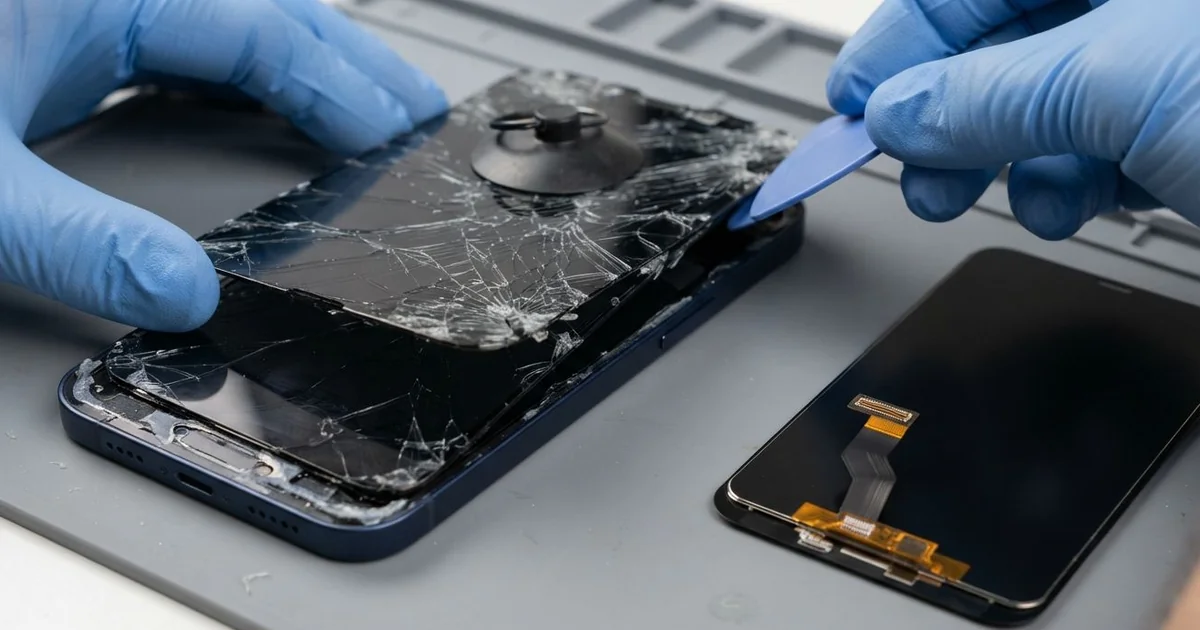
Samsung Galaxy S26+ LCD Display Replacement in Al Khobar fixes a cracked, striped or dark screen. We check the phone free and fit a complete new screen. Then we test touch and the fingerprint reader, and most jobs are done the same day.
A Samsung S26 Plus broken screen can show up in many ways. Some screens have a web of cracks you can feel with a finger. Others look perfect but show black spots, green lines or taps that open apps alone.
It's better not to wait. Small cracks spread with heat and pressure, and dust or sweat gets in through them. The fingerprint reader sits under the display, so a dead screen can lock you out of your own phone.
Not every screen fault needs a new part. A lifted protector or a loose connector after a knock can cause false taps or a blank display. We clean and refit these when the signs point that way.
Cracks, black ink and dead touch are a different story. On this phone the glass and the display are one glued part, so they can't be split. A Samsung S26 Plus screen replacement means a whole new screen, and it clears all these faults in one go.
How Kabayan Center Replaces a Samsung Galaxy S26+ Screen
These are the display problems we fix most on this model.
- Cracked front glass, from a small chip to a full spider web
- Black patches that grow slowly across the display
- Green, pink or white lines running down the screen
- Touch that misses taps or opens apps by itself
- A screen that stays black while the phone still rings
- Faint ghost shapes that stay on screen, called burn-in
- A fingerprint reader that no longer reads through the glass
This is how the screen job goes on our bench:
- We check the phone free and test calls, cameras, charging and buttons before opening it.
- We explain what it needs, and you decide before any work starts.
- We warm the back glass, lift it and disconnect the battery for safety.
- We soften the glue under the broken screen and lift it out slowly, keeping the frame straight.
- We clear away old glue and glass bits, then test the new screen before sealing it.
- We seal the screen with fresh glue and clamp it evenly while the glue sets.
- We set up your fingerprint with you and test touch in every corner.
Have another phone with a cracked screen? Our phone screen replacement covers other models too. Our shop is on King Fahd Road, and customers come from Dammam and Dhahran as well.
How a Galaxy S26+ Screen Gets Damaged: 3 Real Cases
Dropped on gravel at a building site
This one starts at a building site. A site engineer climbed down from a pickup truck, and the phone slid out of a shirt pocket. It landed face down on gravel and cement dust.
"It still works, but I can't read the drawings on it," the engineer told us. A web of cracks ran from the top corner. Fine grey dust had already worked into the cracks.
The engineer had searched for Samsung Screen Replacement in Al Khobar during a lunch break. Dust inside a crack acts like sandpaper. Every press on the glass grinds it deeper and makes new lines.
We fitted a new screen and cleaned grey dust from the frame edges. During testing, the phone charged slowly and dropped the cable once. Cement dust had packed the port too, so we did a charging port repair clean at the same visit.
The phone went back to site with a clear screen and steady charging. A case with a raised edge keeps most face-down falls off the glass. The engineer now keeps the phone in a zipped pocket on site, away from loose shirt pockets.
Bent in a tight jeans pocket at a market stall
We often see this with people who sit all day. A market stall seller kept the phone in the back pocket of tight jeans. They sat on a low crate for hours, serving customers in the sun.
One evening a thin green line appeared down the middle of the screen. The glass had no crack at all. "How can it break if I never dropped it?" the seller asked us.
Sitting bends the phone a tiny bit, again and again. The glass can take it, but the thin display layer behind it cracks inside. Heat from the sun makes that layer weaker and easier to damage.
Under our light, the line had a small dark spot at one end. The connector was clean and tight, so the display itself had failed. We did the Samsung Galaxy S26+ LCD display replacement, and the green line was gone.
The seller had found us by looking up mobile repair in Al Khobar on a slow afternoon. We showed them how the old screen flexed slightly in the hand. The phone now rides in a front shirt pocket or the cash bag.
Shooting outdoors all day at full brightness
A photographer brought this phone in after a long outdoor shoot. They filmed and checked shots all day, with the screen at full brightness in strong sun. Later, a faint shadow of the camera buttons stayed on screen, even on a white page.
That shadow is called burn-in. It happens when one bright picture sits on the screen for hours while the phone runs hot. The display wears unevenly, and the marks stay for good.
Burn-in can't be cleaned or reset away. So we fitted a new screen, and white pages looked clean again. The photographer was relieved, because they check colours on this phone before sending work.
In the final test, their photos looked soft on one side. The small glass over the back cameras had a scratch from a tripod clamp. A phone camera repair would fix it, but they had another shoot and chose to wait.
So the screen was fixed, and the camera glass stayed as it was for now. We suggested lowering the brightness when the phone sits on a stand. Letting the screen sleep between shots helps too.
How to Keep Your Galaxy S26+ Screen Safe
- Use a case with a raised edge, so the glass never lands flat on the ground.
- Keep the phone out of back pockets, especially in tight jeans while you sit.
- Lower the brightness when the phone sits in the sun on a stand or mount.
- Choose a thin screen protector that works with an in-display fingerprint reader.
- Back up your photos while the screen still works, so a dark screen never costs you files.
- Bring it for phone repair in Al Khobar at the first dark spot, before it spreads.
Related services
- Phone battery replacement for a phone that dies before the day ends
- Water damage repair if liquid got in through a cracked screen
Questions about this repair
Ask us anything else on WhatsApp
we answer during shop hours.