Samsung Galaxy S26 Ultra Motherboard Repair in Al Khobar
Samsung Galaxy S26 Ultra Motherboard Repair in Al Khobar for a phone with a black screen and no sound. It also covers boot loops and a phone that gets hot when off. The check is free, and you agree before we repair anything.
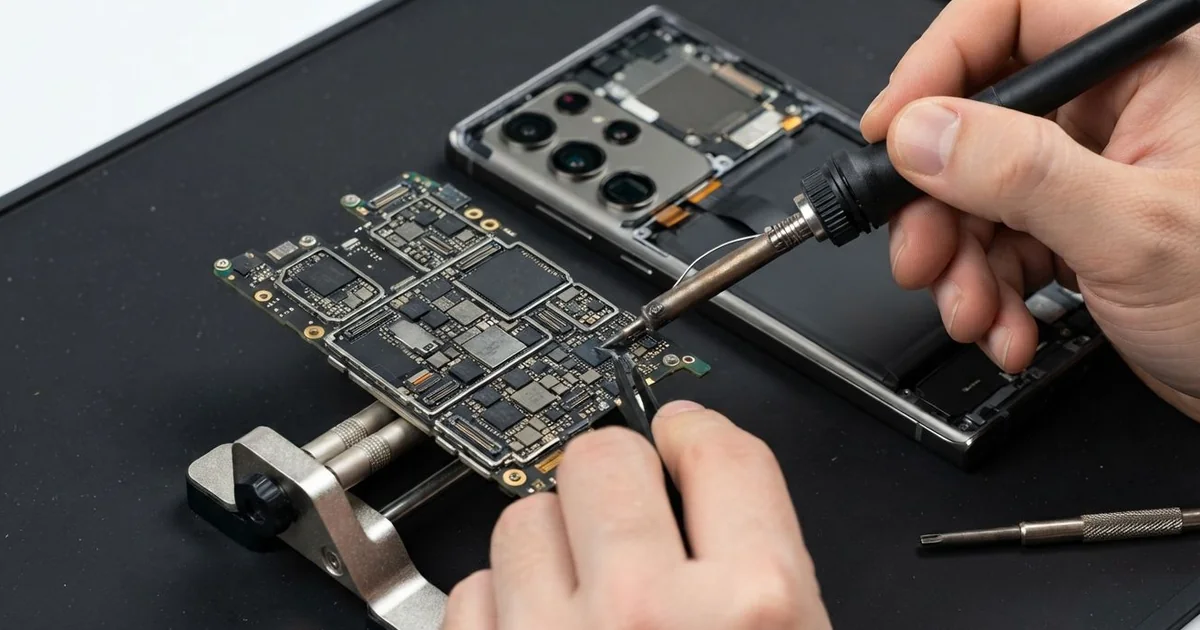
Samsung Galaxy S26 Ultra Motherboard Repair in Al Khobar helps a phone that is dead, stuck or restarting. We check it free, find the faulty part on the board and fix that part. We test every function, and some parts take a day to arrive.
A Samsung S26 Ultra not turning on can mean many things. Some phones vibrate when you press the button but show nothing on the screen. Others reach the logo, go dark and start again in a loop.
It pays to act fast. A short on the board can heat nearby parts and spread the damage. Water left inside turns to rust, and rust makes saving your files harder every day.
Many dead phones don't need board work at all. A flat battery, a worn port or broken software can stop a phone just the same. We test those first, since they are quicker and simpler to fix than a board fault.
When the Samsung S26 Ultra motherboard is at fault, we trace the problem to one spot. It could be a burnt chip, a rusted part or a joint cracked by heat. We repair that spot under a microscope and leave the rest of the board untouched.
How Kabayan Center Repairs a Samsung Galaxy S26 Ultra Motherboard
We handle these board faults on this model.
- A black screen with no sound or vibration
- A boot loop, where the logo shows and the phone restarts
- Heat in the middle of the phone while it is switched off
- Lost signal or Wi-Fi after water or a drop
- No charging, even with a working port and battery
- Rust or white marks on the board after a spill
Here is our board repair, in order:
- We rule out the battery, port and software before we touch the board.
- We open the phone, disconnect the battery and study the board under a microscope.
- We power the board from a bench supply and use a thermal camera to find hot spots.
- We explain the fault in plain words, and you decide before we repair it.
- We clean rust with a board-safe cleaner, or replace the damaged part with fine heat tools.
- We put the phone back together and test calls, cameras, charging and signal.
- We run it on our bench for a while and check it stays cool and stable.
Board fault on a laptop or another phone? Our motherboard repair page covers those too. Find us on King Fahd Road, with many customers coming from Dammam and Dhahran.
Why a Galaxy S26 Ultra Stops Turning On: 3 Real Cases
Dropped into the bottom of a fishing boat
This one starts on a small fishing boat. A customer reached for a rope, and the phone slipped out of a chest pocket. It landed in the salty water that collects at the bottom of the boat, among bait and rope.
They fished it out fast and wiped it dry. Back home they charged it to check, and it died with a faint click. "It was still working when I picked it up," they told us.
Salt water carries power well, so charging a wet phone causes shorts. Under the microscope we saw white salt crust and a burnt spot near the power chip. The rust was spreading across the board.
We cleaned the board with a board-safe cleaner and replaced the burnt power part. This was also a water damage repair job, so we dried and cleaned every connector. The phone then turned on again.
The customer had searched for Samsung Motherboard Repair in Al Khobar on the drive back. Never charge a phone that has been in water. Switch it off, leave it unplugged and bring it in first.
The sooner we clean it, the less rust can form. Salt works fast inside a phone.
Editing videos on a hot rooftop
A photographer came to us after a long rooftop shoot in strong sun. Between shots, they edited videos on the phone while it charged from a power bank. The phone grew too hot to hold, then got stuck in a loop at the logo.
By evening it would not turn on at all, even on a charger. The photographer had looked up mobile repair in Al Khobar, worried about the client footage inside. None of it had been backed up yet.
Heavy work, charging and sun together push the board past safe heat. Our thermal camera showed one chip heating up fast as soon as power arrived. Heat had cracked the tiny joints under it.
We tried to reattach the joints with fine heat tools, but the chip itself had failed. A new board was the only full fix, and a new board starts empty. So we worked on the files first.
The memory chip still answered our tests. With data recovery, we copied the footage to a drive before anything else. The photographer kept every clip, but chose to replace the phone later rather than wait for a new board.
An update that ran out of charge
We often see this after a phone updates overnight. A teacher started a big software update with very little charge left. The battery gave out halfway, and the phone never woke up again.
"I thought the board had died," the teacher said. The screen stayed black, and holding the buttons did nothing. They had already started looking at new phones, sure the board was gone for good.
Our tests told a different story. The board took power normally, and no part was hot. The update had stopped midway and left the software broken.
A phone in the middle of an update is fragile. If power cuts out while new software is being written, the phone can't find a working copy to start from.
We loaded fresh software onto the phone with our tools, without touching the board. In this case, the photos and chats survived, because the reload did not wipe the storage.
The battery tested very weak, which is why it ran out so fast. We fitted a new one with a phone battery replacement, so updates can finish safely. The phone now starts every morning without trouble.
The teacher now plugs it in before every update. A full charge keeps the update safe.
How to Keep Your Galaxy S26 Ultra Board Healthy
- Switch off a wet phone at once, and never charge it until it is checked.
- Plug in before a big update, and let it finish without touching the phone.
- Avoid heavy editing or games while the phone charges in strong sun.
- Use a strap or a zipped pocket on boats, near pools and on balconies.
- Back up your photos and videos to a drive or online storage often.
- Bring it for phone repair in Al Khobar if it gets hot while switched off.
Related services
- Charging port repair for a phone that charges only at an angle
Questions about this repair
Ask us anything else on WhatsApp
we answer during shop hours.