Samsung Galaxy S8 Charging Port Repair in Al Khobar
Samsung Galaxy S8 Charging Port Repair in Al Khobar for a phone that charges only at an angle. We check the port free and tell you what it needs. You decide before any work starts, and nothing on your phone is deleted.
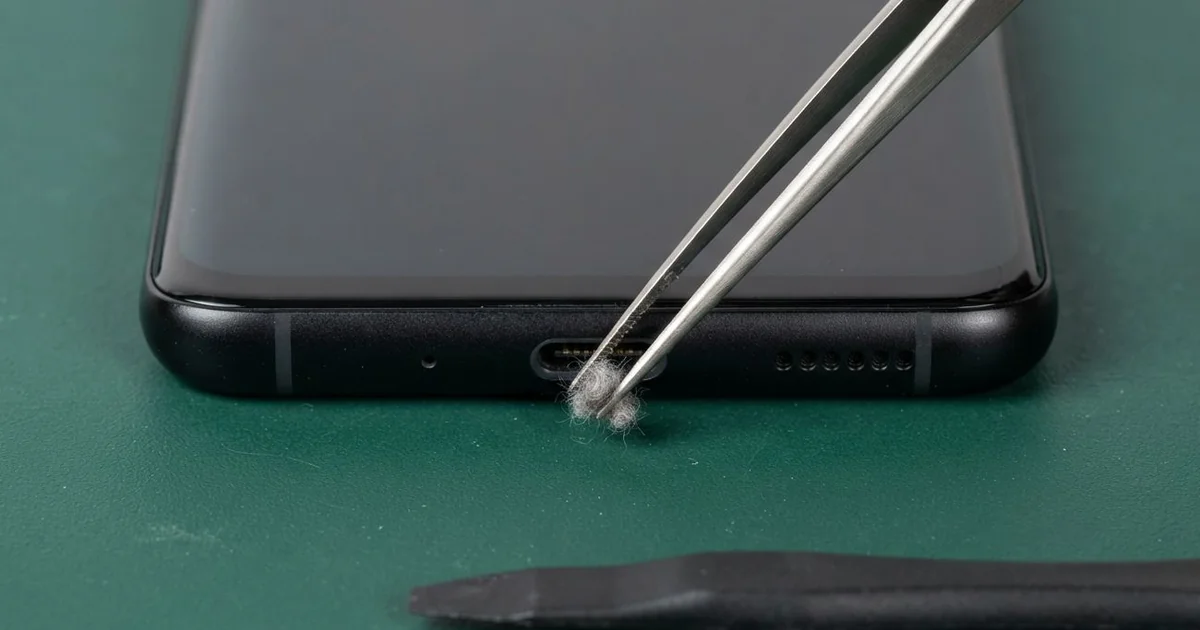
Samsung Galaxy S8 Charging Port Repair in Al Khobar fixes a phone that charges slowly, loosely or not at all. We check the port free, then clean it or fit a new port. We test normal and fast charging before you leave, and most jobs are done the same day.
A Samsung S8 not charging usually shows it in small ways first. The cable has to sit at one angle, or it falls out easily. Sometimes the phone says it's charging, but the level barely moves all night.
Don't wait, and don't force the plug in harder. Pushing bends the small pins inside the port. A loose contact can also spark, and a burnt pin can damage the board behind it.
Many ports only need a good clean. Pocket lint and sand pack into the bottom, so the plug can't reach the pins. We clear it out with non-metal tools, and the phone charges again.
A bent, burnt or rusted Samsung S8 charging port is different. On this phone the port sits on a small board at the bottom, so we replace that board. The work doesn't touch your photos, chats or apps, so nothing needs to be set up again.
How Kabayan Center Repairs a Samsung Galaxy S8 Charging Port
We fix these charging faults on this phone.
- A phone that doesn't charge at all, or only at one angle
- Charging that starts and stops each time the cable moves
- A "moisture detected" warning when the port looks dry
- Very slow charging, or fast charging that no longer shows
- A loose plug that slips out of the port by itself
- A computer that can't see the phone over the cable
Here is how a Samsung S8 charging port repair works with us, step by step:
- We check the phone free with our own charger and cable, and look inside the port under a magnifier.
- We tell you what it needs, and you decide before any work starts.
- If it's only dirt, we clean the port with non-metal tools and a cleaning liquid, then test it.
- If the port is damaged, we warm the back glass, open the phone and disconnect the battery.
- We take out the small bottom board that holds the port and fit a new one.
- We seal the back with fresh glue, then test normal charging, fast charging and the bottom microphone.
- You try your own cable in it before you take the phone home.
Own a different phone? Our charging port repair service covers other models too, with much the same steps. Customers come to our shop on King Fahd Road from Dammam and Dhahran as well.
How a Galaxy S8 Charging Port Fails: 3 Real Cases
Charged in bed with the cable bent
One morning a phone came in that only charged when it was held a certain way. It belonged to a call centre worker who watched videos in bed every night. "It only works if I hold it very still," the worker said.
The phone lay on its side while charging, with the cable bent sharply at the plug. Each night the plug pressed down on the port. Over months, the port worked loose from its board.
The worker had searched for Samsung Charging Port Repair in Al Khobar after the phone died during a shift. We found the port wobbling, and one side of its metal shell was cracked. The pins inside were fine, but they no longer sat tight against the plug.
We fitted a new port board and tested it with several cables. The battery test showed heavy wear too, from months of charging in short bursts. So the worker also chose a phone battery replacement.
Now the plug clicks in firmly and the phone lasts the whole shift. The worker uses a longer cable and keeps the phone flat on the bed while charging.
Sweet coffee spilled on the desk
This one starts with a cup of sweet coffee. A receptionist knocked it over, and the phone lay in the puddle with its bottom edge wet. It was wiped quickly with a tissue and seemed fine for the rest of the day.
The next day the phone showed a moisture warning and refused to charge. "But it's completely dry," the receptionist said. They had looked up mobile repair in Al Khobar during lunch and came straight in.
Under the magnifier, the port was sticky with dried sugar. Sugar holds on to water, so the pins stayed damp and the phone kept seeing moisture. There was also a thin green line of rust on the small board, where the coffee had crept inside.
Cleaning the port was not enough, because the coffee had gone past it. We did a water damage repair on the board first, then fitted a new port.
The warning is gone, and the phone charges normally again. The receptionist now keeps the phone on a stand, away from the cups. If a drink spills again, the phone goes off at once and stays off the charger.
A no-name fast charger burnt a pin
We often see this after a charger from a roadside stall. A mechanic bought a no-name fast charger for the workshop and used it every day. The phone charged on a greasy bench, next to the tools.
"It smelled like burnt plastic, then it stopped charging," the mechanic told us. Poor chargers can send uneven power, and a weak pin heats up under it. That heat slowly burns the pin and the plastic around it.
One pin in the port had a black mark, and the plastic around it had melted a little. We replaced the port board, but the phone still charged very slowly. So the problem went deeper than the port.
The heat had also hurt the small charging chip on the main board. So we did a motherboard repair to replace that chip. After it, normal charging worked again.
Fast charging stayed off, though, even with a good charger. The mechanic chose to keep the phone as it is, because it now charges fully overnight. We handed back the burnt charger so it wouldn't be used again.
How to Keep Your Galaxy S8 Charging Port Working
- Use a good charger and cable, not a no-name one from a roadside stall.
- Keep the plug straight while charging, and don't let the cable bend sharply in bed.
- Look into the port now and then, and clear lint gently with a wooden pick, never a pin.
- Dry the phone fully before charging if it shows a moisture warning.
- Use wireless charging while the port feels loose, until you get it checked.
- Pull the cable out by the plug, not by the wire.
- Bring it for phone repair in Al Khobar once charging only works at an angle.
Related services
- Phone screen replacement for a cracked, dark or frozen screen
Questions about this repair
Ask us anything else on WhatsApp
we answer during shop hours.