Samsung Galaxy S8+ LCD Display Replacement in Al Khobar
Samsung Galaxy S8+ LCD Display Replacement in Al Khobar for lines, cracks or a screen gone black. We check your phone free and tell you what it needs. You decide before any work starts, and nothing on the phone gets deleted.
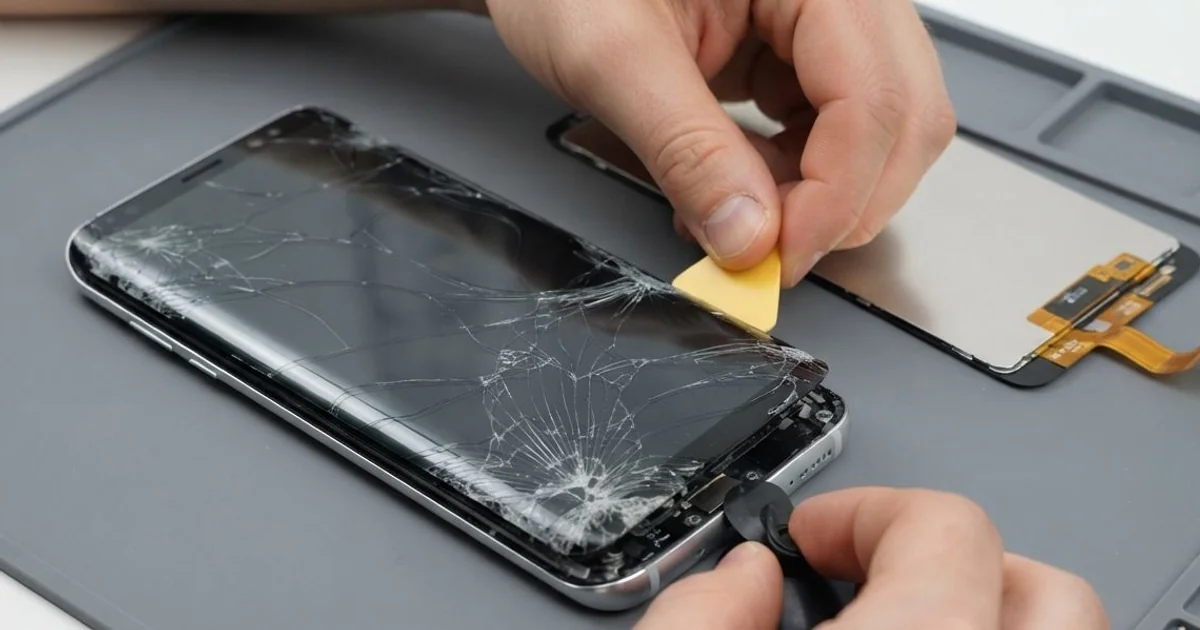
Samsung Galaxy S8+ LCD Display Replacement in Al Khobar fixes a curved screen that is cracked, lined or dark. We check it free first, then fit a complete new screen with the glass and display joined. We test touch and both edges, and most jobs are done the same day.
A Samsung S8 Plus broken screen doesn't always look broken. Some screens show thin coloured lines with no crack at all. Others go dark on one side, or touch stops working near one of the curved edges.
It's better not to wait too long. Lines and dark patches usually spread, because the display layer under the glass is damaged. Once the whole screen goes black, you can't unlock the phone to save your photos, chats and contacts.
Some screen faults need no new part at all. A thick or badly fitted screen protector can block touch on the curved edges. A loose connector after a knock can also cause a black screen, and refitting it fixes that.
Cracks, lines and burn-in are different. On this phone the glass and the display are one glued part, always replaced together. A Samsung S8 Plus screen replacement fixes all of these in one job.
How Kabayan Center Replaces a Samsung Galaxy S8+ LCD Display
We fix these screen faults on this phone.
- Cracked front glass, including cracks that start at a curved edge
- Coloured lines across the screen, with or without a crack
- A black screen while the phone still rings and vibrates
- Burn-in, where a faint ghost image stays on the screen
- Dead touch in one area, or taps that happen by themselves
- A dim, flickering or green-tinted display
This is how the repair goes with us, step by step:
- We check the phone free and test sound, cameras, charging and buttons first.
- We explain what it needs, and you decide before any work starts.
- We soften the glue with gentle heat, open the phone and unplug the battery before anything else.
- We lift out the damaged screen and scrape the frame clean of old glue and glass pieces.
- We plug in the new screen and check touch, colour and brightness before sealing it.
- We glue the screen in place and hold it under even pressure, so the curved edges sit flat.
- You test the phone yourself, from the edges to the fingerprint sensor, before taking it home.
Have a different phone? Our phone screen replacement service works for other models too. Many customers drive over from Dammam and Dhahran to our shop on King Fahd Road.
How a Galaxy S8+ Screen Gets Damaged: 3 Real Cases
Sat on in a back pocket
A common case: a big phone in the back pocket of tight jeans. An office worker sat down in the car, heard a small click and thought nothing of it. "There's no crack, but the lines keep growing," the worker said.
Before coming in, the worker looked up Samsung Screen Replacement in Al Khobar on a colleague's phone. A tall phone bends a little when you sit on it. The glass can survive, but the thin display layer underneath breaks.
We found two purple lines and a dead strip along the left edge. The glass had no mark at all, which surprised the worker. The display itself was damaged, so the whole screen had to change.
We fitted the new screen and tested touch right up to both curved edges. During the call test, the earpiece sounded rough and buzzy. The same pressure had pushed the small speaker out of place.
So we added a phone camera and speaker repair to fix the earpiece. The worker left with clean colours, clear calls and a plan to use the front pocket.
Knocked off the kitchen counter by a child
This one starts in a kitchen. A young child reached for the phone while it was charging on the counter. It fell with the cable still attached and landed corner first on the hard kitchen tiles.
The parent saw a web of cracks spreading from the top corner. "The touch still works, so maybe it's fine," they hoped. Within days, a black ink blot had grown under the crack.
That blot is the display leaking under the broken glass, and it only gets bigger. We fitted a complete new screen and tested every corner of the touch. The colours were bright and even again from edge to edge.
Then we noticed the phone charged only when the cable was held still. The cable had stayed in the port during the fall, and the jerk loosened it. So we did a charging port repair as well.
The phone came back with a clear screen and a steady charge. The family now charges it on a high shelf, well out of small hands. We also fitted a case with raised corners, since corners take most falls.
A ghost map burned in by long taxi shifts
We often see this with taxi drivers. One driver ran the map app at full brightness through long shifts, every day. Slowly, the outline of the map stayed on the screen, even on a white page.
"I can see the roads on my photos," the driver told us. This is burn-in. The screen is made of tiny lights, and the ones showing the same thing for hours wear out first.
The driver had asked around for mobile repair in Al Khobar and heard an app could fix it. Apps can't fix burn-in, because worn lights don't recover. Only a new screen removes it.
While checking the phone, we found the battery hot and slightly swollen from charging in the sun. A swollen battery should be replaced before it gets worse, so we did a phone battery replacement first.
The driver chose to keep the old screen for now, since it still showed the maps well. The ghost image is still there, but the phone is safe and lasts the shift. We set the brightness to automatic and turned on dark mode to slow the wear.
How to Keep Your Galaxy S8+ Screen Safe
- Keep the phone in a front pocket or a bag, never in a back pocket when you sit.
- Use a case with a raised lip, so the curved edges don't touch the floor in a fall.
- Charge the phone away from table edges, where a pulled cable can drag it down.
- Set the brightness to automatic, and use dark mode for long map sessions.
- Pick a thin screen protector made for curved screens, so touch still works at the edges.
- Bring it for phone repair in Al Khobar at the first line, before the whole screen goes dark.
Related services
- Water damage repair for a phone that got wet through a cracked screen
Questions about this repair
Ask us anything else on WhatsApp
we answer during shop hours.